
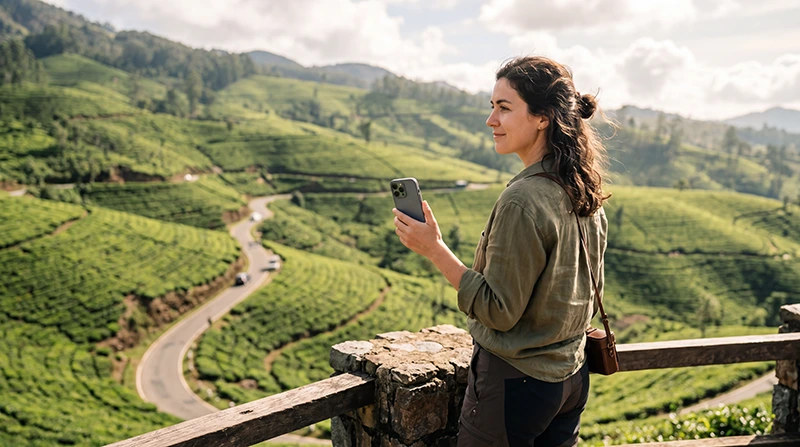

Traveler using Google Maps while exploring Sri Lanka

Google Maps in Sri Lanka: Everything You Need to Know Before You Travel

Google Maps is one of the most useful travel apps for visiting Sri Lanka. Whether you’re navigating Colombo’s busy streets, driving through the hill country, finding a beach in Mirissa or locating your hotel in Ella, it makes travelling around the island much easier.

Reliable mobile internet lets Google Maps provide live navigation, estimated arrival times, traffic information and nearby restaurants, hotels and attractions.

Most international travellers use a Sri Lanka eSIM because it provides mobile data immediately after arrival without replacing their home SIM card.

Quick answer: install your Sri Lanka eSIM before departure, activate it after landing, enable Data Roaming and download offline Google Maps before travelling through remote areas.

Top Sri Lanka eSIMs

Does Google Maps Work in Sri Lanka?

Yes. Google Maps works very well throughout Sri Lanka and is widely used by tourists, taxi drivers and local businesses.

You can use it to:

  • Navigate between cities.
  • Find hotels and guesthouses.
  • Locate restaurants and cafés.
  • Search for beaches and attractions.
  • Plan road trips.
  • Walk around towns.
  • Navigate with tuk-tuks and taxis.

Best Way to Use Google Maps

Option Best For Main Advantage
Sri Lanka eSIM Most tourists Navigation everywhere
Local prepaid SIM Long stays Local phone number
Offline Maps Mountain areas Works without internet
Hotel WiFi Downloading maps No mobile data used

Why Use a Sri Lanka eSIM?

  • Install before departure.
  • No physical SIM card.
  • No airport queues.
  • Keep your home number.
  • Reliable internet across Sri Lanka.
  • Perfect for Google Maps.
  • Works with Dual SIM phones.

Browse Sri Lanka eSIM plans.

How to Activate Your eSIM

  1. Install the eSIM while connected to WiFi.
  2. Arrive in Sri Lanka.
  3. Enable the eSIM.
  4. Select it for Mobile Data.
  5. Enable Data Roaming.
  6. Leave Network Selection on Automatic.

Your QR code and installation instructions are sent immediately after purchase and remain available in your NoveSIM account.

Where Google Maps Works Best

Destination Navigation Quality
Colombo Excellent
Negombo Excellent
Kandy Excellent
Ella Very Good
Galle Excellent
Mirissa Very Good
Sigiriya Very Good
Arugam Bay Good
National Parks Variable

Navigation is generally accurate throughout Sri Lanka, although mobile coverage may briefly weaken in remote mountain regions and wildlife parks.

Should You Download Offline Maps?

Yes. Downloading offline maps is highly recommended before visiting:

  • Ella and the hill country.
  • Yala National Park.
  • Remote beaches.
  • Mountain roads.
  • Long railway journeys.
  • Road trips across the island.

Offline maps continue working even when your mobile signal temporarily disappears.

Using Google Maps with Tuk-Tuks

Many travellers use Google Maps to follow their route while riding in a tuk-tuk. It can help confirm that you’re heading toward the correct destination and estimate your arrival time.

Combining Google Maps with PickMe or Uber makes getting around major cities even easier.

Google Maps for Road Trips

If you’re driving around Sri Lanka, Google Maps is essential for planning routes, finding fuel stations, restaurants and accommodation.

Before leaving major cities, download offline maps and save your hotel addresses in case coverage becomes limited.

Recommended Mobile Settings

Setting Recommended Value
Mobile Data Sri Lanka eSIM
Calls Primary SIM
SMS Primary SIM
Data Roaming ON (eSIM)
Automatic Data Switching OFF
Network Selection Automatic
APN data.esim if required

How Much Data Does Google Maps Use?

Activity Approximate Usage
Navigation 5–10 MB per hour
Searching places Very Low
Offline map download Usually 100–300 MB
Traffic updates Very Low

Google Maps is one of the most data-efficient travel apps. Even frequent navigation typically uses only a small amount of mobile data.

Sri Lanka eSIM APN Settings

Most phones configure the APN automatically. If manual configuration is required, use:

Field Value
APN data.esim
Username Leave blank
Password Leave blank
Authentication None

What If Google Maps Stops Working?

  1. Confirm the Sri Lanka eSIM is enabled.
  2. Select it for Mobile Data.
  3. Enable Data Roaming.
  4. Turn off Automatic Data Switching.
  5. Confirm the APN is data.esim.
  6. Toggle Airplane Mode for 30 seconds.
  7. Restart your phone.

If you’re travelling through mountains or national parks, temporary signal loss is normal. Offline maps will continue working until your mobile connection returns.

Google Maps Travel Tips

  • Download offline maps before departure.
  • Save hotel locations.
  • Star important attractions.
  • Carry a power bank.
  • Use hotel WiFi for downloading maps.
  • Disable roaming on your primary SIM.
  • Take screenshots of important routes.
  • Keep emergency locations saved offline.

Related Sri Lanka Guides

FAQ

Does Google Maps work in Sri Lanka?

Yes. Google Maps works throughout most cities, tourist destinations and major roads across Sri Lanka.

Should I download offline maps?

Yes. Offline maps are recommended before visiting mountain regions, national parks and remote beaches.

How much mobile data does Google Maps use?

Navigation is very data-efficient and typically uses only around 5–10 MB per hour.

Can I use Google Maps with a Sri Lanka eSIM?

Yes. A Sri Lanka eSIM provides mobile data that allows Google Maps to work normally throughout your trip.

What APN should I use?

If manual configuration is required, use data.esim.

Final Recommendation

Google Maps is one of the most important travel apps for exploring Sri Lanka. Combined with a Sri Lanka eSIM, it provides reliable navigation for cities, beaches, mountain roads and cultural attractions across the island.

Install your eSIM before departure, download offline maps before long journeys and enable Data Roaming after arrival for the best navigation experience.

Browse Sri Lanka eSIM plans here.

Scroll to Top