


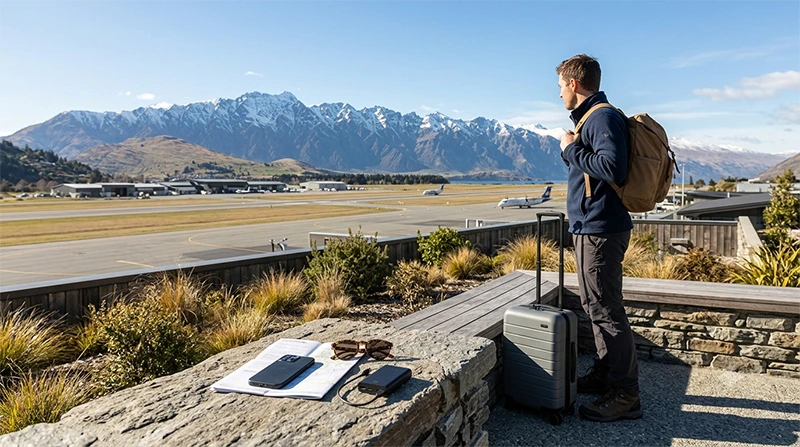

Buying a SIM card at Queenstown Airport may be a convenient way to get mobile data after arriving in one of New Zealand’s most popular adventure destinations. A local prepaid package may include mobile data, a New Zealand telephone number, local calls and SMS.
However, airport retailer availability, opening hours, stock and prepaid package details can change. Travellers arriving late, collecting a rental vehicle or heading directly towards Queenstown, Wānaka, Te Anau or Milford Sound should avoid relying on a specific airport shop without a backup plan.
Quick answer: a prepaid SIM may be available at or near Queenstown Airport, but a travel eSIM is usually easier for visitors who mainly need mobile data. Install it before departure, then select it for Mobile Data and enable Data Roaming after landing.
Top New Zealand eSIMs

New Zealand eSIM
Fixed
1 GB, 7 days2.50$2 GB, 15 days4.50$3 GB, 30 days6.00$Unlimited
Unlimited, 1 day3.00$Unlimited, 3 days7.50$Unlimited, 5 days12.00$
Asia eSIM
Fixed
1 GB, 7 days5.00$2 GB, 15 days9.00$3 GB, 30 days12.00$Unlimited
Unlimited, 1 day6.50$Unlimited, 3 days17.50$Unlimited, 5 days28.50$Can You Buy a SIM Card at Queenstown Airport?
Prepaid mobile products may be sold by participating airport retailers, convenience shops or travel-service outlets. Current availability depends on the businesses operating in the terminal and the time of your arrival.
Factors that may affect your purchase include:
- Retail opening hours.
- Your domestic or international arrival time.
- Current stock of prepaid SIM cards.
- The available data packages.
- Whether staff can assist with activation.
- Whether identification is required.
After entering the public arrivals area, follow current airport signs or ask airport staff where prepaid mobile products are sold.
Where Should You Look After Landing?
Possible places to check include:
- Convenience retailers.
- Travel accessory shops.
- Mobile service counters.
- Electronics retailers.
- Airport information desks.
If a suitable package is not available inside the airport, you may need to purchase a physical SIM later in Queenstown. An eSIM prepared before departure is more practical when you need directions immediately.
What Can a Queenstown Airport SIM Include?
A prepaid starter package may include some or all of the following:
- A New Zealand telephone number.
- A fixed mobile data allowance.
- Local calls.
- Local SMS.
- A defined validity period.
- International calling credit.
- Online top-up options.
- Hotspot or tethering access.
Check whether the displayed price includes both the physical SIM and an active data package. Some starter packs require a separate top-up or package activation.
How Much Does a SIM Card at Queenstown Airport Cost?
There is no single standard airport price. The total cost depends on:
- The retailer.
- The included data allowance.
- The validity period.
- Whether calls and SMS are included.
- Whether the package is designed for tourists.
- Whether extra prepaid credit is required.
- Any airport convenience premium.
Compare the complete package rather than only the initial cost of the card.
Questions to Ask Before Buying
- How much mobile data is included?
- How long is the package valid?
- Does it include a New Zealand telephone number?
- Are local calls and SMS included?
- Can the plan be used as a hotspot?
- Does it work across New Zealand?
- Is activation immediate?
- Is an additional top-up required?
- What happens when the data runs out?
- Can the package be topped up online?
Queenstown Airport SIM Card vs Travel eSIM
| Feature | Airport Prepaid SIM | Travel eSIM |
|---|---|---|
| Purchase timing | Usually after arrival | Before departure or online after arrival |
| Physical card required | Yes | No |
| Airport retailer required | Usually | No |
| Local telephone number | Often available | Check the selected plan |
| Traditional calls and SMS | May be included | Check the selected plan |
| Keep home SIM installed | Depends on the phone | Usually yes |
| Useful for late arrivals | Depends on opening hours | Yes, when installed beforehand |
| Immediate navigation | After purchase and activation | After enabling the correct settings |
When Is a Physical SIM the Better Choice?
A local prepaid SIM may be more suitable when:
- You need a New Zealand telephone number.
- You want traditional calls and SMS.
- Your phone does not support eSIM.
- You prefer assistance from a shop employee.
- You are staying for several weeks or months.
- You want access to local top-up options.
- Your phone has a free physical SIM slot.
When Is an eSIM the Better Choice?
A travel eSIM may be more convenient when:
- You want to prepare mobile data before flying.
- You arrive outside normal retail hours.
- You are collecting a rental car immediately.
- You need navigation as soon as you leave the airport.
- You want to keep your home SIM installed.
- You do not need a New Zealand number.
- You mainly use WhatsApp, Viber or FaceTime.
- Your trip also includes Australia.
Browse New Zealand eSIM plans.
Airport SIM Card vs International Roaming
| Airport SIM | International Roaming |
|---|---|
| Uses a New Zealand prepaid service | Uses your existing mobile subscription |
| May include a local number | Keeps your home number |
| Usually purchased after arrival | Can normally be arranged before travel |
| May require changing the physical SIM | No SIM change required |
| Usually offers a fixed prepaid package | May involve daily or usage-based charges |
| Often practical for longer stays | Can be convenient for a short trip |
Check the total roaming cost for your complete journey before enabling it.
Read the New Zealand roaming charges guide.
How to Buy a SIM Card at Queenstown Airport
- Collect your luggage and enter the public arrivals area.
- Look for a participating retailer or ask the information desk.
- Compare the available prepaid packages.
- Check the mobile data allowance.
- Review the validity period.
- Confirm whether calls, SMS and a local number are included.
- Ask whether hotspot sharing is allowed.
- Complete any required registration.
- Install and activate the SIM.
- Test mobile data before leaving the terminal.
Do You Need Identification?
Identification requirements may depend on the retailer, provider and current local procedure.
Keep your passport or another accepted travel document available when purchasing a prepaid SIM, but do not assume that every retailer follows the same process.
How to Install a Physical SIM
- Turn off the phone.
- Open the SIM tray using the correct tool.
- Remove your existing physical SIM when necessary.
- Place the New Zealand SIM in the correct position.
- Close the tray carefully.
- Turn the phone on.
- Enter the supplied PIN when requested.
- Complete any activation instructions.
- Select the new SIM for Mobile Data.
- Test the internet connection.
Store your original SIM securely if you remove it.
Can You Keep Your Home SIM Active?
A compatible Dual-SIM phone may allow you to keep your home SIM active while using the New Zealand SIM or travel eSIM for mobile data.
To reduce accidental roaming charges:
- Select the New Zealand line for Mobile Data.
- Turn off Data Roaming on the home SIM.
- Disable Automatic Data Switching.
- Check the selected line before making a traditional call.
Your home provider may still charge for calls, voicemail or messages while abroad.
Will WhatsApp Keep Your Existing Number?
Yes. WhatsApp normally continues using the number already registered to your account while another SIM or eSIM provides mobile data.
Do not select Change Number unless you intentionally want to move the account to a New Zealand telephone number.
Mobile Data for Leaving Queenstown Airport
Internet can be useful immediately after leaving the terminal for:
- Airport transfer information.
- Rental car collection.
- Hotel navigation.
- Ride-booking services.
- Messaging accommodation hosts.
- Weather and road checks.
- Opening booking confirmations.
An eSIM installed before departure can provide a smoother connection when you need these services immediately.
SIM Card for Queenstown and the Surrounding Area
Mobile data is useful during a stay in Queenstown for:
- Walking directions.
- Activity reservations.
- Restaurant bookings.
- Weather checks.
- Transport information.
- Accommodation communication.
- Sharing photos and videos.
Signal can vary indoors, in mountain valleys and in less populated areas outside the town.
Mobile Data for Queenstown to Wānaka
Travellers driving towards Wānaka should download the route before leaving the airport area.
Prepare by:
- Saving the complete route offline.
- Downloading accommodation details.
- Checking road and weather conditions.
- Saving fuel or charging stops.
- Carrying a phone charger or power bank.
Do not rely entirely on live navigation in mountain areas.
Mobile Data for Queenstown to Te Anau
The journey towards Te Anau includes long rural sections where mobile service may vary.
Before leaving Queenstown:
- Download offline maps.
- Save fuel stops.
- Download accommodation confirmations.
- Check current road conditions.
- Save emergency contact details.
- Charge the phone fully.
Mobile Data for Milford Sound Trips
Visitors heading towards Milford Sound should not expect a continuous mobile connection throughout the entire route.
Before departure:
- Download the complete route offline.
- Save tour and transport details.
- Download tickets and confirmations.
- Check weather and road information.
- Save emergency contacts.
- Tell someone your itinerary when appropriate.
A larger data allowance does not guarantee stronger signal in remote mountain terrain.
Mobile Data for Queenstown to Mount Cook
Long drives and mountainous terrain make offline preparation important.
Save the following before travelling:
- Driving directions.
- Accommodation addresses.
- Fuel and charging locations.
- Weather forecasts.
- Activity bookings.
- Emergency information.
Does a Queenstown Airport SIM Work Across New Zealand?
A New Zealand prepaid SIM is generally intended for nationwide use, subject to plan conditions and available mobile coverage.
Signal quality can vary according to:
- Terrain.
- Distance from populated areas.
- Indoor building conditions.
- Network congestion.
- The phone’s supported frequencies.
- The local network available in the area.
No SIM, eSIM or roaming plan can guarantee uninterrupted service in every mountain pass, national park, remote valley or isolated road.
Can You Use 5G?
A local SIM or travel eSIM may connect to 5G when the device, plan, location, supported frequencies and available network allow it.
A stable 4G connection remains sufficient for:
- Navigation.
- Messaging.
- Weather checks.
- Transport searches.
- Accommodation bookings.
- Internet-based calls.
Seeing 4G instead of 5G does not necessarily mean that something is wrong.
How Much Data Do You Need?
| Trip Length | Typical Starting Point |
|---|---|
| 1 to 3 days | 2 GB to 3 GB |
| 4 to 7 days | 5 GB to 10 GB |
| 8 to 14 days | 10 GB to 20 GB |
| 15 to 30 days | 20 GB or more |
| Remote work or frequent hotspot use | Large allowance or unlimited option |
Navigation, messaging and travel research generally use less data than streaming, cloud backups, large uploads and laptop hotspot use.
Read how much data you need for New Zealand.
Can You Use a Mobile Hotspot?
Hotspot sharing may be available depending on the selected prepaid package or eSIM plan.
A hotspot can connect:
- A laptop.
- A tablet.
- Another phone.
- A travel companion’s device.
Connected devices can consume data quickly through updates, cloud synchronisation, streaming and video calls. Check the plan conditions before relying on tethering.
Can You Rely on Queenstown Airport WiFi?
Airport WiFi may be useful for short arrival tasks such as messaging, downloading directions and opening transport details.
It is not a substitute for mobile data during the rest of your trip.
Use airport WiFi for:
- Contacting accommodation.
- Opening rental car instructions.
- Checking airport transfers.
- Downloading offline maps.
- Installing an eSIM when the connection is stable.
Can You Buy an eSIM at Queenstown Airport?
A travel eSIM does not normally require an airport shop. It can be purchased online before departure or after arrival using a reliable internet connection.
Purchasing before travel gives you time to:
- Check device compatibility.
- Confirm that the phone is carrier-unlocked.
- Install the eSIM carefully.
- Save the instructions offline.
- Review the activation process.
- Contact support before departure when necessary.
How to Check Whether Your Phone Supports eSIM
Check the manufacturer’s specifications for your exact phone model and regional version.
You can also dial *#06#. An eSIM-compatible device may display an EID together with one or more IMEI numbers.
You may also find a setting such as:
- Add eSIM.
- Add Cellular Plan.
- Add Mobile Plan.
- Download SIM.
- SIM Manager.
The device must also be carrier-unlocked.
How to Install a New Zealand eSIM
- Confirm that the phone supports eSIM.
- Check that the device is carrier-unlocked.
- Choose a plan covering New Zealand.
- Select enough validity for the complete trip.
- Choose a suitable mobile data allowance.
- Complete the online purchase.
- Connect the phone to reliable WiFi.
- Open the installation instructions.
- Scan the QR code or enter the manual details.
- Keep the eSIM installed until the trip ends.
Read how to buy an eSIM for New Zealand.
Recommended Travel eSIM Settings
| Setting | Recommended Value |
|---|---|
| Travel eSIM | Enabled after arrival |
| Mobile Data | Travel eSIM |
| Data Roaming on travel eSIM | On |
| Data Roaming on primary SIM | Off |
| Automatic Data Switching | Off |
| Network Selection | Automatic |
| APN | data.esim when required |
How to Connect After Landing
- Turn off Airplane Mode when permitted.
- Enable the New Zealand travel eSIM.
- Select it for Mobile Data.
- Enable Data Roaming on the travel eSIM.
- Disable Data Roaming on the primary SIM.
- Turn off Automatic Data Switching.
- Leave Network Selection on Automatic.
- Wait several minutes for network registration.
What If the eSIM Does Not Connect?
- Confirm that the selected plan includes New Zealand.
- Check that the travel eSIM is enabled.
- Select it for Mobile Data.
- Enable Data Roaming on the travel eSIM.
- Disable Data Roaming on the primary SIM.
- Turn off Automatic Data Switching.
- Leave Network Selection on Automatic.
- Check that the APN is data.esim.
- Turn Airplane Mode on for 30 seconds and turn it off.
- Wait several minutes for network registration.
- Restart the phone when necessary.
Move towards a window or leave underground parking and heavily enclosed areas before changing advanced settings.
Do not delete the eSIM during troubleshooting. The installation QR code may be valid for one installation only.
What If the Physical SIM Does Not Work?
- Confirm that the prepaid SIM has been activated.
- Check that a data package or enough credit is available.
- Select the New Zealand SIM for Mobile Data.
- Leave Network Selection on Automatic.
- Enter the APN supplied by the local provider when required.
- Turn Airplane Mode on for 30 seconds and turn it off.
- Restart the phone.
- Return to the retailer before leaving the airport when possible.
Do not use the NoveSIM APN for an unrelated local prepaid SIM.
Queenstown Airport SIM Card Checklist
- Check your expected arrival time.
- Review airport retailer opening hours when available.
- Compare the complete package price.
- Confirm the included data allowance.
- Check the validity period.
- Ask whether a local telephone number is included.
- Review calls and SMS.
- Confirm hotspot availability.
- Test mobile data before leaving the airport.
- Store your home SIM securely.
- Download offline maps for mountain routes.
- Consider installing an eSIM before departure.
Related New Zealand Travel Internet Guides
- New Zealand eSIM Plans
- Best eSIM for New Zealand
- Buy an eSIM for New Zealand
- Best SIM Card for New Zealand
- SIM Card at Auckland Airport
- SIM Card at Christchurch Airport
- New Zealand Roaming Charges
- Mobile Internet in New Zealand
- Internet in New Zealand for Tourists
- How Much Data Do You Need for New Zealand?
FAQ
Can you buy a SIM card at Queenstown Airport?
Prepaid SIM cards may be available from participating airport retailers, but availability, stock and opening hours can change.
Is an eSIM better than buying a SIM at Queenstown Airport?
An eSIM is usually more convenient for travellers who mainly need mobile data. A physical SIM may be better when you need a New Zealand number, traditional calls or SMS.
Can I buy a SIM after a late-night arrival?
This depends on current retailer opening hours. Installing a travel eSIM before departure is more reliable for late arrivals.
Does a Queenstown Airport SIM work outside Queenstown?
A New Zealand prepaid SIM is generally intended for nationwide use, subject to plan conditions and available mobile coverage.
How much data do I need for Queenstown?
Approximately 5 GB to 10 GB is a practical starting point for a one-week trip. Choose more for road trips, hotspot use, streaming or frequent uploads.
Will I have mobile signal on the road to Milford Sound?
Signal can vary significantly in remote and mountainous areas. Download maps, tickets and essential information before departure.
Can I keep my home SIM active?
Yes, on a compatible Dual-SIM phone. Select the New Zealand line for Mobile Data, disable roaming on the home SIM and turn off Automatic Data Switching.
What APN should I use for NoveSIM?
Use data.esim when manual APN configuration is required.
Final Recommendation
Buying a prepaid SIM at Queenstown Airport can be useful when you need a New Zealand telephone number, traditional calls, SMS or in-person assistance. Check current retailer availability and the complete package price before relying on an airport purchase.
For most tourists, a travel eSIM is more convenient. It can be installed before departure, keeps the primary SIM in the phone and provides mobile data without waiting for a shop to open.
Choose approximately 5 GB to 10 GB for a typical one-week visit and more data for a longer South Island road trip, hotspot use, frequent uploads or remote work.
Download offline maps before travelling towards Wānaka, Te Anau, Milford Sound or other mountain areas where mobile signal may vary.