


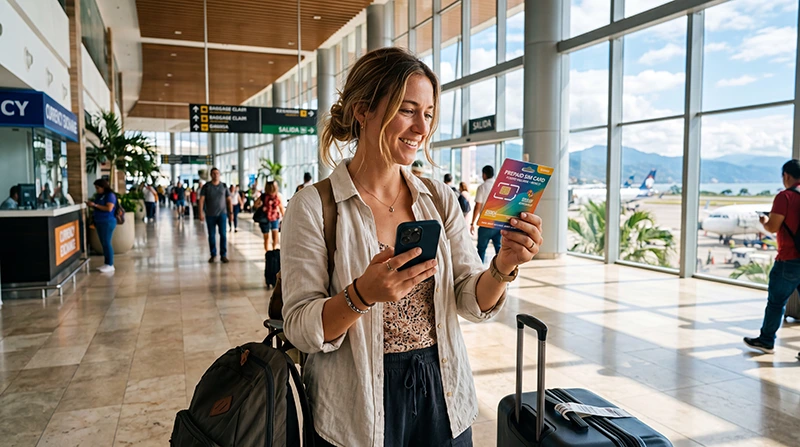

If you plan to buy a SIM card at Puerto Vallarta Airport (PVR), first confirm where you can buy and activate one during your arrival hours. We have not verified a specific airport SIM seller, current stock or opening schedule. The presence of convenience shops does not establish that they provide mobile service or registration.
Before flying, keep your transfer confirmation, accommodation address and arrival instructions available offline. A delayed SIM purchase should not leave you unable to find your driver or show the destination. This matters whether you are staying in Puerto Vallarta itself or continuing to another coastal town.
Our NoveSIM travel eSIMs are an alternative for compatible, carrier-unlocked devices. They provide mobile data without a Mexican number, conventional calls or carrier SMS. Internet messaging and calling apps can use the data connection.
Quick answer: Ask airport information to confirm an available SIM seller before relying on an airport purchase. At the seller, check registration, the actual data offer, validity and final price, then test mobile data with Wi-Fi off before leaving. Compare the offer with your existing Mexico roaming allowance and a suitable eSIM; neither an airport shop nor an immediate connection should be assumed.
Top Mexico eSIMs

Mexico eSIM
Fixed
1 GB, 7 days€ 3.562 GB, 15 days€ 5.353 GB, 30 days€ 7.13Unlimited
Unlimited, 1 day€ 3.56Unlimited, 3 days€ 8.46Unlimited, 5 days€ 13.36
North America eSIM
Fixed
1 GB, 7 days€ 4.012 GB, 15 days€ 7.133 GB, 30 days€ 9.80Unlimited
Unlimited, 1 day€ 5.79Unlimited, 3 days€ 15.15Unlimited, 5 days€ 24.95Central America eSIM
Fixed
1 GB, 7 days€ 7.132 GB, 15 days€ 11.583 GB, 30 days€ 15.59Unlimited
Unlimited, 1 day€ 6.68Unlimited, 3 days€ 16.48Unlimited, 5 days€ 26.28Find Out Whether the Seller Can Finish the Setup
Ask for the seller’s name, location and hours, and confirm whether staff can complete registration and activation. A retailer may sell a SIM without providing the same setup assistance as the operator. Find out who handles support if the connection fails after you leave.
If you have a prebooked pickup, allow for that arrangement when deciding whether to shop after landing. Keep a way to complete the transfer without a new SIM: offline instructions, a checked roaming option or a travel eSIM installed at the time permitted by its plan.
Read the Actual Offer Before Paying
| Item | Question for the seller |
|---|---|
| Operator and support | Which operator supplies the service, and how do I get help afterwards? |
| Registration | What documents are required, and can the process be completed before I leave? |
| Included services | How much general-purpose data is included? Does this offer include a Mexican number, calls or SMS? |
| Limits | Is the data allowance daily or total? What happens after a high-speed limit? |
| Hotspot | Can I share data with another device, and are there separate conditions? |
| Validity | What starts the allowance, when does it expire and will it cover my departure day? |
| Final price | What is the total in the stated currency, including the SIM, allowance, activation and other charges? |
| Balance and renewal | How can I check remaining data and buy more if needed? |
Keep the receipt and the offer details. We do not have a verified airport price list, so compare the quote you actually receive rather than a generic tourist-SIM price range. An allowance advertised for particular apps may not be the same as data you can use for any webpage or app.
Registration Comes Before a Useful Connection
Ask the operator or authorised seller about current registration requirements before purchase. For example, AT&T Mexico’s registration guidance states that new domestic lines require identity linking for service and that foreign visitors can use a valid passport from their home country. Its process includes a confirmation SMS.
Follow the official process for the operator you buy from and ask what confirms successful registration. Do not assume that inserting the SIM, paying for a top-up or seeing signal bars means the service is ready. Keep the instructions for the line and any activation confirmation.
Test the SIM While the Seller Can Still Help
- Confirm that registration and activation are complete and the purchased allowance is on the correct line.
- Select the new SIM for mobile data and apply the operator’s supplied settings.
- Turn Wi-Fi off briefly, load a small webpage and send an internet message.
- Use the operator’s balance-check method to confirm the allowance and expiry.
- If you bought the service for calls, SMS or hotspot, verify those features and their conditions too.
- Save the support contact, top-up instructions, receipt and local number if supplied.
If data fails, ask the seller to resolve the problem before leaving. A small webpage is sufficient for an initial test; a large download or repeated speed test can consume part of the allowance.
When an eSIM or Existing Roaming May Suit You
Check your home plan first. Mexico may be included in an allowance you already have, but confirm daily fees, limits and charges after it ends. If that service meets your needs, you may not need another purchase.
A physical SIM may suit you if its offer includes a local number you require. Whether you can keep a home line active alongside it depends on the device’s supported SIM combination. Physical SIM and eSIM do not determine that answer by themselves.
If you choose an eSIM, confirm support for the exact device and regional version and check carrier-unlocked status. Compare current Mexico eSIM plans against trip length, data use and hotspot needs. Our local SIM versus eSIM comparison explains the practical differences.
Identify what starts the purchased eSIM’s validity before installation. Add the profile over reliable internet at the permitted time. At an included destination, enable it, select it for mobile data and apply its Data Roaming instructions. Test with Wi-Fi briefly off, following the Mexico eSIM installation guide.
Keep home-line data roaming off if you do not intend to use it, and review automatic data switching. Calls, SMS and voicemail on an active home line can still be charged by your home provider.
Prepare for Your Particular Transfer
For accommodation in Puerto Vallarta, save the full address and actual entrance. If the property is on a hillside, ask the host which access point to give the driver. Keep those instructions with the booking rather than relying on a neighbourhood pin.
If you are continuing towards Bucerías, Punta Mita, Sayulita or another destination, save that specific address and transfer confirmation before arrival. The name Puerto Vallarta alone does not identify your final stop. Follow the pickup instructions supplied by your transport provider and agree on a fallback if messages do not arrive.
A working airport connection does not guarantee reception throughout the road journey or inside the accommodation. Keep critical details offline and use our Puerto Vallarta internet guide for preparation beyond the airport.
Related Articles
- Check network access for your Mexico itinerary
- Estimate the mobile data your trip needs
- Troubleshoot a Mexico eSIM without deleting the profile
FAQ
Can I count on buying a SIM as soon as I land at PVR?
No specific seller, stock or opening schedule has been verified here. Confirm a location and activation assistance for your arrival time before relying on an airport purchase. Keep transfer details offline in case buying a SIM takes longer than expected.
What should the final price include?
Ask for the total and currency, covering the SIM, data allowance, activation and any additional charges. Keep a receipt and confirm the included services, validity and high-speed conditions before paying.
Can I keep my home SIM active after buying a physical SIM?
That depends on your device’s supported SIM combination. Check before purchase. Select the intended line for data, keep unwanted home-line data roaming off and review automatic switching. Calls, SMS and voicemail on the home line remain subject to your provider’s charges.
Final Recommendation
If you want to buy a SIM at Puerto Vallarta Airport, confirm the seller and judge the actual offer by registration, services, validity and total cost.
Finish activation and test mobile data before leaving. Compare existing roaming and a compatible travel eSIM as alternatives, following the purchased eSIM’s timing instructions.
Keep the exact accommodation entrance and transfer arrangements offline so your arrival does not depend on finding a SIM seller.