


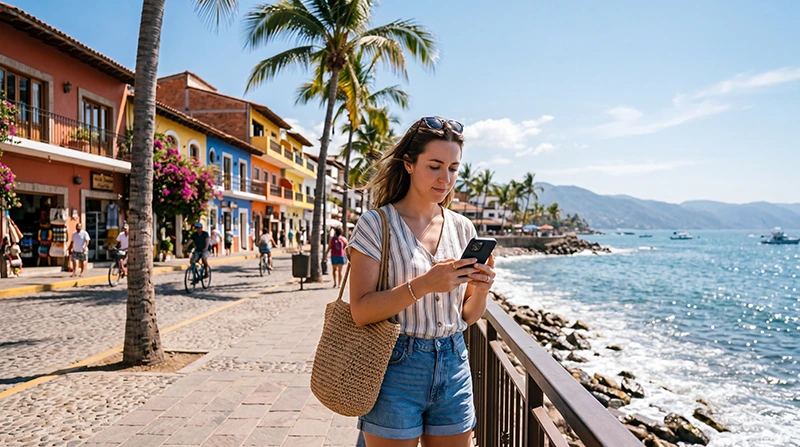

Tourists can get internet in Puerto Vallarta with a Mexico eSIM, a registered local SIM or Wi-Fi at their accommodation. An eSIM is convenient for travellers who want data ready after landing and do not need a Mexican telephone number.
The connection needs to work beyond the hotel: the airport transfer, waterfront, hillside accommodation and coastal outings may all require maps or messages. Reception can change indoors, behind terrain and along roads outside the main urban area.
We provide data-only travel eSIMs. We do not provide a Mexican telephone number, conventional voice calls or carrier SMS, although internet calling and messaging apps work through mobile data.
Quick answer: install a Mexico eSIM before the flight for immediate mobile data in Puerto Vallarta. Choose a local SIM if a Mexican number is important, and use trusted accommodation Wi-Fi for larger downloads. Save the airport transfer, property entrance and every coastal route offline.
Top Mexico eSIMs

Mexico eSIM
Fixed
1 GB, 7 days4.00$2 GB, 15 days6.00$3 GB, 30 days8.00$Unlimited
Unlimited, 1 day4.00$Unlimited, 3 days9.50$Unlimited, 5 days15.00$
North America eSIM
Fixed
1 GB, 7 days4.50$2 GB, 15 days8.00$3 GB, 30 days11.00$Unlimited
Unlimited, 1 day6.50$Unlimited, 3 days17.00$Unlimited, 5 days28.00$Central America eSIM
Fixed
1 GB, 7 days8.00$2 GB, 15 days13.00$3 GB, 30 days17.50$Unlimited
Unlimited, 1 day7.50$Unlimited, 3 days18.50$Unlimited, 5 days29.50$Compare the current Mexico eSIM plans and confirm the exact handset on the eSIM-compatible device list. The phone must also be network-unlocked.
eSIM, Local SIM or Wi-Fi in Puerto Vallarta?
| Option | Useful for | Limitation |
|---|---|---|
| Travel eSIM | Advance setup and data after landing | Requires a compatible, unlocked phone; NoveSIM is data-only |
| Local SIM | A Mexican number or domestic package | Requires purchase, registration and activation |
| Accommodation Wi-Fi | Video, backups and larger downloads | Does not cover movement around the destination |
| Public Wi-Fi | A temporary low-risk task | May be slow, open or dependent on a captive portal |
Do not select an option only by its advertised allowance. The arrival time, trip length, need for a local number and routes outside central Puerto Vallarta are equally important.
Prepare the Arrival Before Flying
Install the eSIM on reliable Wi-Fi and follow the purchased plan’s activation timing. Label it clearly, then keep the airport pickup instructions, accommodation address and a recognisable entrance or meeting point outside a single booking app.
- Download the Puerto Vallarta map and mark the accommodation.
- Store flight, transfer and check-in references offline.
- Pause cloud backup and automatic application updates.
- Carry enough battery for navigation after landing.
- Keep the installation instructions and support details available.
Use the Mexico eSIM activation guide for the complete preparation sequence.
Connect Mobile Data After Landing
- Switch on the Mexico eSIM in the phone’s mobile settings.
- Select it as the Mobile Data line.
- Enable Data Roaming on the travel eSIM.
- Disable automatic data switching to the home SIM.
- Leave network selection on Automatic and allow time to register.
- Turn off Wi-Fi and test a webpage, a message and the saved route.
Complete the test before leaving the terminal or committing to a pickup. Signal bars alone do not confirm that the map and messaging apps can transfer data.
What to Expect Around the City
Mobile data is useful for navigating between the hotel zone, central streets and hillside properties, but a usable outdoor signal can weaken inside a concrete building. Before changing settings, compare the connection near a window or outdoors.
Maps and text messages normally use relatively little data. Full-resolution photo uploads, video, app updates and hotspot work consume much more. Schedule those tasks for reliable accommodation Wi-Fi and keep mobile data for movement and booking changes.
Prepare Coastal Trips Offline
A plan that works well in Puerto Vallarta may behave differently on a coastal road, near terrain or at a less populated stop. Coverage depends on the network behind the plan, exact location, device and local capacity. Consult the Mexico network guide when the itinerary extends beyond the city.
Download the full outward and return route, mark the pickup point and store any boat or transport booking. Travelling companions should agree on a meeting point in case messages arrive late.
Use Dual SIM Without Unexpected Roaming
A compatible phone can keep the home number active while the travel eSIM handles data. Select the eSIM manually for Mobile Data and disable automatic data switching. Calls and SMS on the home line remain subject to its carrier’s roaming terms.
If account verification is not needed, switching off the home line is the simplest protection. Re-enable it only when the traveller understands the applicable call and message charges.
If the eSIM Stops Working
Confirm the active data line, Data Roaming, validity and remaining allowance. Toggle aeroplane mode briefly, restart once and leave network selection on Automatic. If a NoveSIM plan requires manual APN entry, use data.esim.
Do not delete the installed profile. Keep it available while using the Mexico eSIM troubleshooting guide or contacting Support. Note whether the problem occurs everywhere, only indoors or only in one application.
Related Articles
- Mexico eSIM Plans
- How to Activate a Mexico eSIM
- Best Network in Mexico for Tourists
- Mexico eSIM Troubleshooting
FAQ
What is the easiest internet option for Puerto Vallarta?
A travel eSIM is convenient for immediate data when the phone is compatible and unlocked. A local SIM is more suitable when a Mexican number is required.
Is hotel Wi-Fi enough for Puerto Vallarta?
It can handle use at the property, but it does not provide maps, transfer communication or booking access while travelling around the city.
Will mobile data work on every coastal day trip?
Not necessarily. Reception varies with the network, route, terrain and local conditions, so download the outward and return journey before leaving.
Does a NoveSIM Mexico eSIM include a local number?
No. We provide mobile data without a Mexican number, conventional calls or carrier SMS. Internet calling and messaging apps use the data connection.
Final Recommendation
Prepare a Mexico eSIM before flying to Puerto Vallarta when you want data ready for the airport transfer and do not need a local number.
Select the eSIM for Mobile Data, enable Data Roaming only on that line and prevent the home SIM from switching back to data.
Use trusted Wi-Fi for larger downloads, but keep the accommodation entrance and coastal routes offline so changing reception cannot interrupt the journey.