


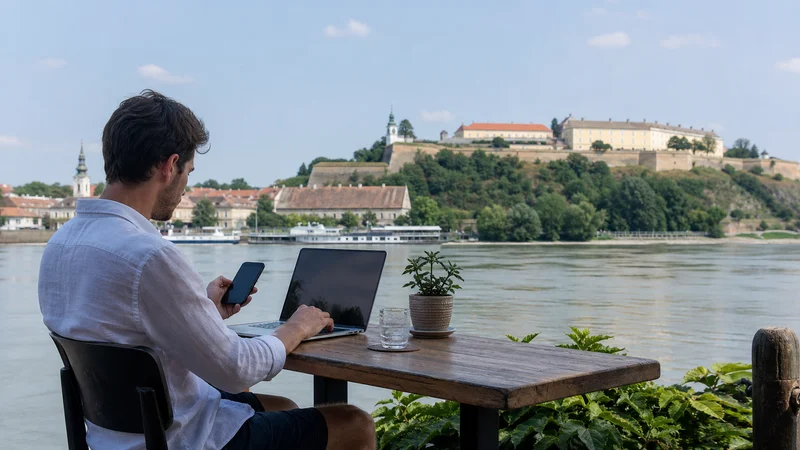

Internet in Serbia for digital nomads should combine a tested primary workspace connection with independent mobile data. An eSIM can cover arrivals, movement and short WiFi outages, but it should not be treated as a guaranteed replacement for a reliable work connection.
The useful setup depends on calls, uploads, company security rules and how often the traveller changes accommodation. Testing from the actual desk is more informative than a speed result from a lobby or property listing.
NoveSIM travel eSIMs provide data only. We do not provide a Serbian number, conventional calls or SMS; internet calling, messaging and work apps use the data connection.
Quick answer: Use dependable accommodation or coworking WiFi for sustained remote work, and keep a Serbia eSIM as an independent connection for arrival, movement and outages. Test hotspot, VPN, authentication and upload tasks before an important meeting, and keep a second workplace available for critical deadlines.
Top Serbia eSIMs

Serbia eSIM
Fixed
1 GB, 7 days3.50$2 GB, 15 days5.50$3 GB, 30 days7.00$Unlimited
Unlimited, 1 day3.50$Unlimited, 3 days8.50$Unlimited, 5 days14.00$
Balkans eSIM
Fixed
1 GB, 7 days5.00$2 GB, 15 days8.00$3 GB, 30 days10.50$Unlimited
Unlimited, 1 day5.50$Unlimited, 3 days12.50$Unlimited, 5 days19.50$Europe Extra eSIM
Fixed
1 GB, 7 days2.50$2 GB, 15 days4.00$3 GB, 30 days5.00$Unlimited
Unlimited, 1 day3.00$Unlimited, 3 days6.00$Unlimited, 5 days10.00$Europe+ eSIM
Fixed
1 GB, 7 days3.00$2 GB, 15 days4.50$3 GB, 30 days6.00$Unlimited
Unlimited, 1 day3.00$Unlimited, 3 days7.00$Unlimited, 5 days11.50$Europe Lite eSIM
Fixed
1 GB, 7 days2.50$2 GB, 15 days4.00$3 GB, 30 days5.00$Unlimited
Unlimited, 1 day3.00$Unlimited, 3 days6.00$Unlimited, 5 days10.00$Build Two Independent Ways to Work
The primary connection can be verified accommodation or coworking WiFi. The backup should not depend on the same router, building or power source. Mobile data provides useful separation, provided there is usable partner-network coverage at the location.
For a deadline-sensitive day, identify another practical workplace rather than assuming a phone hotspot can carry every task. The Serbia coverage guide explains why indoor location, terrain and congestion still matter.
Test the Actual Desk before a Meeting
- Connect from the room and desk where work will take place.
- Test download and upload performance at normal working hours.
- Open the company VPN and authentication tools.
- Join a short test call using the intended application.
- Upload a representative file rather than relying on a speed number alone.
- Repeat the essential test through the mobile backup.
A fast download result does not prove that video, corporate services or large uploads will remain stable. Test the workflow that would create the real problem if it failed.
Choose Data around Work Tasks
| Task | Preferred connection | Preparation |
|---|---|---|
| Email and messaging | WiFi or mobile data | Keep authentication recovery available |
| Video meetings | Tested stable connection | Use audio fallback when appropriate |
| Large uploads | Trusted WiFi | Finish before moving location |
| Laptop hotspot | Supported eSIM plan | Pause backups and software updates |
| Travel between cities | Mobile data plus offline files | Download tickets and work documents |
Hotspot Is Useful but Not Automatic
Confirm that tethering is supported by the selected plan and phone. Connecting a laptop can trigger cloud synchronisation, operating-system downloads and application updates that use data without an obvious foreground task.
Disable those processes, protect the hotspot with a strong password and disconnect the computer after use. If mobile data becomes unexpectedly slow in several suitable locations, follow the Serbia slow-data checks one variable at a time.
Accommodation and Coworking Questions
- Does WiFi reach the actual room or desk?
- Is upload performance sufficient for the planned work?
- Are long calls permitted in the space?
- Is there a backup workspace nearby?
- Can equipment be charged securely?
Do not send confidential information through an unverified lookalike network. Confirm the WiFi name with the property or workspace and follow the employer’s VPN and device-security policy.
Plan for Power and Authentication
A phone acting as a hotspot can drain quickly, especially with weak reception. Carry an appropriate power bank, cable and plug adapter, and avoid placing the phone where heat builds up during long tethering sessions.
Save approved recovery codes securely and keep the home number available when it is required for authentication. Calls or SMS through the primary SIM remain subject to the home provider’s roaming terms.
Prepare the Serbia eSIM
- Confirm that the exact device supports eSIM and is unlocked.
- Review validity, allowance, hotspot conditions and included coverage.
- Install on dependable WiFi when the plan permits advance installation.
- After arrival, select the Serbia profile for mobile data.
- Enable Data Roaming on the travel line.
- Turn off mobile-data switching to the home SIM.
- Test with WiFi disconnected before relying on the backup.
Use the Serbia activation guide for the first connection and keep the installed profile during troubleshooting.
Working while Moving around Serbia
Download the files needed for the travel day before leaving the workspace. Trains, buses, tunnels and rural road sections can interrupt service, so draft locally and use applications that synchronise after the connection returns.
For tickets and city movement, the Serbia public-transport apps guide explains how to keep the essential journey available offline.
Related Articles
- Mobile Data in Serbia
- Unlimited Data in Serbia
- Serbia eSIM Coverage
- Activate an eSIM in Serbia
- Public Transport Apps in Serbia
FAQ
Can I work remotely using only a Serbia eSIM?
It may support many tasks, but critical work needs a tested backup because coverage, congestion, hotspot terms and device power can change.
Can I hotspot a laptop from the Serbia eSIM?
Only when the selected plan and device support tethering. Confirm the terms and stop laptop background downloads first.
Is accommodation WiFi enough for remote work?
Test it from the actual desk at working hours. Lobby coverage or a property claim does not prove suitable upload and meeting performance.
Does a NoveSIM plan provide a Serbian phone number?
No. NoveSIM travel eSIMs are data-only; ordinary calls and SMS require another line or service.
Final Recommendation
Plan internet in Serbia for digital-nomad work as a two-connection system, not as a promise from one network.
Use tested WiFi for heavy work and a correctly configured Serbia eSIM for independent backup and movement.
Test the real applications before important calls, preserve offline copies and keep another workable location available for deadlines.