


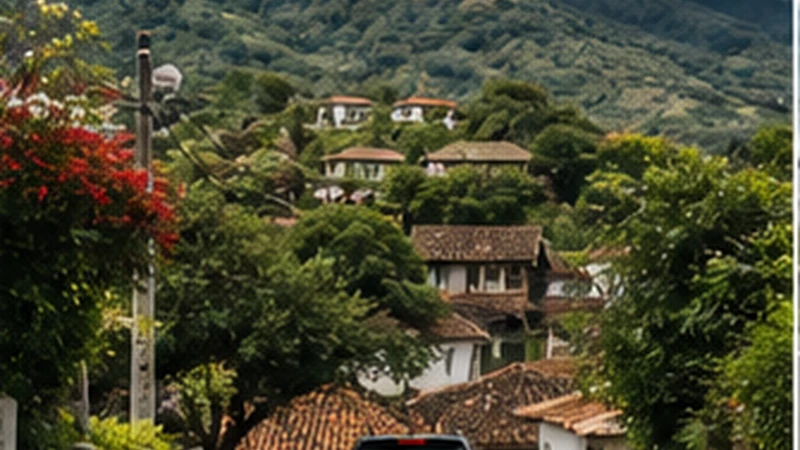

Santa Ana to Ruta de las Flores mobile internet should turn a city departure into an ordered chain of town stops. Save the sequence and final overnight address before leaving the Santa Ana base.
The first working route is more valuable than continuous signal. Road position, terrain and buildings can change reception between the city and western towns.
NoveSIM plans are data-only and do not include a Salvadoran number, conventional calls or SMS. Internet messaging works through data where local coverage permits.
Quick answer: Download the whole western region, pin the first stop and store the final accommodation. Test the travel line in Santa Ana, then follow the offline chain through temporary gaps.
Top El Salvador eSIMs

El Salvador eSIM
Fixed
1 GB, 7 days€ 3.992 GB, 15 days€ 7.103 GB, 30 days€ 11.98Unlimited
Unlimited, 1 day€ 5.32Unlimited, 3 days€ 17.75Unlimited, 5 days€ 24.40
Caribbean eSIM
Fixed
1 GB, 7 days€ 9.322 GB, 15 days€ 16.863 GB, 30 days€ 23.52Unlimited
Unlimited, 1 day€ 13.75Unlimited, 3 days€ 39.49Unlimited, 5 days€ 65.22Central America eSIM
Fixed
1 GB, 7 days€ 7.102 GB, 15 days€ 11.543 GB, 30 days€ 15.53Unlimited
Unlimited, 1 day€ 6.66Unlimited, 3 days€ 16.42Unlimited, 5 days€ 26.18Turn the transfer into an ordered route
- Choose the first town and meeting point.
- Save every intended stop in order.
- Download the full region and alternate roads.
- Record the final property entrance and check-in time.
- Store vehicle, driver or transport contacts.
- Charge the phone before departure.
Use the Santa Ana internet guide to test the city base before checkout.
Prepare Santa Ana to Ruta de las Flores mobile internet
| Departure check | Reason |
|---|---|
| Travel line loads a webpage | Confirms mobile data before moving |
| Offline map opens | Protects navigation through gaps |
| Final address is saved | Prevents an incomplete multi-stop route |
| Backup transport is recorded | Supports changed plans |
The canonical Ruta de las Flores guide covers the full multi-stop route after this first handover.
Do not spend the route allowance on automatic uploads
Maps and messages are modest compared with video backup. Pause uploads until verified Wi-Fi at an overnight stop, and use the data guide to size the full itinerary.
Reset at the first town
Confirm the next road, check the final arrival time and verify any property Wi-Fi. The Juayúa page shows how one town fits inside the chain.
Network availability and 4G or 5G depend on the plan, device and exact location. Do not extrapolate a Santa Ana test to the whole route.
If the travel line loses service
Continue safely on the offline route. At a suitable stop, confirm NoveSIM is selected for data, roaming is enabled and network selection is Automatic. Use data.esim only if manual APN entry is required.
Follow the diagnostic guide. Do not delete the installed eSIM unless support instructs you to do so.
Related Articles
- El Salvador Road-Trip Internet
- Mobile Internet near Cerro Verde
- Offline Maps for an El Salvador Road Trip
FAQ
What should I download in Santa Ana?
Save the full western route, alternate roads, ordered town stops and final accommodation.
Will city reception continue along the route?
Do not assume so. Terrain and exact road position can change service.
Where should I upload photos?
Use verified overnight Wi-Fi and preserve mobile data for maps and transport.
Should I troubleshoot while driving?
No. Follow the offline route and stop safely before changing phone settings.
Final Recommendation
Use Santa Ana to Ruta de las Flores mobile internet to start a complete ordered route.
Test the line, save the final address and preserve the installed eSIM through road gaps.
Reset maps and onward details at the first town rather than improvising the entire chain live.