


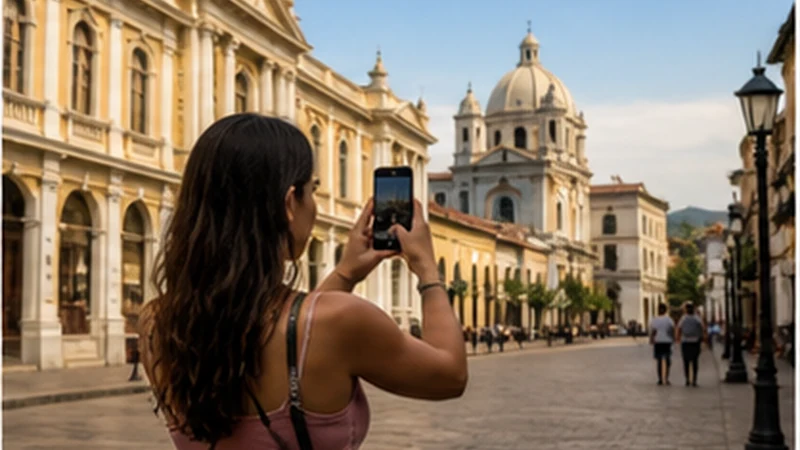

Santa Ana, El Salvador mobile internet is most useful as the connection at a western city base, while nearby day trips still require offline maps and saved return details. A signal result in the centre should not be extended automatically to elevated or rural surroundings.
Verify accommodation Wi-Fi in the actual room if work or large uploads matter. Use travel data for movement, messages and changed transport.
NoveSIM plans are data-only, with no Salvadoran number, conventional calls or SMS. Internet messaging remains available through data where coverage permits.
Quick answer: Test the travel line at the Santa Ana accommodation, download each day-trip map before departure and save the property’s full address for the return. Keep mobile data and Wi-Fi as separate connection routes.
Top El Salvador eSIMs

El Salvador eSIM
Fixed
1 GB, 7 days4.50$2 GB, 15 days8.00$3 GB, 30 days13.50$Unlimited
Unlimited, 1 day6.00$Unlimited, 3 days20.00$Unlimited, 5 days27.50$
Caribbean eSIM
Fixed
1 GB, 7 days10.50$2 GB, 15 days19.00$3 GB, 30 days26.50$Unlimited
Unlimited, 1 day15.50$Unlimited, 3 days44.50$Unlimited, 5 days73.50$Central America eSIM
Fixed
1 GB, 7 days8.00$2 GB, 15 days13.00$3 GB, 30 days17.50$Unlimited
Unlimited, 1 day7.50$Unlimited, 3 days18.50$Unlimited, 5 days29.50$Use Santa Ana as one base with several radio environments
| Stage | Connection plan |
|---|---|
| City accommodation | Verify room Wi-Fi and test mobile data indoors |
| Central errands | Use travel data with offline address backup |
| Volcano or elevated day trip | Download map, parking and return instructions |
| Ruta de las Flores connection | Save each stop and final transport option |
The canonical El Salvador coverage guide explains why terrain and buildings change the practical result.
Prepare Santa Ana, El Salvador mobile internet at check-in
- Ask for the correct property Wi-Fi and verify it in the room.
- Turn Wi-Fi off and test the travel-data line.
- Save the accommodation name and full address offline.
- Download the western map region.
- Store the next day’s meeting or entrance details.
- Charge the phone and power bank before an early departure.
If the trip begins at the international airport, the airport internet guide covers activation and the first transfer before reaching Santa Ana.
Do not use city coverage as a volcano forecast
Elevation, vegetation, road position and distance from populated areas can change reception. Save the route, weather information, transport contact and return point before leaving the city.
The volcano-route page provides the route-specific offline checklist.
Prepare onward travel towards Ruta de las Flores
Do not wait for a signal gap to decide which town or property comes next. Save the address and last practical onward option at the Santa Ana base.
Use the Santa Ana to Ruta de las Flores guide for the transfer and the route page for multi-stop preparation.
Control data during day trips
Offline maps keep navigation modest. Live video, automatic photo backup and hotspot sessions consume more. The El Salvador data guide helps size the allowance for the full route.
If the travel line stops working
Check that NoveSIM remains selected for data, roaming is enabled on it and network selection is Automatic. If manual APN entry is required, use data.esim.
Follow the diagnostic guide. Do not delete the installed eSIM unless support instructs you to do so.
Related Articles
FAQ
Can I use a travel eSIM in Santa Ana?
Yes on a compatible unlocked phone with a plan that includes El Salvador, subject to local coverage.
Will city reception continue on volcano trips?
Do not assume so. Download maps and return details before leaving the city.
Is property Wi-Fi enough for work?
Verify it in the exact room and keep mobile data or another venue as backup.
Should I download Ruta de las Flores maps?
Yes. Save every planned stop and the final onward route before departure.
Final Recommendation
Use Santa Ana, El Salvador mobile internet as the dependable layer at a city base, not a promise for every nearby route.
Test both property Wi-Fi and travel data, then download each day trip before leaving.
Preserve the installed profile and return to the saved Santa Ana address even when reception changes.