


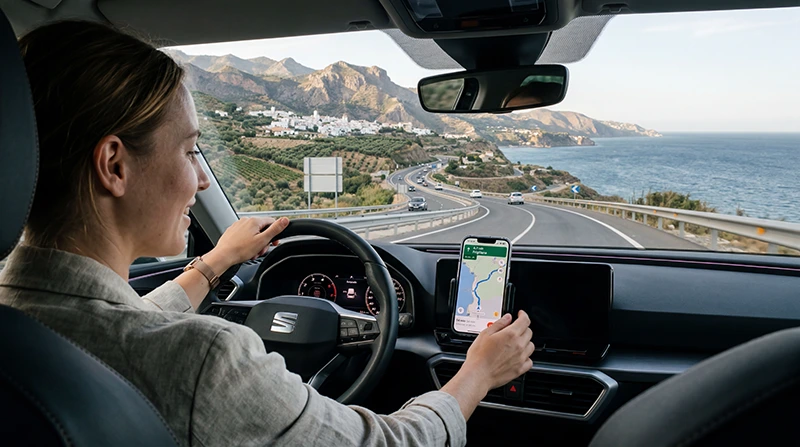

Internet for driving in Spain is most useful for live navigation, traffic changes, parking information, accommodation messages and route adjustments. It should support a prepared journey rather than replace downloaded maps and essential addresses.
Mobile coverage is generally easier to find around cities and major corridors than on mountain roads, sparsely populated inland routes and isolated coastal stretches. The exact result depends on the local network, terrain, buildings, congestion and the phone.
NoveSIM travel eSIMs are data-only. We do not provide a Spanish telephone number, conventional calls or SMS.
Quick answer: Set up mobile data before collecting the car, download the complete route and accommodation addresses offline, and keep the phone connected to power. Use Automatic Network Selection while driving and never change mobile settings or operate the phone when you should be concentrating on the road.
Top Spain eSIMs

Spain eSIM
Fixed
1 GB, 7 days€ 1.762 GB, 15 days€ 3.523 GB, 30 days€ 4.40Unlimited
Unlimited, 1 day€ 2.20Unlimited, 3 days€ 4.84Unlimited, 5 days€ 7.93
Europe Extra eSIM
Fixed
1 GB, 7 days€ 2.202 GB, 15 days€ 3.523 GB, 30 days€ 4.40Unlimited
Unlimited, 1 day€ 2.64Unlimited, 3 days€ 5.28Unlimited, 5 days€ 8.81Europe+ eSIM
Fixed
1 GB, 7 days€ 2.642 GB, 15 days€ 3.963 GB, 30 days€ 5.28Unlimited
Unlimited, 1 day€ 2.64Unlimited, 3 days€ 6.16Unlimited, 5 days€ 10.13Prepare Internet for Driving in Spain before Departure
Choose the connection before the first driving day. Home roaming may already cover Spain, a Spanish prepaid SIM can include a domestic number, and an eSIM can be installed without replacing the physical SIM on a compatible unlocked phone.
Compare the live Spain eSIM plans by coverage, allowance, validity and hotspot terms. Confirm the exact handset using the eSIM compatibility checker, then follow the activation timing stated in the order.
Build an Offline Road-Trip Pack
Download the relevant map areas before leaving dependable WiFi. Save the first accommodation, car-return location, fuel or charging stops, toll information and emergency contacts. A screenshot of the final approach can help when a rural address is not mapped accurately.
For app preparation and offline map behaviour, see using Google Maps in Spain and useful apps for Spain travel. Refresh time-sensitive information while connected because road restrictions and business hours can change.
Where Coverage Can Become Less Predictable
A coverage map shows expected outdoor service, not a guarantee at one bend, valley, tunnel or underground car park. Temporary gaps are more likely where terrain blocks the signal or few cells serve a long rural road.
Mountain routes in the Pyrenees, Picos de Europa and Sierra Nevada require an offline-first approach. The same is true for quiet interior roads and isolated beaches. On the islands, volcanic terrain can produce sharp differences between a resort, a ridge and the next valley.
If the route includes the Canaries, confirm the plan with the Spain eSIM and Canary Islands coverage guide. Do not assume that a signal will continue during a ferry crossing.
Driving between Spanish Cities
Major-city journeys often spend much of their time on well-used motorways, but the connection can still pause in tunnels or during a network handover. Load the next important junction before entering a long tunnel and allow the phone time to reconnect afterwards.
For a trip that combines trains and a hire car, the connection demands are different. Onboard WiFi and mobile coverage are explained separately in the Spain train internet guide.
How Much Road-Trip Data Is Enough?
Turn-by-turn navigation and traffic updates usually use much less data than video streaming, cloud photo backup and laptop tethering. Download maps, playlists, podcasts and system updates on trusted WiFi before the driving day.
Review recent mobile statistics and calculate by day. Add a margin for detours, delayed returns and days without reliable accommodation WiFi. Validity must include the final drive to the airport or station; a remaining allowance is unusable after the plan expires.
Hotspot Use in a Hire Car
A hotspot can connect a passenger’s tablet or laptop when the selected plan permits tethering. It increases battery use and can consume data quickly, especially during video calls or automatic updates.
Mount the phone where it does not obstruct the driver’s view and keep it ventilated while charging. Let a passenger manage hotspot connections and route changes. If nobody else is present, stop safely before touching the phone.
Correct eSIM Settings on the Road
- Select the travel eSIM for Mobile Data.
- Enable Data Roaming on the travel line.
- Keep Data Roaming disabled on the primary SIM.
- Turn off automatic mobile-data switching.
- Leave Network Selection on Automatic.
These settings allow the travel profile to register with an authorised partner network without exposing the primary line to unintended data roaming.
If Mobile Data Stops during the Drive
Continue using the downloaded route and wait until you can stop safely. A temporary gap may resolve after the next settlement or after leaving a tunnel or valley. Once parked, confirm that the plan is active and data remains, then toggle Airplane Mode.
If manual NoveSIM APN entry is required, use data.esim with blank username and password. Do not delete the installed eSIM unless Support instructs you to do so; deletion can make recovery harder.
Related Articles
- Spain eSIM plans
- Google Maps in Spain
- Best apps for Spain travel
- Internet on trains in Spain
- Spain eSIM coverage in the Canary Islands
- How much data to use in Spain
FAQ
What is the best internet option for driving in Spain?
Use a verified roaming plan, prepaid SIM or eSIM that covers the complete route, backed by downloaded maps and saved destination details.
Will mobile data work everywhere on a Spain road trip?
No network can guarantee service at every tunnel, mountain road or remote beach. Prepare offline navigation for temporary gaps.
Can I use an eSIM hotspot in a hire car?
Yes when the plan, phone and network permit tethering. Monitor data, power and phone temperature, and let a passenger operate it while moving.
Should I choose a network manually while driving?
Start with Automatic Network Selection. Stop safely before changing any setting, and use manual selection only when Support provides an authorised option.
Final Recommendation
Prepare internet for driving in Spain around the route, not just the cities: verify coverage, validity and hotspot terms before collecting the car.
Download maps and critical addresses, keep the phone powered and let Automatic Network Selection handle ordinary handovers.
When coverage disappears, follow the offline route until you can stop safely, then use reversible checks and preserve the installed eSIM.