
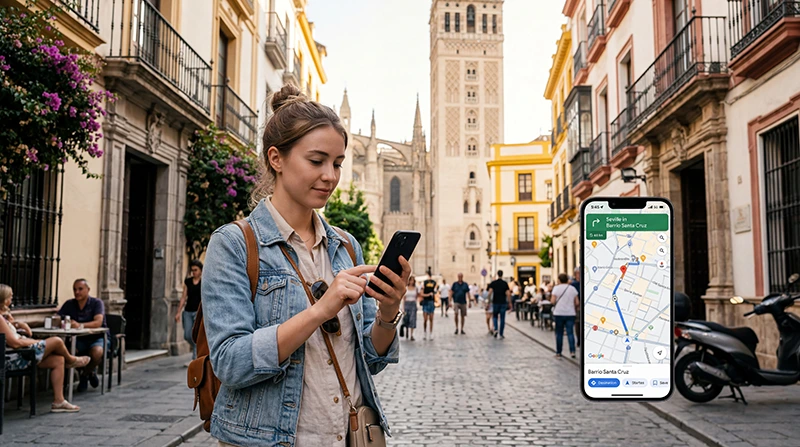

Traveler using Google Maps with eSIM mobile internet in Spain

Using Google Maps in Spain (2026 Travel Guide)

Google Maps is one of the most useful apps for traveling in Spain, whether you are exploring cities, beaches, islands, train stations, airports, historic towns, or road trip routes.

Travelers use Google Maps in Spain for walking directions, public transport, driving routes, restaurant searches, hotel navigation, airport transfers, beach trips, train stations, and local attractions.

Quick answer: Google Maps works well in Spain, but you need mobile internet for live navigation, traffic updates, public transport changes, search results, and route adjustments. Many travelers use a Spain eSIM so Google Maps works smoothly after arrival.

Top Spain eSIMs

Does Google Maps Work in Spain?

Yes. Google Maps works in Spain and can be used for walking, driving, public transport, cycling routes, places, restaurants, hotels, beaches, airports, and train stations.

For the best experience, mobile data is recommended because live route updates, traffic, transit information, and searches may need internet access.

Why Tourists Need Google Maps in Spain

  • Walking around cities like Madrid, Barcelona, Valencia, Seville, Malaga, and Bilbao
  • Finding hotels, apartments, restaurants, and attractions
  • Navigating metro, bus, tram, and train stations
  • Finding beaches, viewpoints, marinas, and resorts
  • Driving between cities and coastal destinations
  • Checking traffic and route changes
  • Finding parking, fuel stations, and supermarkets
  • Saving places before the trip

Do You Need Internet for Google Maps in Spain?

You can use downloaded offline maps for basic navigation, but mobile internet is much better for real-time travel.

Internet is useful for:

  • Live traffic updates
  • Public transport schedules
  • Alternative routes
  • Restaurant and attraction searches
  • Opening recently saved places
  • Checking reviews and opening hours
  • Taxi, ride app, and walking route changes

Best Internet Option for Google Maps in Spain

For many travelers, a Spain eSIM is the easiest way to keep Google Maps working during the whole trip.

An eSIM can be installed before travel and used after arrival, so you do not need to depend only on airport WiFi, hotel WiFi, or finding a physical SIM card shop.

Google Maps with Spain eSIM vs WiFi vs SIM Card

Option Best For Main Limitation
Spain eSIM Live maps during the whole trip Requires eSIM-compatible phone
Offline Maps Backup navigation No live traffic or full search features
Public WiFi Hotels, cafes, airports Not useful while walking or driving
Physical SIM card Phones without eSIM Requires SIM swap or store visit
Roaming Short trips with included roaming Costs and limits depend on provider

How Much Data Does Google Maps Use in Spain?

Google Maps usually does not use a lot of data compared with video streaming or social media apps.

Usage Style Estimated Data Need
Light maps and hotel navigation 1GB – 3GB
Daily city navigation 3GB – 5GB
Road trips, beaches, and trains 5GB – 15GB
Maps plus social media, hotspot, video 15GB+ recommended

Using Google Maps in Spanish Cities

Google Maps is useful in major Spanish cities for walking, metro routes, buses, restaurants, attractions, shopping areas, and hotel navigation.

  • Madrid
  • Barcelona
  • Valencia
  • Seville
  • Malaga
  • Alicante
  • Granada
  • Bilbao

Using Google Maps for Public Transport in Spain

Google Maps can help tourists find metro, tram, bus, and train routes in many Spanish cities.

Mobile data is useful because public transport routes, walking transfers, and timing can change while you are moving.

Using Google Maps for Driving in Spain

Google Maps is useful for road trips, airport transfers, rental cars, coastal drives, parking, fuel stops, and city-to-city navigation.

  • Check traffic before leaving
  • Download offline maps as backup
  • Save hotel and parking locations
  • Use mobile data for live rerouting
  • Keep your phone charged during long drives

Using Google Maps on Spanish Trains

Google Maps is useful before and after train journeys in Spain.

  • Find the station entrance
  • Navigate from the arrival station to your hotel
  • Check walking, metro, taxi, or bus routes
  • Plan food stops and attractions near stations

Using Google Maps on Spanish Beaches and Islands

Google Maps is also useful for beach holidays, island trips, ferry routes, marinas, viewpoints, and coastal roads.

  • Mallorca
  • Ibiza
  • Tenerife
  • Canary Islands
  • Costa del Sol
  • Costa Blanca
  • Costa Brava
  • Valencia beaches

Should You Download Offline Maps for Spain?

Yes. Offline maps are a smart backup even if you use a Spain eSIM.

Offline maps are especially useful for:

  • Remote beaches
  • Mountain roads
  • National parks
  • Small villages
  • Island road trips
  • Tunnels and low-signal areas

How to Download Offline Maps for Spain

  1. Open Google Maps while connected to WiFi.
  2. Search for the city, island, or region you will visit.
  3. Open the map area options.
  4. Select download offline map.
  5. Save maps for major cities, road trip routes, beaches, or islands.

Tips for Using Google Maps in Spain

  • Save your hotel and airport before the trip.
  • Download offline maps before long drives.
  • Keep mobile data enabled for live updates.
  • Use a phone charger or power bank.
  • Check public transport options before leaving.
  • Save parking spots and restaurant locations.
  • Use walking routes carefully in historic city centers.

Do You Need Data Roaming Enabled for eSIM?

Yes. Most travel eSIM plans require data roaming to be enabled on the eSIM line.

If roaming is disabled, Google Maps may not work with mobile data even if the eSIM is installed.

If you want to avoid roaming charges on your primary SIM, keep data roaming disabled on your regular SIM and enable it only on the Spain eSIM line.

APN Settings for NoveSIM eSIM

In most cases, APN settings configure automatically.

If manual setup is required for NoveSIM eSIM, use:

Setting Value
APN data.esim

Can You Keep Your Main SIM Active?

Yes. Most modern smartphones support dual SIM functionality.

This allows travelers to use a Spain eSIM for Google Maps and mobile data while keeping their regular SIM active for:

  • Calls
  • SMS verification codes
  • Banking apps
  • Authentication messages
  • WhatsApp on the same number

How to Use Google Maps with Spain eSIM

  1. Choose your Spain eSIM plan before travel.
  2. Install the eSIM using the QR code or activation link while connected to WiFi.
  3. Arrive in Spain.
  4. Select the Spain eSIM for mobile data.
  5. Enable data roaming on the Spain eSIM line.
  6. Open Google Maps and start navigation.
  7. Keep offline maps saved as backup.

Where to Find Your NoveSIM eSIM Details

Your NoveSIM eSIM QR code and installation instructions are available:

  • In your confirmation email
  • Under My Account → Orders → View → eSIM details

Before Using Google Maps in Spain

  • Does your phone support eSIM?
  • Is your phone carrier unlocked?
  • Have you downloaded offline maps?
  • Have you saved your hotel address?
  • Will you drive, use trains, or explore beaches?
  • How much mobile data will you need?

Check compatible eSIM devices

Get Internet Ready Before Using Google Maps in Spain

Many travelers prepare mobile internet before departure so Google Maps works immediately after arriving in Spain.

Browse NoveSIM eSIM destinations

More Spain Internet and eSIM Guides

FAQ: Using Google Maps in Spain

Does Google Maps work in Spain?

Yes. Google Maps works in Spain for walking, driving, public transport, places, restaurants, hotels, beaches, airports, and train stations.

Do I need internet for Google Maps in Spain?

You can use offline maps for basic navigation, but mobile internet is recommended for live traffic, public transport updates, searches, and route changes.

How much data does Google Maps use in Spain?

Google Maps usually uses less data than video or social media apps. For most travelers, maps and messaging need much less data than streaming or hotspot use.

Is eSIM good for Google Maps in Spain?

Yes. A Spain eSIM is useful because it provides mobile data for Google Maps while walking, driving, taking trains, visiting beaches, or traveling between cities.

Should I download offline maps for Spain?

Yes. Offline maps are recommended as a backup for remote beaches, mountain roads, small villages, islands, tunnels, and low-signal areas.

Do I need data roaming enabled for Spain eSIM?

Yes. Most travel eSIM plans require data roaming to be enabled on the eSIM line.

What is the APN for NoveSIM eSIM?

The APN for NoveSIM eSIM is data.esim.

Can I keep my regular SIM active while using eSIM?

Yes. Most compatible smartphones support using a regular SIM together with an eSIM.

Final Recommendation

Google Maps is one of the most important apps for traveling in Spain, especially for cities, trains, beaches, airports, road trips, and island travel.

For many travelers, a Spain eSIM is the easiest way to keep Google Maps working because it can be installed before travel, works directly on compatible phones, keeps the regular SIM active, and provides mobile data for live navigation, searches, routes, and travel planning.

If you want smoother navigation in Spain, prepare a Spain eSIM before departure and download offline maps as backup.

View Spain eSIM plans

Scroll to Top