


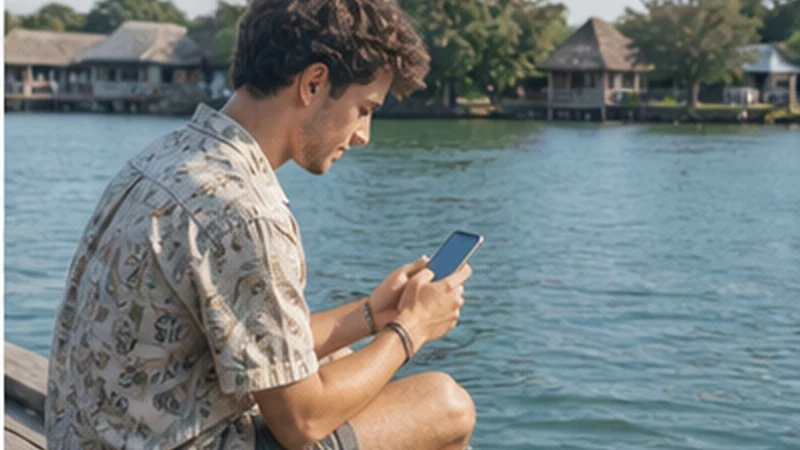

Río Dulce mobile internet is primarily a handoff tool. A traveller may arrive by road in Fronteras, meet a marina launch, board water transport, stay on a boat or continue to a lodge with no useful street entrance.
Río Dulce is also a national park and a long water corridor connecting the Lake Izabal area towards the Caribbean. A connection tested near a road, bridge or marina cannot be projected along the river, through the canyon or into every creek and riverside property.
NoveSIM Guatemala plans are data-only. They support maps and internet messaging but do not provide a Guatemalan number, conventional calls or SMS. Confirm an app-based contact method if a captain, marina or lodge normally supplies only a telephone number.
Quick answer: Identify the exact land arrival, named dock or marina, responsible boat, final landing and return operator. Test the eSIM before boarding, download the host’s own instructions and carry a protected power reserve. Treat any river signal as useful but non-essential.
Top Guatemala eSIMs

Guatemala eSIM
Fixed
1 GB, 7 days6.50$2 GB, 15 days10.50$3 GB, 30 days13.50$Unlimited
Unlimited, 1 day6.00$Unlimited, 3 days20.00$Unlimited, 5 days28.00$
Central America eSIM
Fixed
1 GB, 7 days8.00$2 GB, 15 days13.00$3 GB, 30 days17.50$Unlimited
Unlimited, 1 day7.50$Unlimited, 3 days18.50$Unlimited, 5 days29.50$Plan Río Dulce Mobile Internet by Landing Point
“Río Dulce” can refer to the wider waterway, the Fronteras/El Relleno area by the bridge, a marina, San Felipe de Lara, a remote river property or a journey towards Livingston. These are not interchangeable meeting points.
Official CONAP visitor information identifies water-transport services at several locations, including Fronteras, El Relleno, San Felipe de Lara, Livingston and the municipal dock in Puerto Barrios. The traveller must still verify which current point applies to the booked operator; an official list does not create one universal departure dock.
Store the place name exactly as the provider writes it, together with a pin, fixed landmark and photograph when supplied. If two businesses use similar names, add the operator and booking reference to the saved label.
Determine Whether the Property Has Road Access
Ask the accommodation a direct sequence of questions: Can a normal vehicle reach reception? If not, where does the land journey end? Who provides the boat? Is it included in the room booking? What is the latest practical arrival?
A pin placed over the property may show where the lodge sits without showing how a guest gets there. Retain the land-side meeting point, boat arrangement and final landing as separate records. Save any walking path or staff-meeting instruction after disembarkation.
If the traveller is driving, ask where the vehicle is left, who manages the parking area and whether access arrangements change after hours. Do not infer security or availability from a map symbol.
Make the Fronteras Handoff Specific
Road arrival in the bridge area can involve traffic, luggage and several possible waterside businesses. Before the vehicle reaches town, open the exact drop-off instruction and confirm whether someone meets the traveller or the traveller must walk to an office or dock.
Record the name of the person or business, boat description, waiting time and a physical fallback point. A live-location link can stop updating, and “under the bridge” is not precise enough when several services operate in the area.
If a road ticket and boat journey were sold together, ask who owns the handoff when the first stage is late. Save the provider’s missed-connection procedure rather than assuming the boat will wait.
Verify a Marina Pickup Without Exposing the Booking
Marina guests and boat owners should keep the marina name, contact channel, berth or reception instruction and access procedure offline. Do not publish gate codes, berth details or travel dates in an open group simply to ask for directions.
Confirm whether the pickup is at a public dock, marina entrance or another landing. Ask how staff identify the guest and what information the guest should request in return. If the arrangement changes by message, screenshot the latest authorised instruction.
A marina Wi-Fi network may serve reception, common areas or selected berths differently. Treat the exact boat or berth as the test location, not the marina brand as a coverage guarantee.
Prepare the Boat Stage While Both Feet Are on Land
Open the ticket or confirmation and compare the destination with the boat operator before luggage is loaded. Confirm whether the service is direct, makes intermediate stops or requires another transfer.
Download the river area for orientation, but keep the operator’s own route and landing instructions beside it. A consumer map may not identify a private dock, a creek entrance or a locally used name. Test all files in Airplane Mode.
Agree how a delay is handled and when the lodge expects an arrival update. A captain may not read messages while operating the boat, and a property may not receive an update immediately. The plan needs a physical procedure, not only chat.
Protect the Phone Before Boarding
Place the phone, power bank and essential documents in protection suitable for the expected spray and rain. “Water resistant” does not automatically mean safe during immersion, and an open charging port remains vulnerable.
Complete calls and configuration while stationary. During boarding and disembarkation, use both hands as directed and keep the device secured. Do not stand or lean outside a safe position to chase a signal.
Use a wrist or bag attachment only when it does not create an entanglement hazard. Follow the operator’s safety directions and keep luggage arranged so that the phone can be accessed after, not during, the difficult part of the handoff.
Configure the eSIM Before Leaving Expected Coverage
| Control | Recommended setting | Río Dulce purpose |
|---|---|---|
| Mobile data line | Guatemala eSIM | Keeps travel data on the intended plan |
| Travel-line Data Roaming | On | Allows partner-network registration |
| Home-line Data Roaming | Off | Reduces accidental home-provider charges |
| Automatic data switching | Off | Prevents silent fallback during a weak section |
| Network selection | Automatic | Lets the phone register normally as location changes |
| Manual APN | data.esim only if required | Avoids altering a working profile |
Switch Wi-Fi off and load new content before boarding. A visible signal icon or a page already held in the browser cache does not prove that mobile data is working.
Use River Signal as a Window, Not a Promise
Distance from populated areas, vegetation, banks, bends and the phone’s position can change the radio path. Service may appear, disappear and return along the same journey. A travel eSIM uses terrestrial mobile networks; it is not a satellite communicator.
When a connection appears, prioritise a short arrival update or changed instruction. Do not trigger cloud photo backup or a large software download during a brief window. Text is usually more efficient than starting a video call.
If service disappears, continue with the saved operator and landing plan. Repeated manual network scans consume attention and power without creating infrastructure where no supported signal reaches.
Ask a River Lodge About More Than “Wi-Fi Available”
Clarify where Wi-Fi works: guest room, restaurant, reception, dock or a defined common area. Ask whether it operates throughout the day, depends on generator or solar power, has a guest limit or is intended mainly for messages.
For work, request a recent test from the actual workspace and ask about upload and call history, not only download. On arrival, run the real task before promising availability to someone else.
Test the eSIM separately outdoors where the property considers it appropriate. Property Wi-Fi and mobile data are useful layers only if at least one is genuinely available. The Guatemala jungle connectivity guide covers the broader remote-lodge model.
Plan Connectivity on a Boat Stay
Someone staying aboard should ask where marina Wi-Fi reaches, whether credentials change, where charging is permitted and how shore access works after normal hours. Test from the actual berth rather than reception.
Mobile reception can change after the vessel moves or swings within an anchorage. Do not advertise a work commitment based on one deck test. Keep critical documents offline and identify the next reliable shore connection.
Charging a phone or power bank must follow the vessel’s electrical and safety procedures. Do not improvise with wet connectors, overloaded adapters or unattended equipment.
Prepare Livingston as a Separate Journey
A trip through the canyon towards Livingston is not simply an extension of the lodge arrival. Save the responsible operator, exact departure point, expected destination dock, accommodation access and return or onward ticket separately.
Confirm current travel conditions and timing with the provider close to departure. Do not rely on an old timetable or assume that a data connection remains available throughout the protected river corridor.
Once the journey reaches Livingston, the traveller should treat coastal accommodation, onward boats and any border movement as a new connectivity stage. Keep this Río Dulce plan focused on the land-water transition and river accommodation rather than assuming the same operator or signal conditions continue to the coast.
Preserve Power for the Final Landing and Return
Charge the phone and power bank fully, test the cable and keep the equipment dry. Pause automatic photo upload, app updates and background sync before departure.
If no mobile service is expected for a period and no urgent message is due, Airplane Mode can reduce radio searching while offline maps and documents remain usable. Set a reminder to reconnect before the agreed arrival or operator check-in.
Record the return date, boat, pickup landing, road connection and delay procedure at the start of the stay. Keep enough power for that handoff rather than spending the reserve on entertainment.
Reconnect on Land Before Diagnosing a Failure
A river gap does not show that the eSIM profile is damaged. After returning to Fronteras, a marina or another expected service area, move to a suitable outdoor position and allow several minutes for automatic registration.
- Confirm the Guatemala eSIM is on and selected for mobile data.
- Check Data Roaming on that line and disable data switching.
- Use Airplane Mode for 30 seconds, then reconnect.
- Restart once if service does not return where expected.
- Check the allowance and use data.esim only when manual APN setup is required.
Do not delete the installed eSIM. Some profiles cannot be installed again from the same code. If it remains offline at multiple expected land locations, contact NoveSIM Support with the order number, exact phone model, test locations and screenshots that do not expose the QR code.
Related Articles
FAQ
Is there one main dock for every Río Dulce journey?
No. Water services operate from several locations, and individual marinas or lodges may use their own meeting points. Confirm the exact current dock with the responsible provider.
Will mobile data work throughout the Río Dulce canyon?
Do not assume continuous service. Treat any signal as a useful window and keep the boat, landing, accommodation and return plan fully available offline.
Can I work remotely from a river lodge or boat?
Only after testing the exact room, common area or berth. Verify Wi-Fi reach, mobile backup, upload, call stability and the property’s or vessel’s power arrangements.
Should I reinstall the eSIM after losing signal on the river?
No. Retain the profile and test again at an expected land-coverage point. A terrestrial eSIM cannot create coverage along an unsupported river section.
Final Recommendation
Plan Río Dulce mobile internet as a chain of named places: road arrival, verified dock or marina, responsible boat, property landing and return connection.
Configure the eSIM and download the host’s instructions before boarding. Protect the phone and power reserve, and treat intermittent river data as optional support rather than the journey’s control system.
Verify lodge or marina Wi-Fi at the exact room, common area or berth. If service disappears on the water, wait until an expected land location before troubleshooting and retain the installed eSIM.