


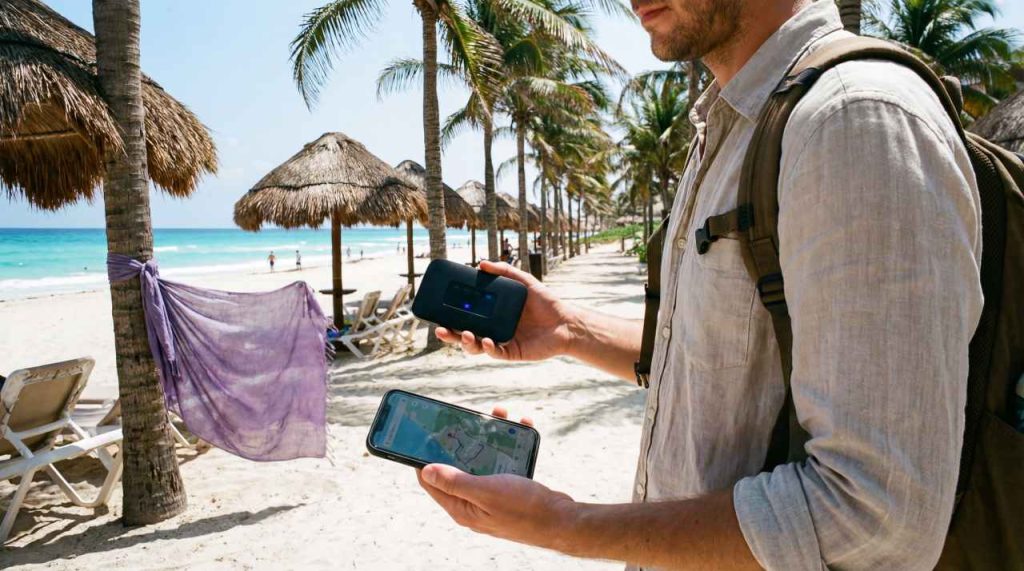

Choosing between Pocket WiFi and an eSIM in Mexico comes down to who needs internet, whether you will stay together and how you want to share the connection. Both use a mobile network; neither guarantees reception along the whole route.
A portable router gives nearby devices a shared Wi-Fi connection. A travel eSIM puts mobile data on a compatible device, which may also share it through hotspot when the selected plan and device permit. Separate plans let travellers go different ways without losing access to the shared device.
NoveSIM travel eSIMs are data-only. They do not include a Mexican number, conventional calls or carrier SMS. Internet messaging and calling apps use the data connection.
Quick answer: For one traveller with a compatible, unlocked device, an eSIM avoids collecting and returning a router. For a group staying together, compare a router rental with a hotspot-enabled eSIM and separate plans. Include all rental charges, usable data, speed limits and battery needs before choosing.
Top Mexico eSIMs

Mexico eSIM
Fixed
1 GB, 7 days4.00$2 GB, 15 days6.50$3 GB, 30 days8.00$Unlimited
Unlimited, 1 day4.00$Unlimited, 3 days9.50$Unlimited, 5 days15.00$
Central America eSIM
Fixed
1 GB, 7 days8.50$2 GB, 15 days13.50$3 GB, 30 days18.00$Unlimited
Unlimited, 1 day7.50$Unlimited, 3 days18.50$Unlimited, 5 days29.50$Global eSIM
Fixed
1 GB, 7 days13.00$2 GB, 15 days25.00$3 GB, 30 days35.00$Unlimited
Unlimited, 1 day18.50$Unlimited, 3 days52.50$Unlimited, 5 days87.00$Latin America eSIM
Fixed
1 GB, 7 days5.50$2 GB, 15 days10.50$3 GB, 30 days14.00$Unlimited
Unlimited, 1 day7.50$Unlimited, 3 days20.50$Unlimited, 5 days34.00$Compare the Practical Differences
| Decision | Pocket WiFi | Travel eSIM |
|---|---|---|
| Equipment | A separate portable router, charger and any required rental accessories. | A compatible, carrier-unlocked device. No separate router is needed for its own data. |
| Sharing | Nearby devices connect within the router’s Wi-Fi range, subject to its limits. | Other devices may connect through hotspot if the plan and device support it. |
| When people separate | Only those near the router retain its connection. | Hotspot users must stay near the host device. Separate active plans provide independent connections. |
| Power | Charge the router and the devices using it. | Charge the host device; sharing can increase its battery use. |
| Preparation | Confirm delivery or collection, availability and the return procedure. | Check compatibility and the validity-start rule before installing at the permitted time. |
| Coverage and speed | Depend on the rental’s network, router and service conditions. | Depend on the plan’s permitted network, device, signal and service conditions. |
Compare Mexico eSIM plans with an actual router quotation. A daily rental price and a headline eSIM allowance are not enough to establish which costs less.
Will Everyone Stay Together?
A family sharing one router can use it while travelling together or sitting at the same accommodation. If one person takes it to the beach while another goes into town, the second person needs another connection. The same limitation applies when sharing a phone’s hotspot.
Before choosing one shared connection, decide who carries it, who charges it and how everyone will communicate after separating. Save meeting points and accommodation details offline. Separate plans may be worth the additional cost when people need independent maps, bookings or messages.
A router can also serve devices that cannot accept an eSIM themselves, such as some tablets and laptops. A compatible phone with permitted hotspot can serve a similar purpose. Check the receiving devices’ Wi-Fi support and the host’s connection limits.
Check Hotspot Before Depending on It
An eSIM being installed on one phone does not mean only that phone can use its data. Hotspot shares the phone’s mobile connection with nearby devices, where the plan and device allow it. Apple’s Personal Hotspot instructions explain connecting another device to an iPhone or iPad.
Check permission, any separate tethering limit and how shared use counts towards the allowance. A laptop may start system updates, cloud synchronisation or large uploads as soon as it connects. Pause those tasks before using travel data and reserve enough for the host phone’s own needs.
Use a password-protected hotspot, share access only with the intended people and turn it off when finished. For an estimate that includes laptops and uploads, use our Mexico data-use guide.
Compare the Full Trip Cost
Ask the router supplier for a written total covering your exact rental dates. Confirm the minimum rental period, delivery or collection charges, return method, late fees and the liability for loss or damage. A refundable deposit is money tied up temporarily; distinguish it from a non-refundable charge.
For an eSIM, compare the cost of enough usable data and validity for the complete stay. If sharing, estimate the combined use rather than dividing a single-person allowance among the group. Include another purchase if the first plan will expire or run out before departure.
- Router total: rental for the billed period plus required delivery, collection or return charges and any compulsory fees. Record the deposit and potential penalties separately.
- One shared eSIM: the suitable plan plus any additional data purchase, provided hotspot is permitted and everyone can remain near the host.
- Separate eSIMs: the sum of each traveller’s suitable plan. This buys independence as well as data.
Do not assume an Unlimited label means unlimited high-speed data. Check the high-speed allowance, reduced-speed conditions and reset period on each offer. Our Mexico Unlimited data guide explains the checks before purchase. Also verify whether a top-up changes the expiry; extra data does not automatically extend validity.
Check the Network for the Route
A router does not create a mobile signal where its network has no service. Nor does an eSIM guarantee a faster connection simply because it is digital. Compare the network access supplied with each offer for the accommodation, transfers and excursions you actually plan.
Indoor signal, busy areas and remote road sections can produce different results. For a trip beyond the resort, consult our Mexico network comparison and save essential routes and booking details offline. Check working arrangements separately if the trip includes video meetings or important uploads.
Prepare the Connection Before Departure
- Check the exact host device and carrier-unlocked status using our compatibility guidance.
- For an eSIM, read what starts the purchased plan’s validity before installing over reliable internet at the permitted time. Follow the Mexico installation guide.
- For a rental router, confirm collection or delivery, the included accessories, current service terms and a workable return before your flight. Do not assume a counter will be available at your arrival terminal.
- At an included destination, select the intended eSIM for mobile data and apply its supplied Data Roaming instructions. Keep home-line data roaming off if you do not intend to use it and review automatic data switching. Home-line calls, SMS and voicemail may still incur charges.
- Test with Wi-Fi briefly off on the host phone by loading a fresh small webpage. If sharing, connect a second device and test a new page there too, with its alternative mobile connection off for the test.
- Restore the intended settings, charge the equipment and save the supplier’s support details and essential arrival information offline.
If the eSIM fails, keep the profile installed while checking the selected line, allowance, validity and supplied settings. Do not delete it unless support instructs you to do so.
Which Option Fits Your Trip?
Travelling alone: an eSIM is a practical option if your device is compatible and you mainly need data on it. Occasional laptop use can work through permitted hotspot, after checking the allowance and battery needs.
Staying together with several devices: compare a dedicated router with phone hotspot. A router keeps sharing off the main phone, but adds equipment, charging and rental arrangements. The host phone option avoids a rental return but must stay with the group.
Splitting up during the day: compare independent connections. One shared router or hotspot cannot follow several people to different places. If your home tariff already includes suitable Mexico data, include it in the comparison before purchasing another service.
Related Articles
- Internet in Mexico: eSIM, SIM, Roaming and Wi-Fi
- Plan Internet for Remote Work in Mexico
- Troubleshoot a Mexico eSIM Safely
FAQ
Can an eSIM share internet with a laptop or another phone?
Yes, through the host device’s hotspot when the selected plan and device permit it. Check tethering limits and include all connected devices in your data estimate. The receiving devices must remain within range.
Is Pocket WiFi cheaper for a family in Mexico?
It can be, but compare the full rental total with a permitted shared eSIM and separate plans for the same dates and combined usage. Include collection, delivery, return and required fees, and decide whether everyone can stay near one shared device.
Does an eSIM need a battery?
The eSIM profile needs no separate battery, but the device carrying it needs power. Hotspot also uses that device’s battery. Pocket WiFi requires charging both the router and the devices connected to it.
Can I collect Pocket WiFi at any Mexican airport?
Do not assume so. Confirm the supplier, exact terminal, opening hours, stock or reservation, collection instructions and return arrangements before relying on an airport pickup.
Should I install the eSIM before flying to Mexico?
Check the purchased plan’s validity-start rule and permitted installation time first. Download the profile over reliable internet when its instructions allow, then use the supplied settings at an included destination.
Final Recommendation
Choose between Pocket WiFi and an eSIM in Mexico by deciding how many people need independent access. Shared connections work best when the users stay together and agree who carries and charges the host device.
Compare the full cost, network access, usable data, hotspot terms and validity. Confirm rental logistics or eSIM compatibility and installation timing before departure.
Test the connection and any sharing arrangement before relying on it for the next transfer. Keep essential travel information offline whichever option you choose.