


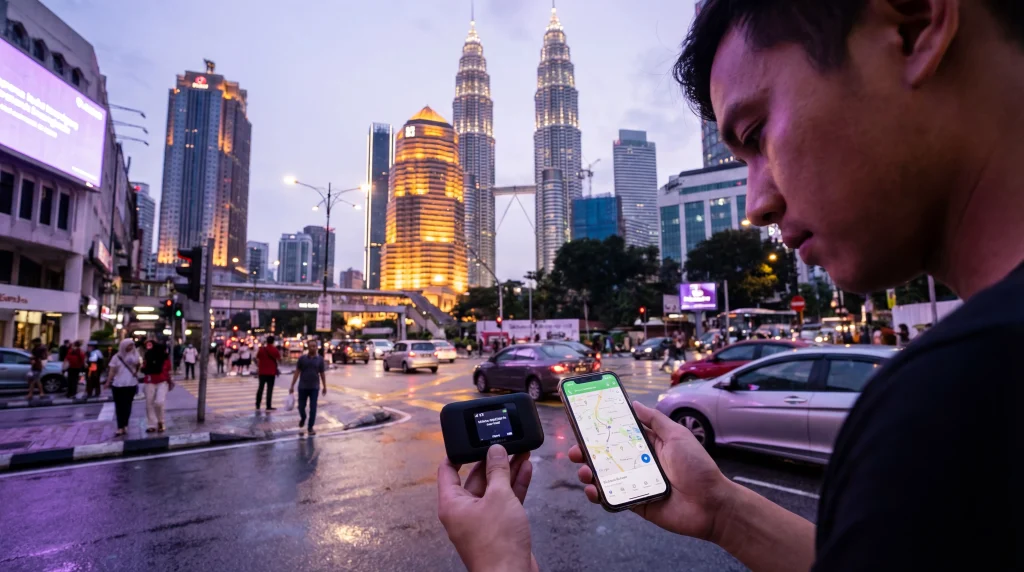

The choice between pocket Wi-Fi and an eSIM in Malaysia depends mainly on how many people need data and whether they will travel together. An eSIM puts the connection directly on one compatible phone, while a pocket Wi-Fi router shares one connection with several nearby devices.
For a solo traveller or couple using separate phones, eSIMs usually remove the need to collect, charge and return another device. A router can suit a group that stays together, but everyone loses the shared connection when the person carrying it moves away.
We provide data-only travel eSIMs. We do not provide a Malaysian telephone number, conventional voice calls or carrier SMS, although internet calling and messaging apps work through mobile data.
Quick answer: choose an eSIM for Malaysia when you want data on your own phone, advance installation and no rental equipment. Consider pocket Wi-Fi when several travellers remain together and one shared allowance is more useful than independent connections. Compare the complete rental and data terms, not only the headline daily price.
Top Malaysia eSIMs

Malaysia eSIM
Fixed
1 GB, 7 days€ 3.962 GB, 15 days€ 7.053 GB, 30 days€ 9.25Unlimited
Unlimited, 1 day€ 5.28Unlimited, 3 days€ 12.77Unlimited, 5 days€ 20.70
Check current Malaysia eSIM plans and confirm every intended phone on the eSIM-compatible device list before deciding.
Pocket Wi-Fi and eSIM Compared
| Consideration | eSIM | Pocket Wi-Fi |
|---|---|---|
| Setup | Installed on a compatible, unlocked phone | Router must be collected or delivered |
| Sharing | Hotspot may be available depending on plan and device | Designed to connect several nearby devices |
| Movement | Connection stays with the phone | Users must stay near the router |
| Battery | Uses the phone battery | Router and phones all need charging |
| Return | No equipment return | Return time and location may apply |
Which Option Fits a Malaysia Itinerary?
An eSIM is practical when travellers split up in Kuala Lumpur, take different seats on intercity transport or need independent access to tickets and messages. Each user who needs a connection can have a separate plan.
Pocket Wi-Fi makes more sense when a family or work group stays together and wants to connect phones, tablets or a laptop to one router. It is less useful when different people leave the accommodation separately or take different flights and ferries.
Compare the Full Cost
For an eSIM, compare validity, data allowance, supported network and any hotspot conditions. For a router, include the rental period, data policy, collection or delivery, return conditions, deposit and possible late or damage charges.
A low daily rental price can become less attractive when the device is needed for arrival and departure days or must be returned at a particular location. An eSIM can be installed before departure, but its activation timing must still match the trip.
Coverage Depends on the Network
Neither device format creates coverage. Performance depends on the network behind the service, the route, terrain, building, congestion and supported bands. Use the Malaysia network guide when the itinerary includes islands, rural roads or Borneo.
Save tickets, accommodation details and maps offline before leaving a major city. A router and eSIM can both lose service where the underlying network is unavailable.
Battery and Daily Practicality
A pocket router adds another device, cable and battery to manage. Continuous sharing can drain it quickly, and a flat router disconnects the whole group. An eSIM avoids separate equipment but navigation and hotspot use can increase phone battery consumption.
Carry a suitable power bank either way. Keep the connection available for the return route rather than spending the final battery or allowance on entertainment.
Set Up an eSIM for Malaysia
- Confirm that the phone supports eSIM and is network-unlocked.
- Install the profile on reliable Wi-Fi before travelling.
- Follow the purchased plan’s activation instructions.
- After arrival, select the eSIM for Mobile Data.
- Enable Data Roaming on the travel line.
- Disable automatic data switching to the home SIM.
- Test with Wi-Fi switched off.
If the eSIM Does Not Connect
Check the active data line, Data Roaming, validity, allowance and Automatic network selection. Toggle aeroplane mode briefly and restart once. If manual APN entry is required for NoveSIM, use data.esim.
Do not delete the installed profile. Keep it available while following the Malaysia eSIM troubleshooting guide or contacting Support.
Related Articles
- Malaysia eSIM Plans
- Best SIM Card for Malaysia
- Best Network in Malaysia for Tourists
- Malaysia eSIM Troubleshooting
FAQ
Is pocket Wi-Fi better than an eSIM for a family in Malaysia?
It can be economical when everyone stays near the router. Separate eSIMs are more practical when family members split up or need independent access.
Can an eSIM share data with a laptop?
Hotspot availability depends on the purchased plan and phone. Confirm both before relying on tethering for work.
Does pocket Wi-Fi have better coverage than an eSIM?
Not automatically. Both depend on their underlying Malaysian network, supported bands, location and local conditions.
Does a NoveSIM Malaysia eSIM include a local number?
No. We provide data without a Malaysian number, conventional calls or carrier SMS. Internet calling and messaging apps use mobile data.
Final Recommendation
Choose an eSIM for independent mobile data without collecting, carrying and returning a rental router.
Choose pocket Wi-Fi when several people remain together and accept sharing one device, battery and connection.
Compare the full trip cost and underlying network, then keep essential Malaysia routes offline whichever option you choose.