


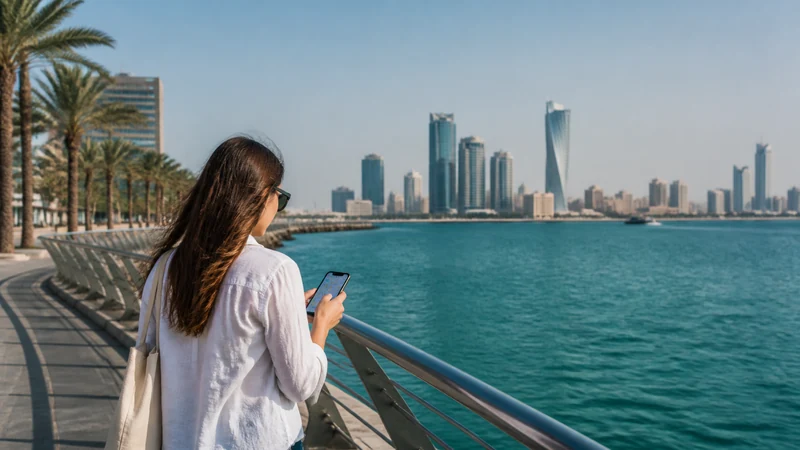

Tourists can get mobile internet in Bahrain through a travel eSIM, a locally registered prepaid SIM or international roaming. Free Wi-Fi is useful at the airport and in some venues, but it is not a reliable connection between locations.
Bahrain’s compact geography makes one country plan practical for Manama, Muharraq, Riffa and most day trips. Offshore travel, crowded events and the Saudi border still require more careful preparation.
NoveSIM Bahrain plans provide data without a local number, conventional calls or SMS. Messaging, email and internet calls can use the data allowance.
Quick answer: An eSIM installed before departure is the simplest choice for most short visits. Buy a local prepaid SIM if you need a Bahraini number, and use home roaming only after confirming its full price. Save offline maps for Hawar Islands, southern attractions and the King Fahd Causeway.
Top eSIMs

Compare mobile internet in Bahrain
Mobile internet in Bahrain is available through four practical connection types, each with a different trade-off.
| Option | Best for | Limitation |
|---|---|---|
| Travel eSIM | Data ready soon after landing | Compatible unlocked phone required |
| Local SIM | A local number or longer domestic use | Registration and a physical/eSIM purchase process |
| Home roaming | A brief trip with a known fixed bundle | Potentially high or unclear charges |
| Public Wi-Fi | Backup and large non-sensitive downloads | Limited location, variable quality and shared-network risk |
Travellers deciding between the first two options can compare the practical differences in the Bahrain SIM card guide. Current eSIM options appear on the Bahrain plan page.
Where your connection matters most
In Manama, data is most useful for ride apps, building entrances, reservations and messaging. At Bahrain International Airport, official Wi-Fi can handle initial tasks, but mobile data is needed once the terminal network disappears. See the airport connectivity guide before arrival.
A Formula 1 weekend can put unusual pressure on nearby networks, so keep tickets and transport details offline. Hawar Islands add an offshore coverage question. The King Fahd Causeway is an international border: a Bahrain-only plan should not be assumed to work in Saudi Arabia.
Set up a travel eSIM
- Confirm the exact handset is eSIM-compatible and unlocked.
- Choose a plan whose validity covers the whole Bahrain stay.
- Install it on stable Wi-Fi and label the line Bahrain.
- After landing, switch on that line and select it for Mobile Data.
- Enable Data Roaming on the travel line and disable roaming on the home line.
- Turn Mobile Data Switching off.
Plan data around activities
Maps and text messages use relatively little data; video, cloud photo uploads, app updates and hotspot use consume much more. Download entertainment and offline maps on Wi-Fi, pause automatic backups and use the Bahrain data-planning guide rather than selecting an allowance by trip length alone.
Coverage and speed
Service depends on the selected plan, partner network, device bands, building construction, congestion and exact location. 5G access is conditional, not guaranteed. Review the Bahrain coverage guide before offshore, southern or border travel.
If mobile data stops working
- Check that the Bahrain line is on and selected for data.
- Confirm Data Roaming is on for that line.
- Toggle flight mode for 30 seconds and wait for registration.
- Restart the phone and keep network selection Automatic initially.
- Use data.esim if manual NoveSIM APN entry is required.
Do not delete the eSIM unless NoveSIM Support explicitly instructs you to do so.
Related Articles
- Best eSIM for Bahrain
- Mobile internet in Manama
- Bahrain road-trip internet
- Mobile internet on Hawar Islands
- Bahrain eSIM troubleshooting
FAQ
What is the easiest way to get internet in Bahrain?
For most short visits, install a travel eSIM before departure and select it for data after landing.
Is airport Wi-Fi enough for a Bahrain trip?
No. It helps inside the terminal but does not provide a connection during transfers or around the country.
Do tourists need ID for a local SIM?
Local mobile service is subject to identity-registration rules. Check the current operator process and bring the required identification.
Can I keep my normal number active?
Often yes on a dual-SIM phone, but keep its data roaming off and check the home carrier’s charges for calls and messages.
Final Recommendation
For mobile internet in Bahrain, use an eSIM for convenient data, a local SIM when a Bahraini number matters, or roaming only with a confirmed tariff.
Install and label the travel line before flying, then enable roaming only on that line after arrival.
Carry offline maps and bookings for event crowds, offshore trips and cross-border journeys.