


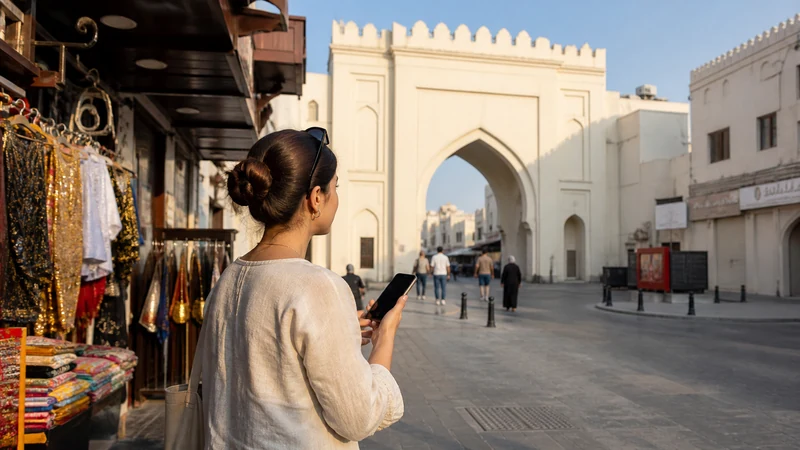

Mobile internet in Manama is available through an eSIM, local prepaid SIM, home-network roaming or hotel Wi-Fi. Mobile data is especially useful between venues, where you may need ride apps, destination pins and messages that hotel Wi-Fi cannot provide.
Juffair, Seef and Bahrain Bay do not require separate connectivity products; they are districts within the same wider urban journey. The practical differences come from indoor reception, congestion and how often you move.
NoveSIM Bahrain plans are data-only, without a local number, conventional calls or SMS. Internet-based apps use the data allowance.
Quick answer: Install a Bahrain eSIM before flying if you mainly need maps, messaging and bookings around Manama. Buy a local SIM when a Bahraini number matters. Save hotel and meeting entrances as pins because large complexes and indoor spaces can weaken reception.
Top Bahrain eSIMs


Choose the connection for your stay
| Need | Suitable option |
|---|---|
| Data ready after landing | Travel eSIM installed in advance |
| Bahraini number or conventional local calls | Registered local SIM |
| Known fixed roaming package | Home SIM roaming |
| Large downloads at accommodation | Trusted hotel Wi-Fi |
Compare the full country options in the Bahrain mobile internet guide and local-number trade-offs in the Bahrain SIM guide.
Using mobile internet in Manama
Mobile internet in Manama is most valuable between venues, when a hotel or restaurant Wi-Fi connection is no longer available.
Keep the address and entrance pin for hotels, offices, restaurants and residential towers. Juffair nightlife, Seef shopping and Bahrain Bay events can create busier periods, while lifts, underground parking and heavily built interiors may weaken any network.
Download a small offline map before leaving the hotel. It helps when a driver stops at a different entrance or a venue’s guest Wi-Fi needs a room number or SMS login.
Set up before arrival
- Confirm the exact phone is unlocked and eSIM-compatible.
- Choose a Bahrain plan with enough validity for the full stay.
- Install on stable Wi-Fi and label it Bahrain.
- After landing, select it for Mobile Data and enable Data Roaming.
- Keep home-line Data Roaming and Mobile Data Switching off.
The Bahrain Airport guide covers the handover from terminal Wi-Fi to mobile data.
Work, calls and hotspot use
Hotel Wi-Fi may suit large downloads, while the eSIM provides continuity between meetings. Confirm hotspot support before depending on a laptop connection, and pause cloud backup or system updates. Use the data-planning guide to account for video calls and tethering.
A data-only eSIM does not create a local number. Keep the home line active for verification messages only after checking the carrier’s roaming charges.
If Manama mobile data fails
Move away from underground or heavily enclosed areas, confirm the travel line is selected, toggle flight mode and leave network selection Automatic. Use data.esim only if manual NoveSIM APN entry is required. Do not delete the profile unless support explicitly instructs you.
Related Articles
- Bahrain eSIM plans
- Choose a Bahrain eSIM
- Manama stopover internet
- Bahrain coverage guide
- Bahrain eSIM troubleshooting
FAQ
Is a travel eSIM useful in Manama?
Yes, when you need data for maps, messages and rides without buying a local number.
Can I rely only on hotel Wi-Fi?
It may cover use inside the hotel but cannot help reliably during transfers or at other venues.
Do Juffair and Seef need different SIM cards?
No. They are part of the same urban Bahrain coverage area; real performance depends on the network, building and congestion.
Can I use my eSIM as a laptop hotspot?
Only when the selected plan permits tethering. Confirm the terms and monitor data use.
Final Recommendation
Use an eSIM for straightforward mobile internet in Manama and a local SIM when a Bahraini number is essential.
Save exact destination pins and keep hotel Wi-Fi as a backup for large downloads.
Label the travel line clearly and disable home-line roaming to avoid accidental charges.