


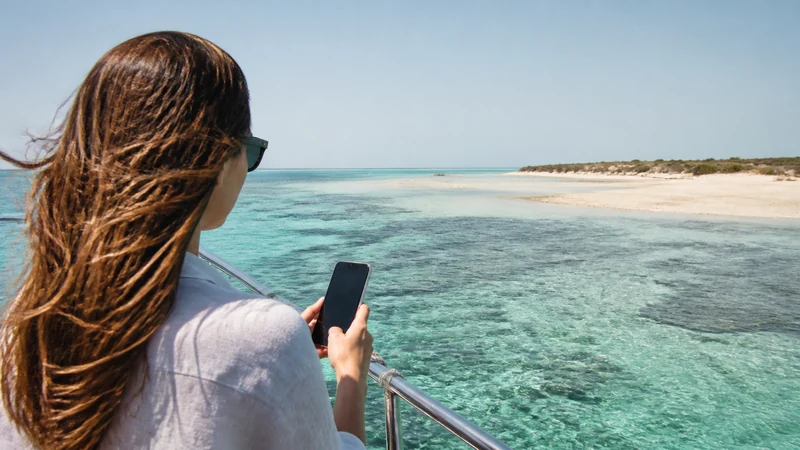

Mobile internet on Hawar Islands should be treated as a convenience, not as a continuous or emergency connection. Offshore position, the serving network, buildings and weather-related travel conditions can all affect the phone.
Prepare ferry or boat information, accommodation contacts and essential bookings before leaving Bahrain’s main island. A Bahrain eSIM can connect where its partner network has service, but the article cannot promise coverage across every shore or excursion.
NoveSIM Bahrain plans are data-only and do not include a local number, calls or SMS. Internet apps work only while usable data service is available.
Quick answer: Install and test the Bahrain eSIM before departure, download all tickets and maps, tell your accommodation or operator when you expect to arrive and carry a charged power bank. Do not depend on mobile data for safety communication at sea.
Top Bahrain eSIMs


What to save before the boat journey
- Departure point, time and operator contact.
- Accommodation confirmation and check-in instructions.
- Offline map or screenshot of the destination.
- Return booking and contingency instructions.
- Identification or travel documents required by the operator.
Transport arrangements can change for operational or weather reasons. Confirm them with the provider rather than relying on an old travel article.
How mobile internet on Hawar Islands differs
Mobile internet on Hawar Islands differs from mainland urban use because the serving signal can change across the boat route and shoreline.
A phone can see a network without maintaining steady data. Reception may change between the departure shore, boat, accommodation and open areas of the islands. Indoor rooms can perform differently from outside spaces. Review the wider Bahrain coverage guide before the trip.
Do not manually select a network merely because its name appears. Use only a partner permitted by the exact plan. Bahrain coverage should also not be confused with coverage from another nearby country.
Prepare the Bahrain eSIM
- Confirm the phone is unlocked and eSIM-compatible.
- Choose a Bahrain plan whose validity covers the island stay and return.
- Install it on reliable Wi-Fi and label the line Bahrain.
- Select it for Mobile Data and enable Data Roaming.
- Keep home-line roaming and automatic data switching off.
- Test normal browsing before travelling to the departure point.
Current choices can be compared in the Bahrain eSIM guide. Estimate allowance with the Bahrain data-planning page, remembering that photo backup can consume more than maps and messages.
Protect battery and allowance
Weak or changing signal can increase battery use as the phone searches for service. Download entertainment, reduce screen brightness and use flight mode when the operator requires it or when no connection is needed. Pause cloud photo backup until trusted Wi-Fi is available.
Safety and communication limits
Mobile data is not a substitute for the operator’s safety procedures or recognised emergency communication. Follow crew instructions and do not delay reporting a problem while trying different phone settings. Share the itinerary with a trusted person before departure.
If data does not work on the islands
Move outdoors when safe, confirm the correct line and roaming settings, toggle flight mode and allow time to register. Keep Network Selection on Automatic first. Use data.esim only if manual NoveSIM APN entry is required. Do not delete the eSIM unless support explicitly instructs you.
Related Articles
- Bahrain eSIM plans
- Mobile internet in Bahrain
- Bahrain road-trip internet
- Mobile internet in Manama
- Bahrain eSIM troubleshooting
FAQ
Is there mobile coverage on Hawar Islands?
Coverage may be available, but it can vary by network, island location, building and conditions. Prepare essential information offline.
Will my Bahrain eSIM work on the boat?
It may connect where the plan’s partner network reaches, but continuous offshore data is not guaranteed.
Should I download maps before departure?
Yes. Save maps, tickets, accommodation details and return information before leaving a stable connection.
Can I rely on WhatsApp for an emergency?
No. Data apps require service and are not a substitute for operator safety procedures or recognised emergency channels.
Final Recommendation
Use a tested Bahrain eSIM for mobile internet on Hawar Islands, but prepare for gaps on the offshore route.
Save every essential booking and contact offline, pause heavy background use and carry backup power.
Follow the boat operator’s safety instructions and never make mobile data the only emergency plan.