


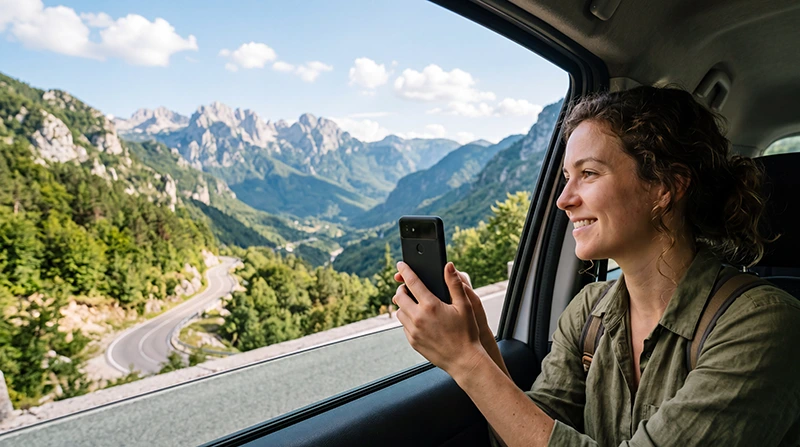

A Montenegro and Bosnia eSIM can cover both countries when the purchased regional plan explicitly includes Montenegro and Bosnia and Herzegovina. The phone still has to register with a different partner network after the border, so a short loss of data during the change is normal.
Travellers use several very different corridors: the coast towards Trebinje and Mostar, the Bay of Kotor towards Herzegovina, or the inland road through northern Montenegro towards Foča and Sarajevo. These routes cross rugged terrain, and the connection may disappear before or after the checkpoint even when the plan itself is valid.
NoveSIM travel eSIMs are data-only. We do not provide a Bosnian or Montenegrin telephone number, conventional calls or SMS. Supported messaging, navigation and internet-calling apps can use the mobile-data connection.
Quick answer: Use a regional eSIM whose live destination list includes both Montenegro and Bosnia and Herzegovina. Install it before travel, keep automatic network selection enabled and download the border route offline; after crossing, wait for new network registration before troubleshooting.
Top Bosnia and Herzegovina eSIMs

Bosnia and Herzegovina eSIM
Fixed
1 GB, 7 days€ 3.552 GB, 15 days€ 4.883 GB, 30 days€ 6.21Unlimited
Unlimited, 1 day€ 3.55Unlimited, 3 days€ 7.54Unlimited, 5 days€ 11.54
Montenegro eSIM
Fixed
1 GB, 7 days€ 3.552 GB, 15 days€ 5.323 GB, 30 days€ 7.10Unlimited
Unlimited, 1 day€ 3.99Unlimited, 3 days€ 8.43Unlimited, 5 days€ 12.87
Balkans eSIM
Fixed
1 GB, 7 days€ 4.442 GB, 15 days€ 7.103 GB, 30 days€ 9.32Unlimited
Unlimited, 1 day€ 4.88Unlimited, 3 days€ 11.09Unlimited, 5 days€ 17.30How a Montenegro and Bosnia eSIM Works
One regional profile can remain installed for the whole journey, while its authorised partner network changes after the international border. The purchased destination list determines where it can register.
Can One eSIM Cover Montenegro and Bosnia?
Yes, if both full country names appear in the exact plan. A Montenegro-only product does not continue into Bosnia and Herzegovina, and a general “Europe” label is not sufficient evidence. Review the allowance, validity, activation rule, hotspot conditions and network information on the live Balkans eSIM page.
The regional profile remains installed while the underlying partner changes. You should not need another QR code at the border, but you do need a compatible unlocked phone and an active plan that covers the date of entry into the second country.
Choose the Route before Planning Connectivity
The Montenegrin border authority lists several road crossings with Bosnia and Herzegovina, including Vraćenovići, Šćepan Polje, Sitnica and Ilino Brdo. The correct crossing depends on the itinerary and current road conditions, so confirm the route close to departure instead of relying on a generic country-to-country estimate.
Coastal journeys towards Trebinje and Mostar differ from the inland approach towards Foča and Sarajevo. The latter can include long mountain and river-valley sections. Save the complete route, checkpoint name, accommodation address and emergency information before leaving dependable Wi-Fi.
What Happens to the eSIM at the Border?
- Keep the regional eSIM installed and switched on.
- Keep Data Roaming enabled on the travel line.
- Leave Network Selection on Automatic.
- Expect the Montenegrin network to disappear near the border.
- After formalities, allow several minutes for a Bosnian partner to appear.
- Test a website or map after registration completes.
Overlapping border signals can make a phone remain briefly attached to the previous network. If usable data does not return, toggle Airplane Mode on and off once. Do not repeatedly scan the QR code, force every visible operator or delete the profile.
Regional Plan, Two eSIMs or Local SIMs?
| Option | Best reason to choose it | What requires attention |
|---|---|---|
| One Balkans eSIM | One profile and shared allowance for both included countries. | Both destinations and the entire trip duration must be covered. |
| Separate country eSIMs | Different allowances for unequal stays. | You must select the correct line and track two validity periods. |
| Local prepaid SIMs | A domestic number or long local stay matters. | Purchase and registration are handled after arrival in each country. |
| Home roaming | The carrier has a suitable confirmed package. | Charges can differ from EU destinations and between the two countries. |
Compare the regional option with the live Montenegro eSIM plans and Bosnia and Herzegovina eSIM plans. One regional profile reduces line switching; separate products can be more flexible when one country accounts for most of the trip.
Do EU Roaming Rules Apply?
Montenegro and Bosnia and Herzegovina are not currently part of the EU Roam Like at Home area. Travelling from nearby Croatia into either country can therefore change the home carrier’s charging rules at the border. A voluntary Western Balkans arrangement does not automatically make an EU subscription free to use there.
Check the home operator’s tariff for both countries. Select the travel eSIM for Mobile Data, disable automatic data switching and keep Data Roaming off on the primary SIM. Calls, SMS and voicemail on the home line remain subject to its carrier’s terms even when that line is not used for data.
Coverage between Kotor, Trebinje, Mostar and Sarajevo
City coverage cannot be extended as a promise across the connecting road. Stone buildings, valleys, tunnels, mountains, distance from a mast and congestion all affect the connection. A regional eSIM changes the authorised network; it cannot eliminate physical coverage gaps.
Keep maps and booking details offline for the route from the Bay of Kotor towards Trebinje, and for longer journeys towards Mostar or Sarajevo. If the trip continues through remote parts of Bosnia and Herzegovina, consult the Bosnia and Herzegovina coverage guide. The Montenegro road-trip guide covers preparation before leaving the coast.
Allowance and Validity across Two Countries
A shared allowance is consumed in both destinations. Maps and messages are usually light, while video meetings, streaming, cloud backup and laptop hotspot use can reduce the balance quickly. Check whether any unlimited offer has a daily high-speed threshold or fair-use condition.
Validity must cover the final day in Bosnia and Herzegovina, not only the Montenegro departure date. Estimate usage from recent phone statistics, add the number of travel days and preserve a margin for delays or rerouting.
Recommended Phone Settings
| Setting | Recommended starting point |
|---|---|
| Mobile Data | Regional travel eSIM |
| Travel eSIM Data Roaming | On |
| Primary SIM Data Roaming | Off |
| Automatic data switching | Off |
| Network Selection | Automatic |
| Manual NoveSIM APN | data.esim only if required |
Install the profile on stable private Wi-Fi according to its order instructions. If this is the first eSIM on the phone, the Montenegro setup guide explains the iPhone and Android menus before the cross-border journey begins.
If Data Stops after Entering Bosnia and Herzegovina
- Confirm Bosnia and Herzegovina is included in the active plan.
- Check that the regional eSIM remains selected for Mobile Data.
- Verify Data Roaming is enabled on the travel line.
- Keep Network Selection on Automatic and wait several minutes.
- Toggle Airplane Mode briefly to refresh registration.
- Restart the phone if a partner network still does not appear.
If manual APN entry is required for NoveSIM, use data.esim and leave username and password blank. Do not delete the installed eSIM unless NoveSIM Support specifically instructs you to do so. Preserve safe screenshots of the selected data line, roaming setting and network status for support.
Related Articles
- Balkans regional eSIM
- Montenegro eSIM plans
- Bosnia and Herzegovina eSIM plans
- Coverage in Bosnia and Herzegovina
- Bosnia and Herzegovina road-trip internet
- Mobile internet in Montenegro
- Internet on a Montenegro road trip
- Montenegro eSIM troubleshooting
FAQ
Can one eSIM work in Montenegro and Bosnia and Herzegovina?
Yes, if the exact regional plan lists both countries. Confirm the live destination list, allowance and validity before buying.
Why can data stop briefly at the border?
The phone must leave its Montenegrin partner and register on an authorised network in Bosnia and Herzegovina. This can take several minutes, particularly where border signals overlap.
Are both countries covered by EU roaming?
No. Montenegro and Bosnia and Herzegovina are not currently in the EU Roam Like at Home area. Check the home carrier’s tariff separately for each country.
What should I do if the eSIM does not reconnect?
Confirm country coverage, select the travel line for data, enable its Data Roaming and leave network selection automatic. Toggle Airplane Mode briefly, but do not delete the eSIM unless NoveSIM Support tells you to do so.
Final Recommendation
A Montenegro and Bosnia eSIM is a practical choice when one verified regional plan covers every travel day in both countries. Confirm the full name Bosnia and Herzegovina in the destination list rather than relying on a broad regional label.
Keep the travel profile selected for data, leave network selection automatic and protect the primary SIM from roaming data. Expect genuine network registration rather than instant, uninterrupted service at the border.
Save the chosen crossing, route and accommodation details offline. This preparation matters most on the mountainous sections between Montenegro, Trebinje, Mostar, Foča and Sarajevo where no eSIM can guarantee continuous reception.