


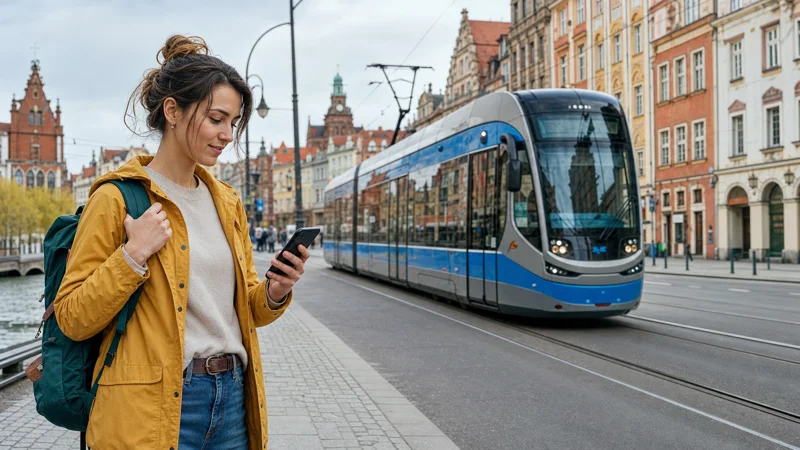

Mobile data in Wrocław is available through eligible home-plan roaming, a travel eSIM or a registered Polish prepaid SIM. Public WiFi can supplement these options, but it is not a dependable replacement while navigating or using transport around the city.
A short city break normally requires data for maps, tram and bus information, tickets, bookings and messages. Remote work, streaming and hotspot use need a larger allowance and a separate backup connection.
NoveSIM travel eSIMs are data-only. We do not provide a Polish phone number, conventional calls or SMS. Internet-based messaging and calls continue to work through data.
Quick answer: Check whether your current plan includes Poland first. If it does not, use a travel eSIM for data prepared before arrival or a registered Polish SIM when you need a local number. Download an offline Wrocław map and keep trusted WiFi for large transfers.
Top Poland eSIMs

Poland eSIM
Fixed
1 GB, 7 days€ 1.772 GB, 15 days€ 3.553 GB, 30 days€ 4.44Unlimited
Unlimited, 1 day€ 2.22Unlimited, 3 days€ 4.88Unlimited, 5 days€ 7.99
Europe Extra eSIM
Fixed
1 GB, 7 days€ 2.222 GB, 15 days€ 3.553 GB, 30 days€ 4.44Unlimited
Unlimited, 1 day€ 2.66Unlimited, 3 days€ 5.32Unlimited, 5 days€ 8.87Europe+ eSIM
Fixed
1 GB, 7 days€ 2.662 GB, 15 days€ 3.993 GB, 30 days€ 5.32Unlimited
Unlimited, 1 day€ 2.66Unlimited, 3 days€ 6.21Unlimited, 5 days€ 10.20Start with your home plan’s Poland allowance
Travellers with an eligible EU or EEA plan may be able to use domestic services while visiting Poland. Check the roaming data limit and fair-use conditions because the usable allowance can differ from the domestic package.
If your operator charges separately for Poland, confirm the daily rate and overage terms before enabling mobile data. The Poland roaming guide explains the comparison with prepaid alternatives.
Use an eSIM for a data-first visit
A travel eSIM is useful when you want to arrange data before the journey and keep the physical SIM in the phone. Confirm that the device is unlocked and eSIM-compatible, then install on reliable WiFi according to the plan’s activation rules.
The commercial decision is covered separately in the Wrocław eSIM guide. That page compares allowance, validity, partner coverage and hotspot terms; this page focuses on using mobile internet during the visit.
Choose a Polish SIM when a local number matters
A local prepaid SIM can be appropriate for a longer stay or when ordinary Polish calls and SMS are necessary. Registration requires an accepted identity document, so use a staffed seller and ask what bundle is actually active.
Check expiry, top-up and roaming conditions at the time of purchase. Offers change, and the starter balance does not always describe the data package you intend to use. The Poland SIM card guide outlines the buying checks.
Prepare mobile data for Wrocław Airport and the first route
Save the accommodation address and first route before flying. An installed eSIM can reduce dependence on airport WiFi, but it still needs the correct data-line and roaming settings after arrival.
Test a normal webpage with WiFi off before leaving the terminal. Signal bars alone do not show which line is carrying data. If the connection is not ready, airport WiFi can support a quick check while you correct the settings.
Plan for trams, buses and walking routes
Wrocław’s islands, bridges and neighbourhoods make a saved map useful even when mobile service is working normally. Download the required area, tickets and booking references before a full sightseeing day.
Live transport changes and new searches still require a connection, so keep mobile data available rather than relying entirely on an offline map. For a wider domestic itinerary, compare the internet options across Poland.
Understand coverage inside the city
Reception can vary inside historic buildings, below ground and in crowded event areas. The experience also depends on the device, the plan and the partner network selected by a travel eSIM.
Leave network selection on automatic unless a troubleshooting step calls for a manual choice. 5G availability depends on the device, plan, partner network and local coverage; stable LTE is sufficient for normal travel tasks. See the Poland mobile-network comparison for the wider context.
Use WiFi without depending on it
Hotels, cafés and coworking spaces may provide WiFi, but speed and login conditions vary. Use a trusted network for large downloads and cloud backups. Avoid sensitive account activity on an unfamiliar open network unless you have an appropriate secure connection.
For work, confirm the accommodation or workspace connection before booking and keep mobile data as a fallback. If your phone will provide a laptop hotspot, verify that the plan permits tethering and monitor battery use.
Fix a mobile-data problem methodically
- Confirm that the intended SIM or eSIM is enabled.
- Select that line for mobile data and disable unwanted automatic switching.
- Apply the provider’s required Data Roaming setting to the correct line.
- Leave network selection on automatic and toggle Airplane Mode once.
- Restart the phone and test a normal webpage with WiFi off.
- Keep the installed eSIM while continuing diagnosis.
If these checks do not restore the connection, use the Poland eSIM troubleshooting guide. Do not delete the profile unless support instructs you to do so.
Related Articles
- Mobile data in Poland
- How much data a Poland trip needs
- Poland eSIM coverage
- How to install a Poland eSIM
FAQ
How can a tourist get mobile data in Wrocław?
Use included roaming if your home plan covers Poland. Otherwise, choose a travel eSIM for convenient data or a registered local SIM when you need a Polish number.
Is public WiFi enough for a Wrocław city break?
No. It can help at accommodation and venues, but mobile data is more dependable for navigation, transport changes and bookings while moving around the city.
Does mobile data work inside historic buildings?
Often, but thick walls and indoor position can weaken reception. Performance depends on the device, plan, partner network, congestion and exact location.
Can I use a Wrocław data plan elsewhere in Poland?
A Poland-wide SIM or eSIM is not limited to Wrocław. It can work in other covered locations, subject to the included networks and local signal.
Final Recommendation
Use included roaming when its Poland allowance covers the trip. Otherwise, choose an eSIM for convenient data or a registered Polish SIM when a local number is genuinely necessary.
Configure the correct mobile-data line before leaving a reliable connection and keep the eSIM installed if troubleshooting is needed. Save the accommodation address and an offline map separately.
With mobile data available for transport, maps and bookings, WiFi can remain a useful secondary connection rather than something your entire Wrocław visit depends on.