


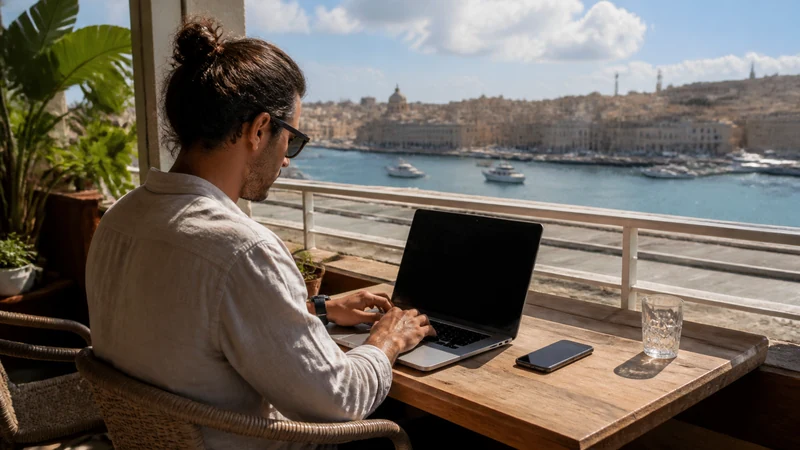

Remote work in Malta needs dependable accommodation Wi-Fi, a realistic hotspot allowance and a backup for authentication during an important session.
The best way to handle working remotely from Malta varies with the device, itinerary and expected data use. Even with good urban service, tickets and key directions are worth keeping offline.
For travellers working remotely from Malta, our Malta eSIM provides data for maps, bookings and communication apps but does not add a domestic number, standard calls or carrier SMS. That distinction makes both the settings and expected costs clearer.
Quick answer: When working remotely from Malta, size the plan around essential tasks and shared devices, then keep tickets, contacts and the first route accessible offline.
Top eSIMs

Test the connection before your first work session
Test accommodation or workspace Wi-Fi from the place where you will actually work. Open the tools you need, try a short video call and check a representative file upload. If your employer requires a VPN, include it in the test; a connection that loads websites may still be unsuitable for your normal workload.
Test your mobile-data backup separately, including a laptop hotspot if your selected plan and device support it. Confirm that you can reach your work accounts and authentication method before an important meeting. Wi-Fi and mobile data provide alternative ways to connect, but neither guarantees uninterrupted service.
Plan data around city transport
Crowded stations and insulated buildings can change reception. Step into an open area before deciding the service has failed or changing network settings. While working remotely from Malta, it also reduces the temptation to change several phone settings at once.
For the next step, open Reliable Internet for Business Travel in Malta and Internet in Malta for Tourists: A Practical Guide.
Mobile data supports route planners, walking directions, ticket checks and accommodation messages. Download the first route before departure in case the phone reconnects slowly. The backup matters most during a transfer, login or meeting when venue Wi-Fi is unavailable.
Keep dual-SIM behaviour predictable
Check which line is selected before a call, message or hotspot session. Conventional service on the home SIM can still create roaming charges even when cellular data uses the eSIM. The result for working remotely from Malta is a clearer setup with fewer changes to make after arrival.
The home number can remain active for incoming service while the Malta eSIM handles data, subject to the phone and home operator. Online messaging continues through the selected data line. When deciding about working remotely from Malta, apply that distinction to the places, transfers and devices in the itinerary.
For the next step, open How Much Mobile Data Do You Need for a Malta Trip? and Mobile Coverage in Rural Malta and Gozo.
Check one setting at a time
Try aeroplane mode and one normal restart. If manual configuration is required, verify APN data.esim; do not delete the installed eSIM unless NoveSIM support instructs you to do so. This small preparation keeps the next booking, meeting or journey accessible even when the connection changes.
Confirm signal, the enabled Malta eSIM, the selected data line and Data Roaming before changing anything else. Then allow automatic network selection to register. Confirm the live allowance, validity and network details against the trip itself.
More detail is available in How to Use a Malta eSIM on Android and Wi-Fi at Malta International Airport: An Arrival Guide.
Match the plan to the real workload
Identify the tasks that cannot wait: authentication, navigation, family coordination or a work call. Estimate laptop and shared-device use separately from ordinary phone activity. When working remotely from Malta, the useful choice is the one that fits the actual route and the next task, rather than a broad coverage claim.
Store the first route, essential contacts and tickets locally on the phone. Confirm power and workspace arrangements before relying on a hotspot for an important session. This check for working remotely from Malta is easier to complete before a busy transfer begins.
For the next step, open Internet in Gozo for Tourists and Useful Apps for Travelling in Malta.
Measure a typical laptop session rather than estimating from phone browsing alone. Video meetings, file uploads and background synchronisation can change the allowance you need. Check the selected plan’s hotspot terms and validity against your working days, and pause non-essential downloads when using the mobile backup.
Prepare for a short business trip or your first meeting
Save the meeting address, venue contact, booking reference and airport-to-accommodation directions before travelling. Keep your schedule accessible offline so that a delayed Wi-Fi login or mobile connection does not prevent you from finding the venue or contacting the organiser.
Before departure, confirm how you will sign in to work accounts if your usual authentication method is unavailable. If it requires SMS to your home number, check that line’s roaming availability and charges with your operator; a NoveSIM data-only plan does not replace carrier SMS. Follow your employer’s access requirements and keep enough battery power for the transfer and first work session.
A realistic Malta connection plan
When working remotely from Malta, match the connection to the moments that cannot wait, such as authentication, a pickup change, a child’s entertainment or a solo arrival after dark. Keep those essentials separate from general browsing. A power bank, saved contacts and an offline route provide more resilience than simply buying the largest allowance.
What to save before the connection is needed
- Carry enough battery power for the longest planned transfer.
- Pause automatic updates, cloud backup and video downloads.
- Save the first address, booking reference and one useful contact.
- Confirm the exact handset is unlocked and supports eSIM.
- Keep installation details where another device can display them.
Before working remotely from Malta, review the live Malta eSIM plans for the current allowance, validity, networks and hotspot terms. The Malta destination guide will bring the wider Malta cluster together.
Safe checks if the connection changes
If data stops while working remotely from Malta, confirm signal, the enabled eSIM and the selected mobile-data line. Data Roaming should be on for the Malta eSIM and off for the home line. Allow automatic network selection to register, try aeroplane mode and one restart, then verify data.esim only if manual APN entry is required. Do not delete the eSIM unless NoveSIM support specifically requests it.
For a connection issue while working remotely from Malta, more focused help is available in Mobile Data in Malta: What Travellers Need to Know.
Related Articles
- Which Mobile Network Is Best for Tourists in Malta?
- How to Install an eSIM for Malta Before You Travel
- Internet in Valletta for Tourists
- Mobile Internet on Ferries Between Malta and Gozo
FAQ
What should be prepared first?
Before working remotely from Malta, confirm the phone, first journey and tasks that cannot wait. Install on secure Wi-Fi and keep important details offline.
Does a Malta eSIM include a local number?
No. When working remotely from Malta, remember that our Malta travel plans are data-only and do not include a Maltese number, ordinary voice minutes or carrier SMS.
Which networks are currently listed for Malta?
When checking the live plan while working remotely from Malta, note that the live product page currently lists Melita and 5G; available access depends on the selected plan. Check the selected plan because access and features can change.
Should the eSIM be removed if data stops?
No. While working remotely from Malta, check the active line, Data Roaming, network selection and APN data.esim first, then contact NoveSIM support before removing an installed profile.
Prepare the connection before the journey
When working remotely from Malta, combine the correctly configured travel line with saved directions, useful contacts and realistic expectations about local reception.
Before working remotely from Malta, choose an allowance and setup that fit the itinerary, then check the live Malta plan shortly before departure. That is more dependable than relying on an old screenshot or a general coverage claim.