


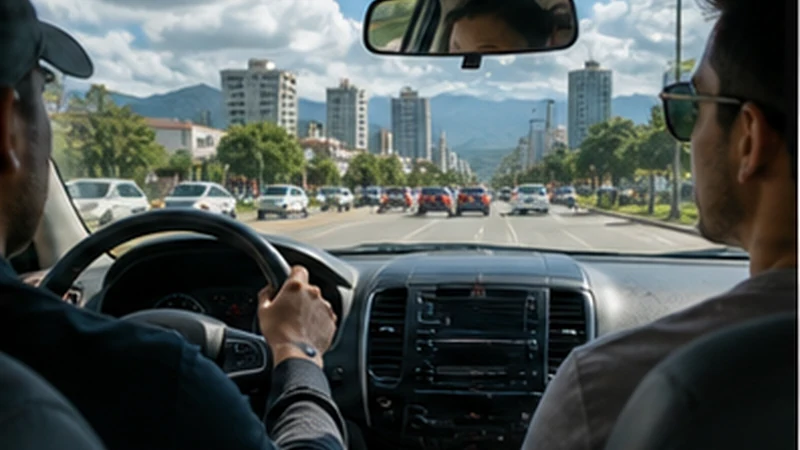

La Aurora Airport to Guatemala City internet matters even though the trip is short on a map, because this is when travellers confirm a driver, identify the correct vehicle and reach an unfamiliar address. The safest setup is one that still works if the phone takes several minutes to register.
A travel eSIM can provide data after landing without a shop visit. Airport Wi-Fi is useful as a temporary backup, but the address, booking reference and pickup instructions should already be stored offline before the flight.
NoveSIM Guatemala plans are data-only. They do not include a Guatemalan number, standard calls or SMS, so confirm in advance that the driver, hotel or host can communicate through an internet messaging app.
Quick answer: Before leaving arrivals, verify the vehicle and driver, save the complete destination address, load the route and confirm how the driver will handle a delay. Select the Guatemala eSIM for mobile data, but do not make the transfer dependent on a live connection.
Top Guatemala eSIMs

Guatemala eSIM
Fixed
1 GB, 7 days6.50$2 GB, 15 days10.50$3 GB, 30 days13.50$Unlimited
Unlimited, 1 day6.00$Unlimited, 3 days20.00$Unlimited, 5 days28.00$
Central America eSIM
Fixed
1 GB, 7 days8.00$2 GB, 15 days13.00$3 GB, 30 days17.50$Unlimited
Unlimited, 1 day7.50$Unlimited, 3 days18.50$Unlimited, 5 days29.50$Prepare La Aurora Airport to Guatemala City Internet Before Pickup
Stay inside the terminal or another appropriate waiting area while organising the transfer. Open the transport booking and compare the driver’s name, vehicle details and agreed pickup location. A message such as “outside the airport” is not precise enough when several doors or lanes are in use.
- Save the driver’s name, vehicle description and registration details supplied by the service.
- Write down the hotel’s full street address, zone and entrance notes.
- Pin both the pickup point and destination in an offline map.
- Store the booking reference outside the transport app.
- Agree how long the driver will wait and which channel to use after a delay.
The broader La Aurora Airport internet guide explains the arrival options before this transfer begins.
Why the Exact Guatemala City Address Matters
Guatemala City addresses often include a zone, and accommodation names may be similar. Give the driver the full address rather than relying on a business name or map search result. If the property supplied a gate, reception or security-desk instruction, keep that text available without opening email.
For a private host or apartment, ask which entrance should be used and whether someone will be present. Mobile data can help clarify a final turn, but a complete offline address prevents a temporary network problem from becoming an arrival problem.
Set Up the eSIM While the Phone Is Stationary
- Open Cellular, Mobile Service or SIM Manager while still inside the terminal.
- Confirm that the Guatemala eSIM is switched on.
- Select it as the mobile-data line.
- Enable Data Roaming on the travel eSIM.
- Disable Data Roaming on the home SIM.
- Turn automatic mobile-data switching off.
- Keep network selection on Automatic and allow time for registration.
Do not ask the driver to change settings while the vehicle is moving. If the phone needs attention later, wait until the car reaches a safe stopping point or the destination. The airport eSIM setup guide covers the technical arrival sequence in more detail.
Use Airport Wi-Fi Only for the Missing Step
If mobile registration has not completed, verified airport Wi-Fi can be used to send the arrival message or retrieve one missing detail. Confirm the official network name through current terminal signage or staff. Avoid similarly named access points and reject unexpected requests to install a certificate or configuration profile.
Once the driver and destination are confirmed, the transfer does not need to wait for perfect mobile performance. The offline address and route provide continuity while the eSIM continues trying to register.
Keep the Phone Useful During the Drive
Place the phone somewhere secure and avoid displaying it unnecessarily near an open window or while standing outside. Follow current local safety advice and pay attention to the actual surroundings rather than watching the route continuously.
A passenger can compare the live route with the saved destination if needed. The driver should remain focused on driving. Traffic can change journey time substantially, so use the connection to update the host about a delay rather than repeatedly changing navigation settings.
What to Do If Data Drops Between the Airport and Hotel
Building position, congestion and movement between radio cells can cause temporary changes even inside the city. Keep network selection Automatic and wait to see whether the phone reconnects. A short interruption during the drive is not evidence that the profile is damaged.
After arriving safely, use Airplane Mode for about 30 seconds and then wait for registration. If signal appears without internet, check the remaining allowance and enter data.esim only if manual APN entry is required.
Do not delete the installed eSIM. An activation code may allow only one installation. If the connection still fails at the accommodation, send NoveSIM Support the order number, exact phone model, current location and screenshots that do not expose the QR code.
After Reaching the Accommodation
Ask reception or the host for the exact Wi-Fi network rather than choosing a similar name. Load the next day’s map, check that the travel eSIM remains the selected data line and save any onward pickup instructions.
The Guatemala City internet guide covers everyday maps, hotel Wi-Fi and movement around the capital after the airport transfer is complete.
Related Articles
- Mobile Internet in Guatemala
- Guatemala City to Antigua Mobile Internet
- Guatemala eSIM Coverage Guide
FAQ
Do I need mobile data for the airport-to-city transfer?
It is helpful for driver messages and changed arrival times, but the journey should remain possible with the complete address, pickup details and route stored offline.
Can I contact the driver without a Guatemalan number?
Yes when the driver or transport service uses an agreed internet messaging app. Confirm that communication method before the flight.
Should I troubleshoot the eSIM inside the moving vehicle?
No. Allow Automatic registration to continue and wait until the vehicle reaches a safe stop or the destination before changing settings.
What if the hotel name does not appear correctly in maps?
Use the complete street address, city zone, entrance notes and a saved destination pin supplied by the property rather than relying on the name alone.
Final Recommendation
Prepare La Aurora Airport to Guatemala City internet around the transfer itself: a verified driver, exact pickup point, full destination address and an offline route.
Configure the eSIM while stationary, use verified airport Wi-Fi only when a missing detail must be retrieved and let Automatic network registration continue during the drive.
Once at the accommodation, confirm the next day’s connection and troubleshoot safely. Keep the installed eSIM, protect its QR code and contact support before considering removal.