


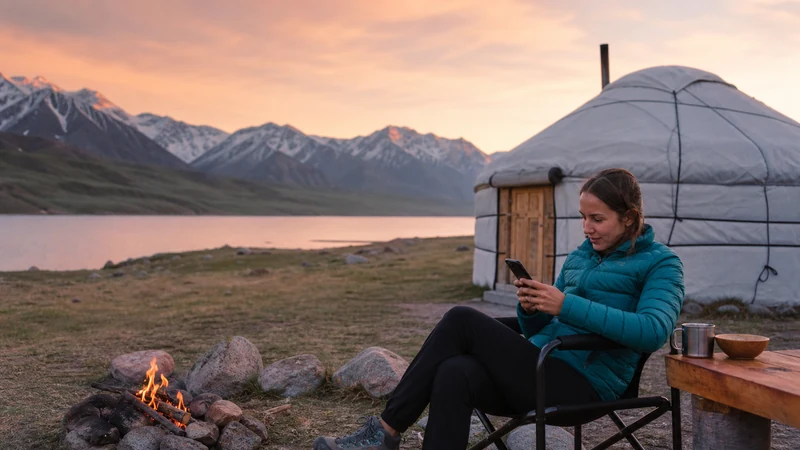

Kyrgyzstan yurt camp internet needs to be checked with the specific camp, not inferred from the lake or region named in your booking. Ask separately about mobile reception, guest Wi-Fi and electricity: confirmation of one does not establish the others.
This matters when arranging a pickup, contacting your next accommodation or telling someone that you have arrived. A camp may be able to receive your booking messages without providing an internet connection that guests can use.
Our NoveSIM travel eSIMs are data-only. We do not provide a Kyrgyz phone number, conventional calls or SMS with these plans. Internet messages require a working data connection, whether that comes from mobile reception or the camp’s Wi-Fi.
Quick answer: Ask your exact yurt camp which mobile networks currently work at the guest accommodation, whether its Wi-Fi has internet access and when phone charging is available. Save the booking, meeting point and contact arrangements offline before travelling. An eSIM cannot supply data where its supported network has no reception.
Top Kyrgyzstan eSIMs

Kyrgyzstan eSIM
Fixed
1 GB, 7 days€ 3.182 GB, 15 days€ 5.913 GB, 30 days€ 8.19Unlimited
Unlimited, 1 day€ 5.46Unlimited, 3 days€ 12.28Unlimited, 5 days€ 19.11
Commonwealth of Independent States eSIM
Fixed
1 GB, 7 days€ 8.192 GB, 15 days€ 17.743 GB, 30 days€ 18.65Unlimited
Unlimited, 1 day€ 8.64Unlimited, 3 days€ 23.20Unlimited, 5 days€ 37.31Confirm Kyrgyzstan Yurt Camp Internet with the Host
Send the questions before leaving a dependable connection. Use the camp’s name and your travel dates; an answer about another property or an earlier season may not describe your stay.
- Mobile signal: Which operator has recently worked at the camp, and was that inside the yurts or only at a particular spot outside?
- Actual data: Can guests send messages and open web pages, or is the answer based only on signal bars?
- Guest Wi-Fi: Is it available to guests, connected to the internet and included in the stay? Are there operating hours or usage limits?
- Charging: What sockets or USB connections are available, where are they and when can guests use them?
- Arrival: How should you meet the driver or find the camp if you cannot send a message on the way?
A useful answer is specific: “Guests used this network outside the dining yurt this week” gives you more to work with than “There is internet nearby”. Neither answer guarantees reception on your own phone, but the first identifies what still needs checking.
Do Not Treat Every Issyk-Kul or Song-Kul Camp Alike
The lake name is not the camp’s exact location. Accommodation described as being at Issyk-Kul can be in different surroundings, and a Song-Kul booking still needs camp-specific confirmation. Do not assume universal coverage near one lake or a universal absence of Wi-Fi at the other.
Ask for the precise meeting point and accommodation location. If a booking platform’s map pin represents an office or pickup point, it may not identify where you will sleep or use your phone.
Use the Kyrgyzstan coverage guide for the wider planning context. A regional coverage indication cannot confirm reception inside an individual yurt or the performance of a camp’s guest connection.
Match the Reported Network to Your Travel Package
If the host names an operator, check whether your chosen package can access that network. A recommendation to “buy a local SIM” or a report that someone’s phone worked is not proof that every travel eSIM will connect there.
The NoveSIM Kyrgyzstan product page lists Sky Mobile LLC and NURTelecom LLC with 4G access. Check the current terms for the package you buy; a supported-network listing does not promise signal at the camp or a particular speed.
Confirm your exact phone’s eSIM compatibility and unlocked status before ordering. Read the validity and activation instructions too: install and test the profile where appropriate before the transfer, rather than relying on camp Wi-Fi to complete setup.
For that preparation, follow the Kyrgyzstan installation guide. Download the order instructions for offline reference, but keep your QR code and activation details private.
Make Arrival Possible Without a Last-Minute Message
- Save your booking confirmation and the camp’s exact name.
- Download the agreed meeting point, pickup time and any directions supplied by the host.
- Keep the contact details and agreed fallback arrangement accessible without opening a website.
- Check that your chosen map or document app opens the saved information with internet unavailable.
- Tell the person expecting your arrival when your next planned check-in is, including any expected period without a connection.
Agree what happens if the driver is late or the meeting point changes. “Message us when you arrive” is not a complete arrangement if you may be unable to get online.
A contact number is still useful to save, but our data-only eSIM does not provide ordinary telephone calling. Confirm how you will contact the host and what alternative arrangement applies if internet messaging is unavailable.
Check Power Separately from Wi-Fi
Do not assume that a camp has solar charging, mains sockets or no electricity at all. Ask the host what is actually available to guests, whether charging is shared and whether you need a particular cable or adapter.
Bring a charged power bank suitable for your equipment and keep enough phone battery for the saved arrival information and onward arrangements. If the camp offers limited charging times, decide which device needs charging first instead of arriving with every battery empty.
For a work deadline, obtain a more specific answer than “Wi-Fi available”. Ask whether guests have recently completed the type of task you need, and arrange a fallback outside the camp if the deadline cannot wait. Do not promise a client a video call based solely on an accommodation listing.
If You Arrive and Cannot Get Online
First identify the missing connection. A Wi-Fi network appearing on your phone does not establish that it has internet access. Ask the host whether the connection is operating before changing the eSIM’s settings.
For mobile data, check that the travel line is enabled and selected, that the package remains valid and that Data Roaming is set according to your order instructions. If reception exists but data does not work, use the Kyrgyzstan eSIM troubleshooting guide. Use data.esim only when manual NoveSIM APN entry is required.
Do not delete the installed eSIM as a response to a coverage gap. Retain it unless NoveSIM Support instructs otherwise. Ask the host about a safe, practical place to check reception; do not leave the camp or enter unfamiliar terrain merely to search for signal.
If neither connection is available, use the arrival and check-in arrangements agreed beforehand. Mobile data should not be the sole basis of a remote-travel emergency plan.
Related Articles
FAQ
Do yurt camps in Kyrgyzstan have Wi-Fi?
Check with the exact camp. Ask whether Wi-Fi is available to guests, whether it currently provides internet access and whether hours or limits apply. Do not infer the answer from the type of accommodation.
Does a Song-Kul yurt booking mean I will have no internet?
It does not establish a camp-specific answer. Ask about current guest Wi-Fi and reception at the precise accommodation, while preparing to manage arrival and essential information offline.
Can an eSIM provide data if the camp has no mobile signal?
No. It needs reception from a network available to the package. Buying a larger allowance or sharing a hotspot cannot create mobile coverage.
Will I be able to charge my phone at the camp?
Ask about the actual guest charging facilities, connection types and available hours. Bring suitable cables and a charged backup rather than assuming either full electricity or no charging.
Final Recommendation
Plan Kyrgyzstan yurt camp internet around the host’s answers for your exact accommodation and dates. Check mobile data, guest Wi-Fi and charging as three separate facilities.
Prepare your eSIM before the transfer where appropriate, then save the booking and meeting arrangements offline. Match any reported mobile network to your package instead of assuming all SIMs can use it.
Keep the stay manageable without a connection. With agreed pickup and check-in arrangements, uncertain reception need not turn into a missed transfer or an avoidable communication problem.