


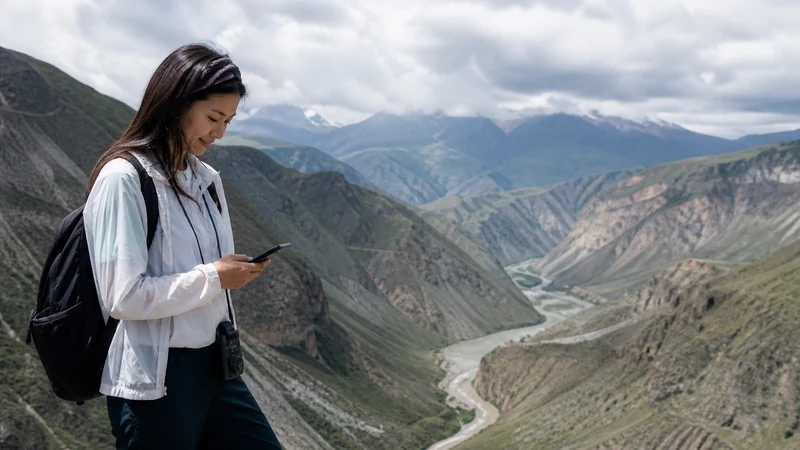

The current NoveSIM Kyrgyzstan listing shows Sky Mobile LLC and NURTelecom LLC with 4G access, but the selected plan, device and exact location determine service.
For travel around Kyrgyzstan, mobile data supports navigation, road-condition checks, accommodation messages and booking changes, but it must not replace offline preparation.
NoveSIM Kyrgyzstan plans are data-only and do not include an Kyrgyz number, traditional calls or SMS. Internet calling and messaging apps can use the data connection where available.
Quick answer: The current NoveSIM Kyrgyzstan listing shows Sky Mobile LLC and NURTelecom LLC with 4G access, but the selected plan, device and exact location determine service.
Top Kyrgyzstan eSIMs

Kyrgyzstan eSIM
Fixed
1 GB, 7 days€ 3.122 GB, 15 days€ 5.793 GB, 30 days€ 8.02Unlimited
Unlimited, 1 day€ 5.35Unlimited, 3 days€ 12.03Unlimited, 5 days€ 18.71
Commonwealth of Independent States eSIM
Fixed
1 GB, 7 days€ 8.022 GB, 15 days€ 13.363 GB, 30 days€ 18.26Unlimited
Unlimited, 1 day€ 8.46Unlimited, 3 days€ 22.72Unlimited, 5 days€ 36.53What to Check Before Using Mobile Data in Kyrgyzstan
Confirm that the exact phone model supports eSIM and is carrier-unlocked. Regional versions of the same handset can differ, so look for Add eSIM, Download SIM or Add Mobile Plan in settings and check the device model rather than relying only on the product-family name.
Review the Kyrgyzstan eSIM plans, understand how NoveSIM works and use the compatible-device list. The product page reviewed on 16 August 2026 lists Sky Mobile LLC and NURTelecom LLC, both shown with 4G access; this is potential partner access, not a guarantee of a particular operator, speed or signal at every stop.
Recommended Kyrgyzstan eSIM Settings
| Setting | Recommended value |
|---|---|
| Mobile Data | Kyrgyzstan travel eSIM |
| Travel eSIM Data Roaming | On |
| Primary SIM Data Roaming | Off |
| Automatic Data Switching | Off |
| Network Selection | Automatic |
| Manual APN | data.esim only if required |
Keeping automatic data switching off reduces the risk that a dual-SIM phone silently uses the home line. Learn about Data Roaming, keeping your main number and eSIM versus roaming before departure.
Installation and Activation Steps
- Connect the phone to dependable private Wi-Fi.
- Open Cellular, Mobile Service, SIM Manager or Network settings.
- Select Add eSIM, Add Mobile Plan or Download SIM.
- Scan the private QR code or enter the supplied activation details.
- Wait for the profile to appear and label it Kyrgyzstan or Travel.
- After arrival, choose it for mobile data and enable Data Roaming on that line.
Use the separate guides for iPhone installation or Android installation. Installation, plan activation and network registration are separate events and may not occur at the same moment.
Coverage and Safety Around Kyrgyzstan
Kyrgyzstan’s cities and main roads are different radio environments from valleys, mountain passes, remote lakes, gorges and high-altitude routes. Weather, terrain, buildings, congestion and distance from a mast can affect performance. Do not treat a coverage map as a safety guarantee or a promise of continuous service inside every vehicle and building.
Download maps, itineraries, accommodation details and key weather or road information before leaving a reliable connection. For remote travel, share the route and return plan with another person and follow current official safety advice. Mobile data is convenient, but it is not an emergency system.
4G availability depends on the selected plan, compatible device, radio bands, location and local coverage. A stable 4G connection is sufficient for most maps, messages and booking tasks. Hotspot support and performance also depend on the product, phone and network conditions.
Data Planning for Kyrgyzstan Travel
- Maps, messaging, email and booking checks are relatively light.
- Cloud photo backup, video, operating-system downloads and tethering can use data quickly.
- Cold weather can reduce battery performance, so carry suitable power and keep the phone protected.
- Save an offline map and essential addresses even when the itinerary stays near towns.
Compare a local SIM with a travel eSIM and review other destination plans if the journey continues beyond Kyrgyzstan. A country-only plan should not be assumed to work during an international stopover.
Safe Troubleshooting
- Confirm that the Kyrgyzstan eSIM is on and selected for mobile data.
- Enable Data Roaming on the travel line and disable it on the home line.
- Turn off automatic data switching and leave network selection on Automatic.
- Use Airplane Mode for 30 seconds, then wait for registration.
- Restart the phone if the status does not change.
- If signal appears without internet, check remaining data and use data.esim only when manual APN entry is required.
- Contact support with the order number, exact model, location and safe screenshots if the problem continues.
Do not delete the installed eSIM as an early troubleshooting step. Some activation codes are intended for one installation. Read the arrival troubleshooting guide, verify NoveSIM APN settings and contact NoveSIM Support before removal.
Related Articles
- Does eSIM Work in Kyrgyzstan? 2026 Traveller Guide
- eSIM Not Working in Kyrgyzstan? Step-by-Step Fixes
- Kyrgyzstan eSIM APN Settings for iPhone and Android
- Mobile Internet in Kyrgyzstan: eSIM, SIM and Roaming
- Best SIM Card for Kyrgyzstan: Local SIM vs Travel eSIM
- Internet at Manas International Airport: Wi-Fi, SIM and eSIM
- How to Choose a Travel eSIM
- NoveSIM FAQ
- Check Whether a Phone Supports eSIM
FAQ
Does an eSIM work in Kyrgyzstan?
Yes, when the phone is unlocked and eSIM-compatible and the selected plan explicitly includes Kyrgyzstan. Choose the travel line for mobile data and enable Data Roaming on it.
Which networks does NoveSIM list for Kyrgyzstan?
The product page reviewed on 16 August 2026 lists Sky Mobile LLC and NURTelecom LLC with 4G access. Actual access depends on the plan, phone, location and local coverage.
What APN does NoveSIM use?
Use data.esim only if manual APN entry is required. Leave username and password blank unless the order instructions say otherwise.
Should I delete an eSIM that does not connect?
No. Keep the profile and use reversible settings checks. Delete it only if NoveSIM Support explicitly instructs you to do so.
Final Recommendation
Confirm compatibility, unlocked status, Kyrgyzstan coverage, validity and allowance, then install over reliable Wi-Fi before travel.
On arrival, select the Kyrgyzstan eSIM for mobile data, enable Data Roaming on it, keep home-line roaming off and use data.esim only if manual APN setup is required.
Keep offline travel essentials and use mobile coverage as a convenience rather than a safety guarantee, especially away from populated areas and main roads.