


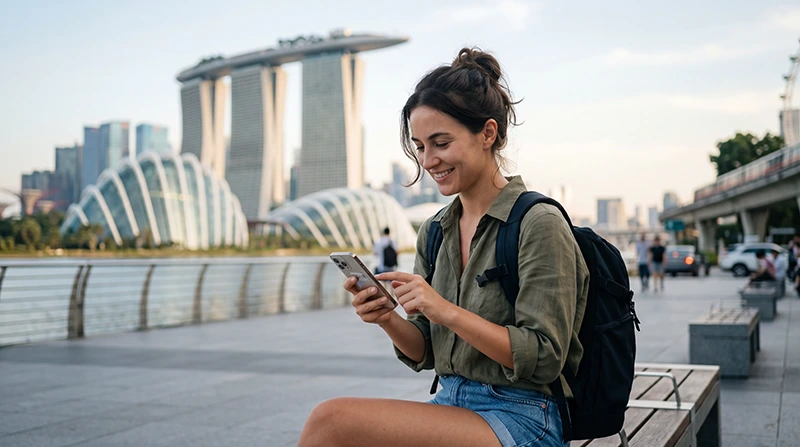

The best mobile data Singapore option is straightforward to identify when the plan matches the phone and the trip. The real decision is whether to arrange an eSIM before departure, register a local prepaid SIM after arrival, keep home roaming, or rely partly on Wi-Fi.
Most visitors need a connection for navigation, MRT and bus planning, Grab, tickets, restaurant searches and messaging. Coverage is generally a city-wide question rather than a separate purchase decision for Chinatown, Little India or Marina Bay.
NoveSIM travel eSIMs provide data without a Singapore phone number, ordinary calls or SMS. Internet calling and messaging continue through apps.
Quick answer: An eSIM is usually the simplest mobile-data option for an unlocked compatible phone because it can be installed before the flight and used without replacing the home SIM. Choose a local prepaid SIM when you need a Singapore number, and compare home roaming when convenience matters more than price.
Top Singapore eSIMs

Singapore eSIM
Fixed
1 GB, 7 days€ 3.122 GB, 15 days€ 4.453 GB, 30 days€ 5.35Unlimited
Unlimited, 1 day€ 3.56Unlimited, 3 days€ 6.24Unlimited, 5 days€ 8.91
Best mobile data Singapore options at a glance
Which internet option suits your visit?
| Option | Good fit | Check first |
|---|---|---|
| Travel eSIM | Independent data from landing onward | Exact device compatibility, carrier lock and plan coverage |
| Local prepaid SIM | Singapore number or conventional calls/SMS | Identity registration, shop hours and physical SIM slot |
| Home roaming | Very short visit with the fewest settings changes | Daily fee, allowance, fair use and partner network |
| Public or hotel Wi-Fi | Large downloads in one location | Login, privacy and loss of service while moving |
| Pocket Wi-Fi | Several devices sharing one connection | Battery, collection, return and hotspot limits |
Travellers who are choosing between digital and physical service can use the focused Singapore SIM versus eSIM comparison. If a local number is essential, read the Singapore tourist SIM guide.
What mobile data is needed for a Singapore itinerary?
A normal day combines short bursts of data rather than continuous heavy traffic: checking an MRT route, opening a ticket QR code, locating a hawker centre, messaging a hotel and booking a ride. Video, automatic photo backup and laptop tethering usually consume more than all those travel tasks combined.
- Light city break: maps, messages, tickets and occasional searches.
- Social holiday: frequent photo uploads, feeds and short-form video.
- Business trip: email, document access, calls and calendar updates.
- Remote work: meetings, cloud sync and hotspot use require a larger margin.
Estimate the allowance with the activity-based guide to how much data Singapore travellers need, rather than multiplying an arbitrary daily figure.
Will one connection work across the city?
You do not normally need different plans for central districts. Chinatown, Little India, Orchard Road, Marina Bay and Sentosa are parts of the same national network footprint. Reception can still weaken inside lifts, underground spaces, dense buildings or crowded venues.
That distinction matters: a temporary indoor problem is not proof that the whole plan has poor Singapore coverage. Move near an exit, allow the phone to reselect a network and compare service outdoors before changing settings. The Singapore network guide explains what the partner network means for a travel eSIM.
Set up data before leaving the airport
- Install the eSIM before travel while reliable Wi-Fi is available.
- Keep the home line as the default for calls or SMS if you need its number.
- Disable data roaming on the home line to reduce accidental charges.
- After landing, select the eSIM for mobile data.
- Enable data roaming on the travel eSIM when required by its instructions.
- Turn Wi-Fi off briefly and test a webpage before leaving Changi.
If the test fails, do not repeatedly reinstall the profile. Work through Singapore eSIM troubleshooting in order.
What changes on a Singapore–Malaysia trip?
A Singapore-only plan may stop working after the border even if the phone still displays signal. For an onward journey, verify that both countries are explicitly included and check whether the data allowance and validity are shared.
The Singapore and Malaysia eSIM guide covers plan scope and network handover during the crossing.
How to avoid unnecessary roaming charges
Dual-SIM phones can keep the home number available while routing data through the travel eSIM. Confirm the data line after any restart, disable automatic data switching if the phone might fall back to the home SIM, and understand how the home operator charges incoming calls and outgoing SMS.
For the cost-risk checklist, see Singapore roaming charges.
Related Articles
- Best eSIM for Singapore Travel
- Best SIM Card for Singapore Tourists
- How Much Data for Singapore?
- Internet at Singapore Changi Airport
- Using WhatsApp in Singapore
FAQ
What is the easiest way to get mobile data in Singapore?
For an unlocked compatible phone, installing a travel eSIM before departure is usually the easiest way to have data ready after landing.
Do tourists need mobile data if Singapore has public Wi-Fi?
Public Wi-Fi is useful in fixed locations, but personal data is more dependable for transport, tickets and navigation while moving between venues.
Will Singapore mobile data work in Malaysia?
Only if the plan explicitly includes Malaysia. A Singapore-only product should not be assumed to roam across the border.
Is 5G necessary for a Singapore holiday?
No. Stable 4G is sufficient for maps, bookings, messaging and most travel tasks. Treat 5G as a benefit, not a requirement.
Final Recommendation
For most app-based tourists, use an eSIM on a compatible unlocked phone and keep the home line only for the number services you still need.
Choose the allowance from your actual activities, test mobile data at Changi and prevent automatic fallback to expensive home roaming.
Use one well-configured country connection across Singapore; neighbourhood pages do not require separate plans or repetitive advice.
The best mobile data Singapore setup should remain recoverable: keep the installed eSIM profile and verify data.esim if APN troubleshooting becomes necessary.