


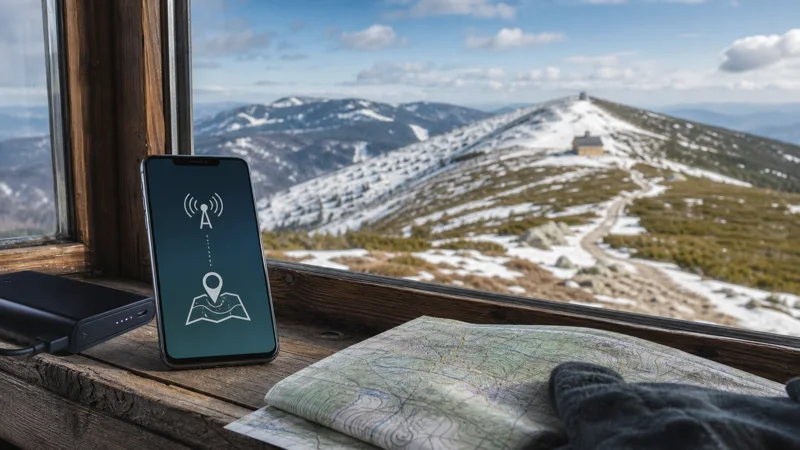

Mobile internet in the Krkonoše Mountains is most dependable in resort towns and inhabited valleys. On exposed ridges, inside forested sections and close to the Polish border, the signal can change quickly as the trail moves between terrain and network cells.
A Czech travel eSIM is useful for transport updates, weather checks and messages without searching for a physical SIM after arrival. It should support an offline-first plan, however, rather than being the only copy of your route or accommodation details.
Quick answer: Install your eSIM before travelling to the mountains, download the complete hiking or ski area map, save your return route and keep essential tickets offline. Expect the strongest connection around towns such as Špindlerův Mlýn, Pec pod Sněžkou and Harrachov, not on every remote trail.
Top Czech Republic eSIMs

Czech Republic eSIM
Fixed
1 GB, 7 days€ 1.762 GB, 15 days€ 3.523 GB, 30 days€ 4.40Unlimited
Unlimited, 1 day€ 2.20Unlimited, 3 days€ 4.84Unlimited, 5 days€ 7.93
Europe Extra eSIM
Fixed
1 GB, 7 days€ 2.202 GB, 15 days€ 3.523 GB, 30 days€ 4.40Unlimited
Unlimited, 1 day€ 2.64Unlimited, 3 days€ 5.28Unlimited, 5 days€ 8.81Europe+ eSIM
Fixed
1 GB, 7 days€ 2.642 GB, 15 days€ 3.963 GB, 30 days€ 5.28Unlimited
Unlimited, 1 day€ 2.64Unlimited, 3 days€ 6.16Unlimited, 5 days€ 10.13Where mobile coverage is most dependable
Accommodation centres, main roads and the lower sections of popular resorts usually offer the best chance of a stable connection. Coverage becomes less predictable in narrow valleys, behind steep slopes and along long woodland paths. A phone may show a network but still struggle to load a map or send a photo when the signal is weak.
The Czech Republic eSIM coverage guide explains the difference between national network availability and the connection you may experience at a specific location. In the mountains, topography matters as much as the coverage map.
Prepare the route before leaving the valley
Download the relevant map area while you still have reliable Wi-Fi or mobile data. Save the trailhead, cable-car station, accommodation and the final bus stop as separate pins. A screenshot of the last public-transport departure is also useful because an online journey planner may not reload at the end of a hike.
GPS positioning continues to work without mobile data, but the map tiles and live route changes may not. Keep the route available in an offline mapping app and carry a power bank in cold weather, when battery life can fall faster than expected.
How much data a mountain trip needs
Navigation, messaging and occasional weather checks use relatively little data. Uploading high-resolution video, running a continuous hotspot or backing up a full day of photographs can use much more. The practical approach is to postpone large uploads until you return to dependable Wi-Fi.
Use the Czech Republic data guide to estimate a plan from the apps you will actually use. A larger allowance is helpful for a longer stay, but it does not make a weak mountain signal stronger.
Set up the eSIM before the mountain transfer
- Install the eSIM while you have a stable connection.
- Confirm that the NoveSIM line is selected for mobile data.
- Enable data roaming for the travel eSIM if the plan instructions require it.
- Turn off mobile-data switching if you do not want the phone to fall back to your home SIM.
- Test a webpage before leaving Prague or another well-covered city.
The full sequence is covered in the Czech Republic eSIM installation guide. Keep the eSIM installed if the connection disappears temporarily; moving to a clearer part of the trail may restore service.
What to do when service disappears on a trail
First, stop in a safe place and check whether airplane mode is enabled accidentally. Toggle airplane mode for several seconds, then allow the phone time to reconnect. If the device still shows no usable service, continue with the offline route until you reach a more open area or an inhabited valley.
Do not depend on mobile coverage for emergency planning. Share your intended route and return time before departure, follow local warnings and carry the equipment appropriate for the season.
Related Articles
- Best Way to Get Internet in the Czech Republic
- Best eSIM for a Czech Republic Road Trip
- Czech Republic eSIM Plans
Frequently Asked Questions
Is there mobile internet on Sněžka?
A connection may be available, but exposed terrain, weather and cross-border network selection can make it inconsistent. Download the route before the ascent.
Will GPS work without a signal in the Krkonoše Mountains?
Yes. GPS can determine your position without mobile data, provided the map area has already been downloaded for offline use.
Can I use a Czech eSIM near the Polish border?
Yes within Czech network coverage. Near the border, check which network the phone selects and confirm that your plan covers any connection in Poland before allowing automatic roaming.
Should I upload photos while hiking?
Small uploads may work in covered areas, but saving large photo and video backups for accommodation Wi-Fi protects both data allowance and battery life.
Final Recommendation
Use mobile internet in the Krkonoše Mountains for practical connectivity in gateway towns and covered parts of the route, but prepare as if the trail itself will be offline. Download maps and tickets, test the Czech travel eSIM before departure and keep essential plans accessible without a signal.