


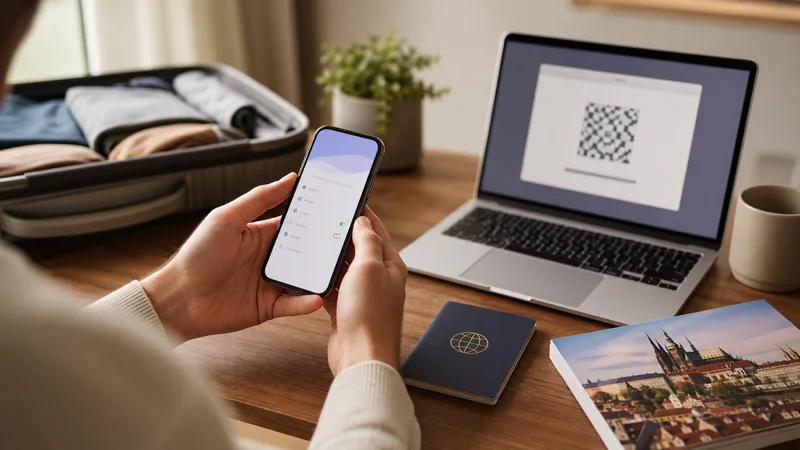

Install a Czech Republic eSIM on trusted WiFi before departure, while there is enough time to check every prompt. Installation adds the digital profile to the phone; activation and plan validity may begin later according to the purchased product.
Quick answer: Confirm that the exact phone is eSIM compatible and carrier unlocked. Scan the private QR code once or use the supplied manual details, label the profile “Czech Republic” and follow the plan’s activation timing. Do not delete a successfully installed profile simply because it has no Czech service while you are still abroad.
Top Czech Republic eSIMs

Czech Republic eSIM
Fixed
1 GB, 7 days€ 1.772 GB, 15 days€ 3.553 GB, 30 days€ 4.44Unlimited
Unlimited, 1 day€ 2.22Unlimited, 3 days€ 4.88Unlimited, 5 days€ 7.99
Europe Extra eSIM
Fixed
1 GB, 7 days€ 2.222 GB, 15 days€ 3.553 GB, 30 days€ 4.44Unlimited
Unlimited, 1 day€ 2.66Unlimited, 3 days€ 5.32Unlimited, 5 days€ 8.87Europe+ eSIM
Fixed
1 GB, 7 days€ 2.662 GB, 15 days€ 3.993 GB, 30 days€ 5.32Unlimited
Unlimited, 1 day€ 2.66Unlimited, 3 days€ 6.21Unlimited, 5 days€ 10.20Before installation
- Check the exact model and sales-region variant.
- Confirm the device is carrier unlocked.
- Connect to stable private WiFi.
- Charge the phone and update only when there is time to complete setup.
- Display the QR code on another screen or keep the manual details ready.
- Read when validity begins.
Keep the QR code, SM-DP+ address, activation code and order reference private. An eSIM QR code may be single-use and should not be forwarded or posted in a screenshot.
Install on iPhone
- Open Settings, then Cellular or Mobile Data.
- Tap Add eSIM.
- Choose Use QR Code and scan it, or select the manual-entry option supplied with the order.
- Review the displayed plan before accepting it.
- Label the line “Czech Republic”.
- Keep the home line as the data line until the activation instructions say otherwise.
Menu wording varies by iOS version. A successfully added profile appears in the SIM list and can be enabled or disabled without deletion.
Install on Android
On Pixel and similar phones, open Network and internet, SIMs and Add SIM. On Samsung Galaxy, use Connections, SIM manager and Add eSIM. Manufacturer wording can differ.
- Choose the option to download or add an eSIM.
- Scan the QR code or enter the supplied manual details.
- Accept only when the plan information matches the order.
- Give the profile a clear Czech Republic label.
- Leave it inactive for data until required by the plan.
Installation versus activation
Installation stores the profile. Activation establishes service or begins validity under the product rules. Some plans start on first connection to a supported destination network; others use a different trigger. The order instructions are authoritative.
Do not force a manual Czech network while still at home merely to test the plan. Save offline maps, tickets and the accommodation address instead.
Configure after arrival
- Disable Airplane Mode and enable the Czech Republic eSIM.
- Select it for cellular data.
- Enable data roaming on that travel line when instructed.
- Keep home-line data roaming and automatic switching off.
- Leave network selection automatic and wait several minutes.
- Turn WiFi off and test a webpage, map and data message.
NoveSIM plans are data-only and do not include a Czech number, conventional calls or SMS. Current options appear on the Czech Republic eSIM page. The activation guide covers the arrival sequence.
Use the Czech Republic eSIM as the travel data line
After the first successful test, use ordinary travel tasks to confirm that the setup is stable: load the route to the accommodation, open a booking message and send a data-based message with WiFi off. A signal icon alone does not prove that the Czech Republic profile is carrying internet traffic.
Keep network selection automatic during normal travel. On trains and roads, the phone may briefly lose service while moving between cells or through tunnels. Allow it to reconnect before changing advanced settings. Download tickets, the accommodation address and the required map regions so a temporary gap does not interrupt the journey.
Reset cellular statistics at the start of the trip and review them after the first full day. Maps and messaging are comparatively light, while streaming, cloud photo backup and application updates can consume an allowance quickly. Use trusted accommodation WiFi for large downloads and pause background backups on the travel line.
Keep the home SIM active without using its roaming data
A compatible dual-SIM phone can usually keep the home SIM enabled while the Czech Republic eSIM carries mobile data. Select the travel profile explicitly as the cellular-data line and disable automatic data switching. Keep data roaming off on the home SIM unless using that tariff is intentional.
The home number may still receive calls, SMS or verification messages, but those services remain subject to the home provider’s roaming prices. A NoveSIM data eSIM does not make calls, voicemail or SMS on the other line free. Review the default voice line and WiFi Calling behaviour with the home provider before relying on them abroad.
WhatsApp and similar services normally continue to use their existing account through mobile data. Installing the travel eSIM does not require changing the messaging number simply to use maps, internet calls or chat.
Hotspot use and travelling with several devices
Hotspot availability depends on the selected plan, phone and current network conditions. Confirm that tethering is permitted before relying on it for work or for a companion. A laptop can use data rapidly through cloud synchronisation, software updates and high-quality video meetings.
Use a strong hotspot password and disconnect devices when the task is complete. Sharing one connection also makes the group dependent on the host phone’s battery, location and remaining allowance. Separate plans can be more practical when travellers split up or each person needs independent navigation.
Settings to keep through the complete trip
- Keep the Czech Republic profile enabled and selected for mobile data.
- Keep its required roaming setting on, while home-line data roaming stays off.
- Leave network selection automatic unless support identifies a specific supported partner.
- Keep automatic mobile-data switching disabled unless its cost is fully understood.
- Retain the installed profile until the final airport or railway transfer is complete.
- Switch the normal data line back after returning home; do not delete the travel profile merely to turn it off.
If the QR code fails
Check WiFi and compatibility before trying again. If the phone says the code is already used, stop repeated scans and inspect the SIM list; the profile may already be installed. Contact support with the error and order reference.
Do not delete a partial or installed profile without support approval. For connection problems after installation, use the Czech Republic troubleshooting guide. When manual APN entry is required, the NoveSIM APN is data.esim.
Frequently asked questions
When should I install the Czech Republic eSIM?
Install it on trusted WiFi before departure, then follow the plan’s rule for activation and validity.
Can I keep my normal SIM active?
Usually yes on a compatible dual-SIM phone. Assign mobile data to the Czech Republic eSIM, disable automatic data switching and remember that calls or SMS on the home line follow its roaming tariff.
Can I use the Czech Republic eSIM as a hotspot?
Only when the selected plan and device permit tethering. Check the current terms and monitor laptop or companion usage carefully.
Should I delete the eSIM if it does not connect?
No. Check settings and contact support first because the activation code may not be reusable.
Final Recommendation
Install the Czech Republic eSIM before travel on a compatible unlocked phone, keep activation credentials private and separate installation from first use. After arrival, select the travel line deliberately for data, apply its required roaming setting and test with WiFi off.
Keep the home SIM under deliberate control: disable its data roaming and automatic switching, and remember that calls or SMS on that line may still cost extra. Confirm hotspot support before sharing the connection and monitor large laptop tasks separately.
Use the eSIM throughout the complete trip, including the departure transfer. Preserve the installed profile if troubleshooting is required, and switch it off rather than deleting it when normal service is no longer needed.