


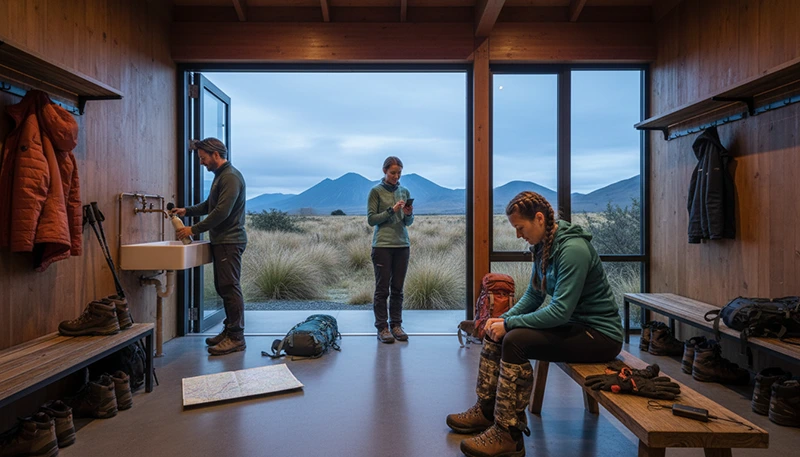

Internet access can help with planning the Tongariro Alpine Crossing, but mobile reception should never be treated as continuous or guaranteed along the route. The crossing passes through exposed volcanic terrain, steep sections, valleys and remote parts of Tongariro National Park where service may weaken or disappear.
A New Zealand travel eSIM is useful before and after the walk for checking transport information, opening accommodation details, contacting shuttle operators and managing onward travel. During the crossing itself, downloaded maps, saved booking information and careful battery management are more important than having a large data allowance.
Quick answer: use mobile data to prepare before leaving your accommodation, download all maps and shuttle details, and expect periods without reception on the Tongariro Alpine Crossing. Keep the travel eSIM selected for Mobile Data, preserve phone battery and do not depend on a live internet connection for navigation, weather updates or emergency communication.
Top New Zealand eSIMs

New Zealand eSIM
Fixed
1 GB, 7 days2.50$2 GB, 15 days4.50$3 GB, 30 days6.00$Unlimited
Unlimited, 1 day3.00$Unlimited, 3 days7.50$Unlimited, 5 days12.00$
Asia eSIM
Fixed
1 GB, 7 days5.00$2 GB, 15 days9.00$3 GB, 30 days12.00$Unlimited
Unlimited, 1 day6.50$Unlimited, 3 days17.50$Unlimited, 5 days28.50$Can You Get Mobile Internet on the Tongariro Crossing?
You may receive mobile service in some locations, particularly near access roads, accommodation areas or more exposed sections of the route. However, signal strength can change quickly because of volcanic terrain, elevation, valleys, weather and distance from mobile infrastructure.
During the same day, your phone may move between:
- Usable mobile data before reaching the trailhead.
- Intermittent reception on open or elevated sections.
- Weak service in valleys and sheltered terrain.
- No service for extended parts of the route.
- A stronger connection after returning to a road or populated area.
A travel eSIM cannot create coverage where no supported mobile network is available. Temporary loss of signal does not necessarily mean that the eSIM has stopped working.
What Is the Best Internet Setup for the Tongariro Crossing?
The best setup combines mobile data with complete offline preparation. Mobile data supports planning and communication, while downloaded information remains available when the signal disappears.
| Connection or Tool | Best Use | Main Limitation |
|---|---|---|
| New Zealand travel eSIM | Shuttle messages, maps, bookings and onward travel | Requires available mobile coverage |
| Accommodation WiFi | Downloading maps and checking trip information | Unavailable after departure |
| Offline map | Viewing the route without mobile data | Must be downloaded and tested beforehand |
| Saved screenshots | Shuttle times, booking numbers and instructions | Information does not update automatically |
| Suitable emergency equipment | Preparation for remote conditions | Requires separate planning and knowledge |
Do not wait until the trailhead to download essential information. Shared connections, weak reception or last-minute time pressure can make preparation more difficult.
Why an eSIM Is Useful for Tongariro
A travel eSIM can be installed digitally on a compatible, carrier-unlocked phone. It allows you to keep your primary SIM installed while using a separate line for mobile data in New Zealand.
An eSIM can help you:
- Navigate to your accommodation or shuttle pickup.
- Open transport confirmations.
- Receive messages from a shuttle provider.
- Check route information before departure.
- Download offline maps.
- Contact your accommodation after the walk.
- Arrange onward travel to Taupo, Rotorua or another destination.
- Use internet-based messaging where coverage is available.
Many travel eSIMs are data-only, so check the selected plan if you need traditional calls, SMS or a New Zealand telephone number.
Browse New Zealand eSIM plans.
How Much Data Do You Need?
The crossing itself should not require a large amount of data when the maps and documents are downloaded beforehand. Choose an allowance for your complete New Zealand itinerary rather than for one day of hiking.
| Trip Type | Suggested Starting Point |
|---|---|
| Tongariro day trip within a short holiday | 3 GB to 5 GB |
| One week around Taupo and the central North Island | 5 GB to 10 GB |
| Two-week North Island road trip | 10 GB to 20 GB |
| Frequent photo and video uploads | 10 GB or more |
| Regular hotspot or remote-work use | A substantially larger allowance |
Navigation, text messages and booking pages generally use relatively little data. Video uploads, cloud backup and streaming can consume a smaller allowance very quickly.
Read the New Zealand mobile data allowance guide.
Download an Offline Map Before Departure
An offline map is essential because you cannot assume that a live map will load everywhere on the crossing. Download the complete area while connected to reliable WiFi or mobile data.
Save:
- The full walking route.
- The trailhead and finishing point.
- Your shuttle pickup location.
- Nearby access roads.
- Your accommodation address.
- Important junctions and route features.
- Alternative transport meeting points.
After downloading the map, put the phone temporarily into Airplane Mode and confirm that the route still opens. This simple test can reveal whether the map is genuinely stored offline.
Save Your Shuttle Details Offline
Transport arrangements are a major part of planning the Tongariro Alpine Crossing. Do not assume that you will be able to open an email or booking page at the trailhead or finishing area.
Take screenshots of:
- The operator’s name and contact details.
- Your booking reference.
- The pickup time.
- The exact meeting location.
- Instructions for delays or cancellations.
- Your return transport arrangements.
- Accommodation collection details when applicable.
Keep these screenshots in the phone’s local photo storage rather than inside an application that may require internet access.
Check Important Information Before Leaving WiFi
Accommodation WiFi is usually the best place to complete final preparation. Use it for downloads and confirm that everything required is available offline.
Before leaving, review:
- Current official route information.
- Transport and booking instructions.
- Your equipment and clothing requirements.
- The expected duration of the walk.
- Any notices affecting access or transport.
- Your accommodation return arrangements.
- The phone’s battery level.
Do not rely only on information saved several days earlier. Conditions and access arrangements can change.
Mobile Coverage at the Start and Finish
Mobile service may be more likely near roads and transport areas than in the central part of the route, but it is not guaranteed. Crowded periods can also affect performance if many visitors are trying to use the same available network capacity.
Before beginning the walk:
- Send any important messages.
- Confirm your transport details.
- Open the offline map.
- Save the accommodation address.
- Complete urgent online tasks.
- Check that the eSIM is correctly configured.
After finishing, give the phone several minutes to reconnect before changing settings. It may need time to register after spending hours outside coverage.
Mobile Internet During the Crossing
Do not plan to use continuous mobile data while walking. Even if your phone briefly shows a signal on an exposed section, it may disappear again after moving behind terrain or descending into a lower area.
When reception becomes available, prioritise essential tasks:
- Send a short status message.
- Check important transport communication.
- Confirm a necessary accommodation update.
- Avoid large uploads and streaming.
- Do not remain in an exposed location only to maintain a signal.
Mobile connectivity should remain secondary to route conditions, equipment and safe progress.
Battery Management on the Tongariro Crossing
The phone may use additional power while searching repeatedly for a network. GPS, photography, screen brightness, cold conditions and wind exposure can reduce battery life further.
- Charge the phone fully before departure.
- Carry a fully charged power bank.
- Enable battery-saving mode.
- Reduce screen brightness.
- Pause automatic photo and video backup.
- Close unnecessary applications.
- Turn off automatic application updates.
- Protect the phone from moisture and cold.
- Use Airplane Mode during extended no-signal sections when appropriate.
Remember that Airplane Mode stops ordinary mobile communication until it is disabled. Turn it off periodically only when appropriate and safe to check whether service has returned.
Should You Use 5G?
5G availability depends on your device, selected plan, supported frequencies, location, local partner network and congestion. Your phone may change between 5G, 4G, slower service and no connection during the journey.
A stable 4G connection is more than sufficient for maps, messages and booking information. Maximum network speed is far less important than offline preparation and battery life on the Tongariro Crossing.
If the phone continually switches between network types, battery consumption may increase. Leaving Network Selection on Automatic is normally the most practical approach.
Can You Use a Mobile Hotspot?
Hotspot support depends on the selected eSIM plan. Tethering may be useful at accommodation or while waiting for transport, but it has limited value during the walk itself.
A hotspot can help you:
- Download information to a second phone or tablet.
- Open transport documents on a laptop.
- Manage onward accommodation.
- Send an urgent work message.
- Use mobile data when accommodation WiFi is unavailable.
Pause cloud backup, operating system updates and large downloads before connecting another device. Hotspot use consumes battery and data quickly.
Tongariro Crossing as Part of a Road Trip
Many visitors combine Tongariro with Taupo, Rotorua, Wellington or a longer North Island route. In this case, choose an eSIM covering the complete journey rather than buying data only for the crossing.
Mobile data can support:
- Navigation between accommodation and transport points.
- Fuel and food searches.
- Last-minute booking changes.
- Accommodation check-in.
- Messages to hosts and operators.
- Onward travel after the walk.
Download road maps before leaving populated areas because reception can vary through rural and mountainous sections.
Read the North Island road-trip internet guide.
eSIM or Local SIM for Tongariro?
| Feature | Travel eSIM | Local Prepaid SIM |
|---|---|---|
| Purchase before travel | Usually possible | Usually arranged after arrival |
| Physical SIM replacement | Not required | Usually required |
| Keep primary SIM installed | Yes, on compatible phones | Depends on the device |
| New Zealand telephone number | Not always included | Often available |
| Guaranteed route coverage | No | No |
| Arrival convenience | Can be prepared before departure | Requires local purchase and activation |
A local SIM does not automatically guarantee better reception on remote volcanic terrain. Both options depend on available infrastructure, the device, the selected service and the exact location.
Compare local SIM cards and eSIMs in New Zealand.
Can You Keep Your Primary SIM Active?
A compatible Dual-SIM phone can use the travel eSIM for mobile data while keeping the primary SIM available for calls, SMS and verification messages.
To reduce accidental roaming charges:
- Select the travel eSIM for Mobile Data.
- Turn off Data Roaming on the primary SIM.
- Disable Automatic Data Switching.
- Check which line is selected before making a traditional call.
Your home provider may still charge for calls, voicemail or certain messages while abroad.
Will WhatsApp Keep Your Existing Number?
WhatsApp normally continues using the number already registered to the account while the travel eSIM supplies mobile data.
Do not choose Change Number unless you intentionally want to transfer the account to a different telephone number.
How to Check eSIM Compatibility
Your phone must support eSIM and be carrier-unlocked. Compatibility may differ between regional versions of the same model.
Dial *#06#. An eSIM-compatible phone may display an EID alongside one or more IMEI numbers.
You may also find Add eSIM, Add Cellular Plan, Add Mobile Plan or SIM Manager in the device settings.
Recommended eSIM Settings
| Setting | Recommended Value |
|---|---|
| Travel eSIM | Enabled |
| Mobile Data | Travel eSIM |
| Data Roaming on travel eSIM | On |
| Data Roaming on primary SIM | Off |
| Automatic Data Switching | Off |
| Network Selection | Automatic |
| APN | data.esim when required |
| Cloud backup | Off on mobile data |
| Application updates | WiFi only |
What to Do If the eSIM Does Not Connect
- Confirm that the plan includes New Zealand and remains valid.
- Check that the travel eSIM is enabled.
- Select it for Mobile Data.
- Enable Data Roaming on the travel eSIM.
- Turn off Data Roaming on the primary SIM.
- Disable Automatic Data Switching.
- Leave Network Selection on Automatic.
- Enter data.esim as the APN when manual setup is required.
- Turn Airplane Mode on for 30 seconds and then turn it off.
- Wait several minutes for network registration.
- Restart the phone if necessary.
If you are already on the crossing, the missing connection may be caused by the terrain rather than incorrect settings. Test again after reaching the finishing area, access road, accommodation or another populated location.
Do not delete the eSIM while troubleshooting. The installation QR code may be valid for one installation only.
Tongariro Crossing Internet Checklist
- Choose data for the complete New Zealand itinerary.
- Confirm that the phone supports eSIM.
- Install the eSIM before travel when permitted.
- Download the entire route offline.
- Save shuttle instructions and booking references.
- Store accommodation details locally.
- Complete important checks before leaving WiFi.
- Charge the phone and power bank fully.
- Pause backups and automatic updates.
- Expect long periods without reception.
- Do not rely on mobile data as the only safety system.
- Never delete the eSIM during troubleshooting.
Related New Zealand Travel Internet Guides
- New Zealand eSIM Plans
- Best eSIM for New Zealand
- Internet for Hiking in New Zealand
- Mobile Data for Hiking in New Zealand
- Internet at Lake Taupo
- Best eSIM for Lake Taupo
- Internet in Taupo for Tourists
- Internet for a North Island Road Trip
- Mobile Data on New Zealand Scenic Routes
- How Much Data Do You Need for New Zealand?
FAQ
Is there mobile coverage on the Tongariro Alpine Crossing?
Coverage may be available in some sections, especially near roads or exposed terrain, but it can weaken or disappear in valleys and remote volcanic areas.
Do I need an eSIM for the Tongariro Crossing?
An eSIM is useful for transport, accommodation communication, maps and onward travel. It does not replace offline navigation or suitable hiking preparation.
How much data do I need?
Approximately 3 GB to 10 GB may suit many short central North Island trips. Choose more for a longer road trip, frequent uploads or hotspot use.
Should I download an offline map?
Yes. Download and test the complete route before leaving accommodation or another reliably connected location.
Will a larger data plan improve coverage?
No. A larger plan provides more data but cannot create mobile signal in terrain without supported network coverage.
Should I use Airplane Mode during the crossing?
It can help preserve battery during long no-signal sections, but it stops normal mobile communication until it is turned off.
Can I rely on live weather updates during the walk?
No. Check current official information before departure and be prepared to operate without a live internet connection.
What APN should I use for NoveSIM?
Use data.esim when manual APN configuration is required.
Final Recommendation
The best internet strategy for the Tongariro Alpine Crossing combines a New Zealand travel eSIM with complete offline preparation. Use mobile data before departure for transport information, maps, accommodation communication and essential planning, but expect reception to vary or disappear on the route.
Download the full map, save shuttle instructions and keep all important booking details available locally. Charge your phone and power bank, pause automatic backups and preserve battery during no-signal sections.
Most importantly, do not treat mobile internet as a guaranteed navigation, weather or emergency service. The Tongariro Crossing passes through remote volcanic terrain, so suitable equipment, official route information and careful preparation remain essential even when your eSIM is correctly configured.