


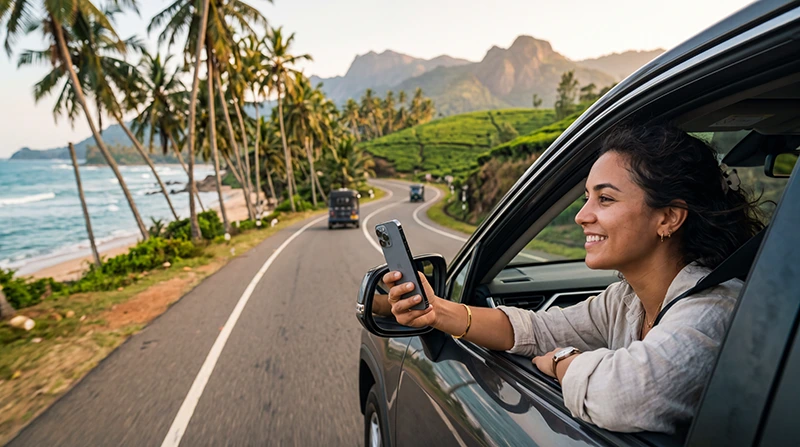

Internet for a Sri Lanka road trip should be planned offline-first. Mobile data helps with navigation, accommodation messages and route changes, but mountain roads, rural sections and remote natural areas can interrupt reception.
Prepare each travel day while connected: download the route, save the next address and keep key telephone details outside the booking app. A working eSIM is useful, but it does not replace offline navigation or safe stopping.
NoveSIM travel eSIMs are data-only. We do not provide conventional calls, SMS or a local number; maps and messaging work through mobile data when coverage is available.
Quick answer: Download map areas and the day’s route before departure, test the travel eSIM, carry charging power and never handle the phone while driving. Stop safely before changing navigation or connection settings.
Top Sri Lanka eSIMs

Sri Lanka eSIM
Fixed
1 GB, 7 days€ 4.452 GB, 15 days€ 7.133 GB, 30 days€ 9.35Unlimited
Unlimited, 1 day€ 4.90Unlimited, 3 days€ 11.14Unlimited, 5 days€ 17.37
Prepare Each Road-Trip Day
- Download the complete route and surrounding map area.
- Save the next accommodation address as text.
- Screenshot key booking and check-in information.
- Check the phone has mobile data and roaming on the travel line.
- Charge the phone and power bank.
- Mount the phone securely before moving.
Do Not Assume Continuous Coverage
Reception varies with terrain, partner network, device and exact road. A signal in a town does not guarantee service on the next rural or mountain segment. Review the Sri Lanka network guide without treating any network as universal.
Use Offline Maps Properly
Download more than the narrow route so detours remain visible. Save fuel, accommodation and major junction pins. The Google Maps in Sri Lanka guide explains offline preparation.
Set Up Mobile Data Before Driving
- Select the travel eSIM for data.
- Enable roaming on that line.
- Disable automatic data switching.
- Keep network selection automatic.
- Test a page before departure.
Current options are listed on the Sri Lanka eSIM page. Hotspot and 4G or 5G depend on the plan, device and coverage.
Keep the Phone Powered and Cool
Navigation, brightness and poor-signal searching drain a battery quickly. Use a reliable charger, keep the device out of direct sun and avoid covering it while charging.
If the Connection Drops
Continue with the downloaded route and wait for a safe stopping place. Do not change APN or network settings while driving. If signal returns without data, use the Sri Lanka no-data guide after stopping.
Related Articles
FAQ
Will mobile internet work throughout a Sri Lanka road trip?
No. Coverage changes with route, terrain, device and supported network. Prepare maps offline.
How much data does road-trip navigation use?
Maps are usually modest compared with streaming, but live searches and detours need data. Download the route first.
Can passengers use a hotspot?
If the plan supports it, yes. Laptop and tablet use can consume the allowance quickly.
What should I do if data drops while driving?
Use the offline route and stop safely before changing any phone setting.
Final Recommendation
Plan internet for a Sri Lanka road trip as a useful live layer over complete offline navigation.
Test the eSIM, download each route and keep the phone powered before leaving accommodation.
When coverage drops, continue safely and troubleshoot only after stopping.