


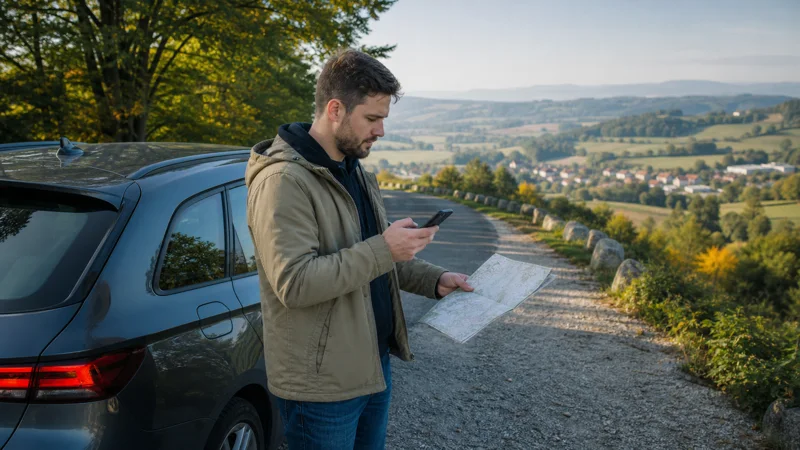

A Poland road trip can move from motorways and large cities to the Tatra foothills, the Masurian Lakes, Baltic coastal roads and small rural stops. Mobile coverage is usually straightforward on major routes, but the connection can vary with terrain, distance from towns, building materials and local network capacity.
NoveSIM travel eSIMs are data-only. We do not provide a Polish phone number, conventional calls or SMS. Navigation, messaging and internet calls work through mobile data where the selected partner network has coverage.
Quick answer: Use a Poland or regional Europe plan with enough validity for the entire drive, confirm the underlying Polish network, and download every important route offline before leaving a strong connection. Main roads and populated areas generally have dependable service, but mountain roads, forests and remote campsites require an offline backup.
Top Poland eSIMs

Poland eSIM
Fixed
1 GB, 7 days€ 1.772 GB, 15 days€ 3.553 GB, 30 days€ 4.44Unlimited
Unlimited, 1 day€ 2.22Unlimited, 3 days€ 4.88Unlimited, 5 days€ 7.99
Europe Extra eSIM
Fixed
1 GB, 7 days€ 2.222 GB, 15 days€ 3.553 GB, 30 days€ 4.44Unlimited
Unlimited, 1 day€ 2.66Unlimited, 3 days€ 5.32Unlimited, 5 days€ 8.87Europe+ eSIM
Fixed
1 GB, 7 days€ 2.662 GB, 15 days€ 3.993 GB, 30 days€ 5.32Unlimited
Unlimited, 1 day€ 2.66Unlimited, 3 days€ 6.21Unlimited, 5 days€ 10.20What internet option works best for a Poland road trip?
A travel eSIM is convenient when the phone supports eSIM and the plan can be installed before departure. A local SIM can also work, but buying and registering it takes time after arrival. Home-network roaming may be sufficient for an EU traveller whose plan includes Poland, although fair-use limits and roaming conditions should be checked.
The practical choice depends on the whole route, not only the first city. Compare coverage, validity, data allowance, hotspot rules and whether the trip crosses into neighbouring countries. The Poland internet options guide explains the trade-offs.
Coverage on motorways and main intercity routes
Poland’s main motorways and expressways connect dense population centres and generally provide reliable mobile coverage. Short fluctuations can still occur while the phone moves between cells or passes through cuttings, wooded stretches and less populated areas.
Do not change network settings because of a brief interruption. Leave automatic network selection enabled and allow the device to reconnect. If service does not return after reaching a populated area, use the checks in the Poland eSIM troubleshooting guide.
Plan for the Tatra Mountains and southern Poland
Zakopane and the principal access roads are well travelled, but mountain terrain can block or weaken radio signals. Coverage along a valley road does not guarantee coverage on a hiking trail, at a high viewpoint or behind a ridge.
Download the southern route, accommodation details and any trail information before leaving town. If you plan to navigate beyond the road network, use a dedicated offline hiking map rather than assuming a standard online map will remain available. The Zakopane internet guide provides more local context.
Driving through the Masurian Lakes and rural northeast
The Masurian region includes towns with ordinary mobile service as well as forests, lakeside roads and more isolated accommodation. Signal can be strong near a town and weaker only a short distance away, particularly inside a rural property.
Save the final approach to the accommodation and any access instructions in advance. If the stop is important for remote work, ask the host which networks work at the exact property instead of relying on a national coverage claim. See the Masurian Lakes connectivity guide for destination-specific planning.
Internet along the Baltic coast
Gdansk, Sopot, Gdynia and other established coastal destinations generally have strong service. Congestion can still reduce speed at busy beaches, festivals or holiday resorts when many visitors use the same local capacity.
A slower connection in a crowded place does not necessarily mean the eSIM is configured incorrectly. Move away from the busiest location, wait for demand to ease or try the provider’s supported alternative network if one is available.
Campervan stops and campsites
A campervan itinerary often spends more time away from main roads than an ordinary self-drive trip. Established campsites near towns or tourist areas may have good coverage and WiFi, while small rural sites can have weak indoor or pitch-level reception.
When choosing a campsite, check recent guest comments for mobile reception and ask the property about the networks that work locally. Parked safely, test the signal outside before deciding whether a hotspot will support a laptop. Never handle the phone or adjust settings while driving.
Choose enough data for navigation and passenger devices
Turn-by-turn navigation itself is not usually the largest data expense. Streaming audio, passenger video, cloud photo uploads and laptop tethering can dominate usage during a long drive. Download maps and playlists on WiFi and disable automatic backups over mobile data.
| Road-trip activity | Preparation |
|---|---|
| Daily navigation | Download the route offline and keep mobile data for live traffic |
| Passenger streaming | Download media or choose a larger allowance |
| Laptop tethering | Confirm hotspot support and monitor usage |
| Remote campsite | Save arrival instructions before the final rural stretch |
Estimate the entire itinerary with the Poland trip data guide. A passenger using a second device changes the calculation more than the car journey itself.
Prepare offline navigation properly
- Download each region of the route rather than only the first day’s drive.
- Save accommodation addresses, booking references and access instructions.
- Mark fuel, charging or rest stops needed on remote stretches.
- Keep an offline copy of insurance and roadside-assistance details.
- Update the navigation app before departure.
- Carry a charging cable and a suitable car adapter.
Offline maps are useful even with excellent coverage because a phone can lose signal, overheat, run low on power or encounter an app problem. Connectivity should improve the journey without becoming its only navigation layer.
Crossing from Poland into another country
A Poland-only plan may stop working at the border. For a route continuing into Germany, Czechia, Slovakia or Lithuania, either use a regional plan covering every country or prepare the next national plan before crossing.
Keep automatic network selection enabled during the handover. The phone may take a few minutes to register with a new partner network. Do not delete the eSIM simply because data is interrupted at the border; first confirm that the destination country is included and restart the connection safely when parked.
Related Articles
- Poland eSIM coverage
- Mobile networks in Poland
- Poland eSIM troubleshooting
- Best eSIM for backpacking Poland
FAQ
Is mobile coverage reliable on a Poland road trip?
Coverage is generally reliable on motorways, main roads and near towns. Mountain terrain, forests, rural lake areas and remote campsites can produce temporary weak-signal stretches.
Which network is best for driving around Poland?
There is no guarantee for every route. Check the partner network used by the plan and compare its coverage for the exact regions you will visit, especially rural overnight stops.
How much data do I need for a Poland road trip?
Navigation and messaging are relatively light, but streaming, cloud backup and hotspot use can consume much more. Download maps and media before driving and size the plan for all connected devices.
Will a Poland eSIM work at campsites?
It works where the partner network has coverage. Reception may vary significantly between established sites near towns and isolated rural pitches, so keep route and arrival information offline.
Final Recommendation
For a Poland road trip, choose a plan that covers the full driving period and every country on the itinerary. Confirm the network, hotspot policy and validity before departure rather than choosing solely by data volume.
Download regional maps, bookings and final-arrival instructions in advance. Expect dependable service on the main road network, but plan for temporary gaps in mountains, forests and remote camping areas. Test the travel line while safely parked and keep offline navigation available throughout the journey.