
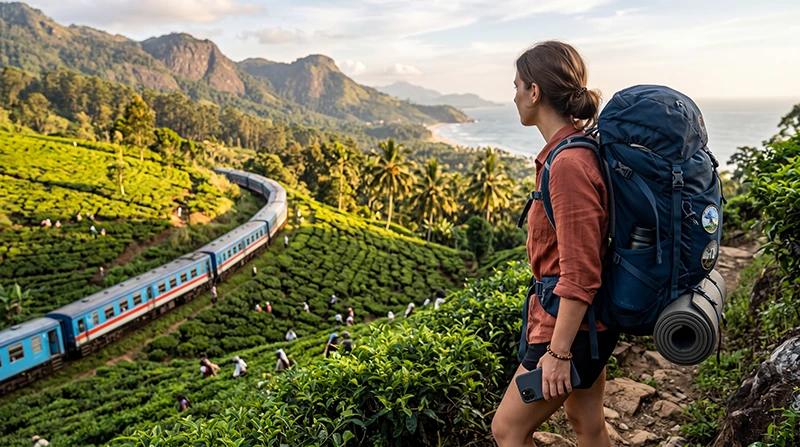

Backpacker using mobile internet while traveling around Sri Lanka

Internet for Backpacking in Sri Lanka: Stay Connected Across the Island

Sri Lanka is one of Asia’s most popular backpacking destinations thanks to its affordable prices, spectacular train journeys, tropical beaches, tea plantations, wildlife safaris and welcoming atmosphere. Whether you’re travelling for one week or one month, reliable internet makes backpacking much easier.

You’ll probably use mobile data every day for Google Maps, booking accommodation, checking train schedules, contacting guesthouses, finding restaurants, using WhatsApp and sharing photos from your journey.

Tourists can stay connected using a Sri Lanka eSIM, a local prepaid SIM card, hostel WiFi or international roaming. For most backpackers, a travel eSIM is the simplest solution because it can be installed before departure and activated immediately after landing.

Quick answer: install your Sri Lanka eSIM before departure, enable it after arrival, select it for Mobile Data and switch on Data Roaming.

Top Sri Lanka eSIMs

What Is the Best Internet Option for Backpackers?

The best option depends on your travel style, budget and trip length.

Option Best For Main Advantage
Sri Lanka eSIM Most backpackers Ready before arrival
Local prepaid SIM Long stays Local phone number
Hostel WiFi Large downloads Usually free
International roaming Emergency use No installation

A travel eSIM allows you to stay connected from Colombo Airport through the entire country without searching for a local mobile shop.

Why Backpackers Choose an eSIM

  • Install before travelling.
  • No physical SIM card.
  • Keep your regular number.
  • No airport queues.
  • Works throughout Sri Lanka.
  • Ideal for flexible travel.
  • Perfect for Dual SIM phones.

Browse Sri Lanka eSIM plans.

How to Activate Your eSIM

  1. Install the eSIM while connected to WiFi.
  2. Travel to Sri Lanka.
  3. Enable the eSIM.
  4. Select it for Mobile Data.
  5. Enable Data Roaming.
  6. Leave Network Selection on Automatic.

Your QR code and installation guide are sent immediately after purchase and remain available in your NoveSIM account.

Recommended Mobile Settings

Setting Recommended Value
Mobile Data Sri Lanka eSIM
Calls Primary SIM
SMS Primary SIM
Data Roaming ON (eSIM)
Automatic Data Switching OFF
Network Selection Automatic
APN data.esim if required

Mobile Coverage Around Sri Lanka

Mobile coverage is generally very good in the destinations most backpackers visit.

Destination Coverage
Colombo Excellent
Kandy Excellent
Ella Very Good
Mirissa Very Good
Galle Excellent
Arugam Bay Good
Sigiriya Very Good
National Parks Variable

Coverage can become weaker inside national parks, mountain trails and remote beaches, so downloading offline maps is always recommended.

Popular Backpacking Route

Many backpackers follow a route similar to:

  • Colombo
  • Sigiriya
  • Kandy
  • Ella
  • Mirissa
  • Unawatuna
  • Galle
  • Hikkaduwa
  • Tangalle
  • Yala National Park

A single Sri Lanka eSIM works throughout the journey without changing SIM cards.

Hostel and Café WiFi

Most hostels, guesthouses and cafés offer free WiFi. Connection quality varies depending on the property and the number of guests.

WiFi is ideal for:

  • Software updates.
  • Streaming.
  • Cloud backups.
  • Video calls.
  • Uploading large files.

Use mobile data whenever you’re travelling between destinations.

Does WhatsApp Work?

Yes. WhatsApp works normally using mobile data or WiFi and continues using your existing phone number.

Read our guide to using WhatsApp in Sri Lanka.

Google Maps for Backpacking

Google Maps is essential for finding hostels, railway stations, bus stops, cafés and hiking trails.

Download offline maps before long train journeys or visiting remote areas where mobile coverage may be limited.

How Much Data Do Backpackers Need?

Trip Length Recommended Data
One week 8–10 GB
Two weeks 15–20 GB
Three weeks 20–30 GB
One month 30 GB+

If you regularly upload videos, make video calls or use your phone as a hotspot, consider a larger data plan.

Sri Lanka eSIM APN Settings

Most phones configure the APN automatically. If manual configuration is required, use:

Field Value
APN data.esim
Username Leave blank
Password Leave blank
Authentication None

What If Mobile Internet Stops Working?

  1. Enable the Sri Lanka eSIM.
  2. Select it for Mobile Data.
  3. Turn on Data Roaming.
  4. Disable Automatic Data Switching.
  5. Confirm the APN is data.esim.
  6. Use Airplane Mode for 30 seconds.
  7. Restart your phone.

See our guides to eSIM not working and no internet in Sri Lanka.

Backpacking Internet Tips

  • Install your eSIM before departure.
  • Download offline maps.
  • Carry a power bank.
  • Save hostel addresses offline.
  • Use hostel WiFi for large downloads.
  • Disable roaming on your primary SIM.
  • Download train tickets before travelling.
  • Keep emergency contacts saved offline.

Related Sri Lanka Guides

FAQ

What is the best internet option for backpacking in Sri Lanka?

For most travellers, a Sri Lanka eSIM is the easiest option because it can be installed before departure and works across the country.

Is mobile coverage good across Sri Lanka?

Yes. Coverage is generally very good in cities, beaches and popular tourist destinations, although it may become weaker in national parks and remote mountain areas.

Can I keep my regular SIM active?

Yes. Most Dual SIM phones allow you to use the eSIM for data while keeping your regular SIM for calls and SMS.

How much data do backpackers usually need?

Most backpackers use between 15 GB and 20 GB during a two-week trip, depending on streaming and social media usage.

What APN should I use?

If manual configuration is required, use data.esim.

Final Recommendation

A Sri Lanka eSIM is one of the best internet solutions for backpackers. It keeps you connected from Colombo to Ella, Mirissa, Sigiriya and beyond without changing SIM cards or searching for local mobile stores.

Install your eSIM before departure, enable Data Roaming after arrival and use data.esim if manual APN configuration is required.

Browse Sri Lanka eSIM plans here.

Scroll to Top