


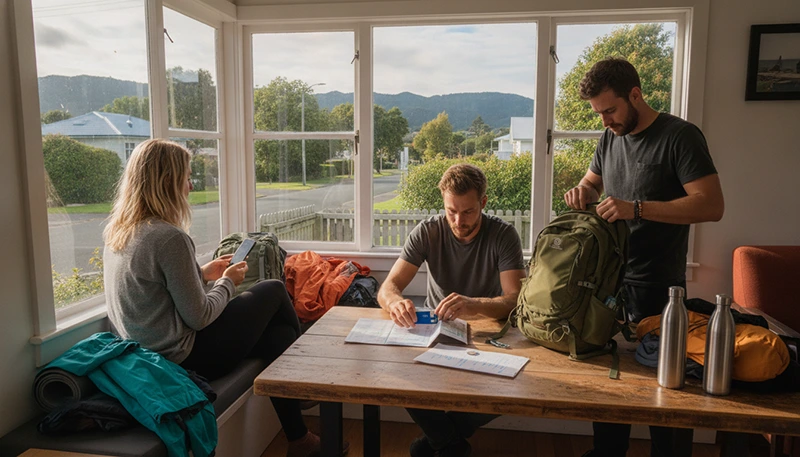

Reliable internet makes backpacking around New Zealand easier. You can use mobile data to navigate unfamiliar cities, compare hostels, check bus times, manage bookings, contact other travellers and change your plans while already on the road.
Backpackers often move between cities, rural towns, national parks and remote coastal areas. Public WiFi may be available at hostels and cafés, but it is not a dependable replacement for mobile data when you are travelling between locations.
Quick answer: a travel eSIM is usually the easiest option for backpackers who mainly need mobile data. Install it before departure, choose it as your Mobile Data line after arriving in New Zealand and enable Data Roaming on the travel eSIM. Use hostel WiFi for large downloads and keep offline maps available for rural journeys.
Top New Zealand eSIMs

New Zealand eSIM
Fixed
1 GB, 7 days2.50$2 GB, 15 days4.50$3 GB, 30 days6.00$Unlimited
Unlimited, 1 day3.00$Unlimited, 3 days7.50$Unlimited, 5 days12.00$
Asia eSIM
Fixed
1 GB, 7 days5.00$2 GB, 15 days9.00$3 GB, 30 days12.00$Unlimited
Unlimited, 1 day6.50$Unlimited, 3 days17.50$Unlimited, 5 days28.50$Best Internet Options for Backpackers
| Option | Best For | Main Consideration |
|---|---|---|
| Travel eSIM | Fast setup without visiting a shop | Requires an unlocked eSIM-compatible phone |
| Local prepaid SIM | Travellers who need a New Zealand number | Usually purchased and activated after arrival |
| Hostel WiFi | Large downloads, entertainment and cloud backup | Speed and reliability vary |
| International roaming | Very short visits with an affordable roaming bundle | Can become expensive |
| Pocket WiFi | Small groups travelling together | Adds another device, charger and rental cost |
Why Backpackers Need Mobile Data
Backpacking itineraries are often flexible. You may decide where to sleep, which bus to take or which attraction to visit only a few hours in advance.
Mobile data can help you:
- Find hostels and budget accommodation.
- Check intercity bus and train information.
- Use walking and driving directions.
- Open digital tickets and booking confirmations.
- Compare activity prices.
- Check weather and road conditions.
- Contact hostel reception after hours.
- Use WhatsApp, Viber and internet calls.
- Find supermarkets, laundries and pharmacies.
- Coordinate with other travellers.
A working connection is especially useful when transport is delayed or accommodation instructions are sent shortly before arrival.
Using a Travel eSIM While Backpacking
A travel eSIM is installed digitally on a compatible phone. It allows you to arrange mobile data before leaving home and can usually remain active beside your primary SIM.
An eSIM can be a practical choice when:
- You want mobile data immediately after landing.
- You do not want to spend time finding a SIM shop.
- You mainly communicate through messaging applications.
- You want to keep your home number available.
- You are visiting several New Zealand regions.
- You prefer to organise your connection before departure.
Many travel eSIMs are data-only, so check the selected plan if you need traditional calls or SMS.
Browse New Zealand eSIM plans.
When a Prepaid SIM May Be Better
A local prepaid SIM may suit backpackers staying for several weeks or travellers who need a New Zealand telephone number.
Before purchasing a prepaid package, check:
- The included mobile data.
- The validity period.
- Whether calls and SMS are included.
- Whether hotspot sharing is permitted.
- How extra data can be purchased.
- Whether the SIM price includes an active plan.
A physical SIM may require you to remove your home SIM unless your phone supports more than one active line.
Compare a local SIM and eSIM for New Zealand.
Can You Rely on Hostel WiFi?
Hostel WiFi is useful, but quality varies between properties. Some hostels provide strong internet throughout the building, while others offer the best signal only in reception or the common room.
Hostel WiFi may:
- Slow down when many guests connect.
- Require a password or registration.
- Have time or data limits.
- Work poorly inside dormitories.
- Become congested during the evening.
- Be unavailable during technical problems.
Use WiFi for software updates, downloading entertainment, backing up photographs and preparing offline maps. Keep mobile data for transport, navigation and communication outside the hostel.
How Much Data Do Backpackers Need?
| Trip Length | Suggested Starting Point |
|---|---|
| 3 to 5 days | 3 GB to 5 GB |
| One week | 5 GB to 10 GB |
| Two weeks | 10 GB to 20 GB |
| One month | 20 GB or more |
| Remote work or frequent hotspot use | A larger allowance |
Maps, messaging and booking searches normally use relatively little data. Video streaming, social media video, cloud backup and laptop tethering use much more.
Read how much data you need for New Zealand.
How Backpackers Can Save Mobile Data
- Download offline maps through hostel WiFi.
- Save music, films and podcasts before travel days.
- Pause automatic photo and video backup.
- Disable automatic application updates.
- Turn off automatic video playback.
- Reduce video quality on mobile data.
- Save tickets and booking confirmations locally.
- Use WiFi for large uploads.
- Monitor usage in your phone settings.
Automatic cloud backup is one of the easiest ways to consume a large amount of data without noticing. Check your photo settings before beginning the trip.
Mobile Coverage Around New Zealand
Mobile coverage is generally easier to find in cities, larger towns and populated transport corridors. Signal may vary in mountain regions, national parks, forests, remote coastlines and sparsely populated areas.
You may temporarily lose service while:
- Travelling between rural towns.
- Crossing mountain passes.
- Walking in deep valleys.
- Visiting remote beaches.
- Staying at isolated campsites.
- Travelling through national park areas.
A temporary signal loss does not necessarily mean that your SIM or eSIM is faulty. The local terrain may simply limit reception.
Internet for North Island Backpacking
A typical North Island backpacking route may include Auckland, Hamilton, Rotorua, Taupo and Wellington.
Mobile data is useful for:
- Checking city transport.
- Managing hostel bookings.
- Comparing attraction times and prices.
- Following walking routes.
- Checking intercity bus departures.
Download offline maps before travelling through rural Waikato, volcanic regions or less populated coastal areas.
Useful guides include internet in Auckland for tourists, internet in Rotorua for tourists and internet in Wellington for tourists.
Internet for South Island Backpacking
South Island journeys often involve longer distances and routes through more remote landscapes. Backpackers commonly travel between Christchurch, Queenstown, Dunedin, Fiordland and the West Coast.
Before leaving a larger town:
- Download the complete journey.
- Save your hostel address.
- Store transport tickets offline.
- Check weather conditions.
- Record the final check-in time.
- Save an alternative accommodation option.
See the internet guide for South Island travel and the Fiordland internet guide.
Offline Maps Are Essential
Offline maps help when mobile signal is weak, your data allowance is running low or you arrive in a new town before the network connects.
Before each travel day:
- Download the full route area.
- Save the hostel or campsite location.
- Mark the bus stop, train station or pickup point.
- Save important attractions.
- Download the return route where needed.
- Keep location services enabled.
Take screenshots of check-in instructions, door codes and meeting points. Do not depend on being able to reopen an email after arriving.
Using Public WiFi Safely
Backpackers frequently use WiFi in hostels, cafés, libraries, airports and transport venues. Open networks can be useful, but they should be used carefully.
- Confirm the official network name.
- Avoid suspicious duplicate networks.
- Use secure websites.
- Do not ignore browser security warnings.
- Disable file sharing and device discovery.
- Avoid sensitive transactions on unsecured networks.
- Forget the network after leaving.
Use mobile data for banking or important account changes when possible.
Can You Share Data with Other Backpackers?
Hotspot sharing may be available depending on the selected eSIM, prepaid SIM or roaming package.
A shared hotspot can reduce costs when two people travel together, but it also has limitations:
- The connection disappears when the main phone leaves.
- Hotspot use drains the battery faster.
- Several users can consume data quickly.
- Connected laptops may download large updates.
Separate plans may be more practical when travellers regularly split up or need independent access to tickets and directions.
Keep Your Phone Charged
Navigation, photography and hotspot use can drain a battery quickly. Carry a compact power bank and a reliable charging cable.
To preserve battery:
- Reduce screen brightness.
- Use downloaded maps.
- Close unnecessary applications.
- Turn off hotspot sharing when not needed.
- Use Airplane Mode during long periods without signal where appropriate.
Charge your phone whenever you have access to a secure power point, particularly before long bus journeys or hikes.
Can You Keep Your Home SIM Active?
Yes. A compatible Dual-SIM phone can use a travel eSIM for mobile data while the primary SIM remains available for calls, SMS and verification messages.
To reduce accidental roaming charges:
- Select the travel eSIM for Mobile Data.
- Turn off Data Roaming on the primary SIM.
- Disable Automatic Data Switching.
- Check the selected line before making traditional calls.
Your home provider may still charge for calls, voicemail or certain messages while abroad.
Will WhatsApp Keep Your Existing Number?
Yes. WhatsApp normally continues using the number already registered to your account while another SIM or eSIM provides mobile data.
Do not select Change Number unless you intentionally want to move your account to a different telephone number.
How to Check eSIM Compatibility
Check the manufacturer’s specifications for your exact phone model and regional version. The device must also be carrier-unlocked.
You can dial *#06#. An eSIM-compatible phone may display an EID together with one or more IMEI numbers.
You may also see Add eSIM, Add Cellular Plan, Add Mobile Plan or SIM Manager in the settings.
Recommended eSIM Settings
| Setting | Recommended Value |
|---|---|
| Travel eSIM | Enabled after arrival |
| Mobile Data | Travel eSIM |
| Data Roaming on travel eSIM | On |
| Data Roaming on primary SIM | Off |
| Automatic Data Switching | Off |
| Network Selection | Automatic |
| APN | data.esim when required |
What If Mobile Data Does Not Work?
- Confirm that the plan includes New Zealand.
- Check that the travel eSIM is enabled.
- Select it for Mobile Data.
- Enable Data Roaming on the travel eSIM.
- Turn off Data Roaming on the primary SIM.
- Disable Automatic Data Switching.
- Leave Network Selection on Automatic.
- Check that the APN is data.esim.
- Turn Airplane Mode on for 30 seconds and turn it off.
- Wait several minutes for network registration.
- Restart the phone if necessary.
Move outdoors or towards a more populated area before changing advanced settings because weak local signal may be the cause.
Do not delete the eSIM while troubleshooting. The installation QR code may be valid for one installation only.
Backpacking Internet Checklist
- Choose validity covering the complete trip.
- Select enough data for maps, messaging and bookings.
- Confirm that the phone is unlocked and eSIM-compatible.
- Install the eSIM before departure where possible.
- Save installation instructions offline.
- Download maps before each travel day.
- Save hostel addresses and check-in details.
- Keep transport tickets available offline.
- Carry a power bank and charging cable.
- Pause cloud backup and automatic updates.
- Use hostel WiFi for large downloads.
- Do not expect continuous remote coverage.
Related New Zealand Travel Internet Guides
- New Zealand eSIM Plans
- Best eSIM for New Zealand
- Internet in New Zealand for Tourists
- Mobile Internet in New Zealand
- How Much Data Do You Need for New Zealand?
- Internet for a New Zealand Road Trip
- Internet for a North Island Road Trip
- Internet for a South Island Road Trip
FAQ
What is the best internet option for backpacking New Zealand?
A travel eSIM is usually the easiest choice for backpackers who mainly need mobile data. A prepaid SIM may be better when you need a New Zealand telephone number.
Can I rely only on hostel WiFi?
Hostel WiFi is useful for downloads and entertainment, but it is not available while travelling between locations. Mobile data is more practical for navigation and bookings.
How much data do I need for one month?
Approximately 20 GB or more is a useful starting point for regular maps, messaging and social media use. Choose more for streaming, remote work or frequent hotspot use.
Will mobile data work everywhere?
No. Signal may vary in national parks, mountain regions, forests, remote coastal areas and long rural sections.
Can I share my eSIM data?
Hotspot sharing may be available depending on the selected plan. Check the plan conditions before relying on tethering.
Can I keep my normal SIM active?
Yes. Select the travel eSIM for Mobile Data, turn off roaming on the primary SIM and disable Automatic Data Switching.
What APN should I use for NoveSIM?
Use data.esim when manual APN configuration is required.
Final Recommendation
For most backpackers, a travel eSIM is the simplest way to arrange mobile data before arriving in New Zealand. It provides a connection for maps, hostel bookings and transport information without requiring a visit to a shop.
Use hostel WiFi for large downloads and photograph backups, but keep mobile data available when moving between cities and rural destinations.
Download maps, tickets and accommodation details before every travel day. New Zealand has many remote areas where offline preparation is just as important as the size of your data plan.