


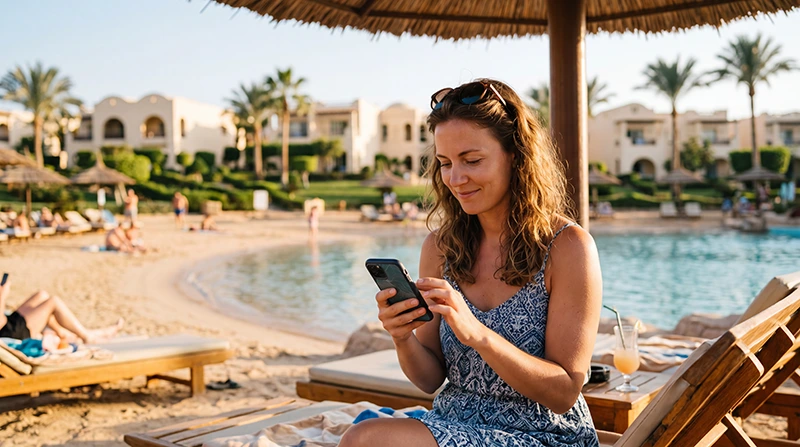

If you are staying at an all-inclusive resort in Egypt, reliable internet is useful for airport transfers, WhatsApp, maps, hotel communication, excursion pickups, diving centers, restaurant bookings, beach clubs and staying connected outside your room.
Egypt has many all-inclusive resorts in Hurghada, Sharm El Sheikh, Marsa Alam, Makadi Bay, Soma Bay, Sahl Hasheesh, El Gouna and other Red Sea destinations. Hotel WiFi can be useful inside the resort, but mobile data is often more reliable when you leave the hotel area.
Quick answer: the easiest way to stay connected during an Egypt all-inclusive holiday is to use an Egypt travel eSIM together with resort WiFi as backup. An eSIM gives you mobile data where local network coverage is available, including airports, transfers, beaches, marinas, excursion meeting points and many resort areas.
Top Egypt eSIMs

Egypt eSIM
Fixed
1 GB, 7 days5.00$2 GB, 15 days8.00$3 GB, 30 days11.00$Unlimited
Unlimited, 1 day5.50$Unlimited, 3 days13.00$Unlimited, 5 days21.00$
Africa eSIM
Fixed
1 GB, 7 days11.50$2 GB, 15 days21.50$3 GB, 30 days30.00$Unlimited
Unlimited, 1 day15.50$Unlimited, 3 days44.50$Unlimited, 5 days73.50$Best Internet Options for Egypt All-Inclusive Resorts
| Option | Best For |
|---|---|
| Travel eSIM | Mobile data outside hotel WiFi zones |
| Resort WiFi | Backup internet inside the hotel |
| Local SIM card | Longer stays or local number needs |
| International roaming | Emergency use, often expensive |
| Public WiFi | Occasional use, not ideal as main internet |
Why You Need Mobile Internet at an All-Inclusive Resort
- Use mobile data outside your room or hotel lobby.
- Contact airport transfer drivers.
- Use WhatsApp with your existing number.
- Book taxis, tours and excursions.
- Confirm pickup times for boat trips and desert safaris.
- Navigate between resorts, beaches and marinas.
- Stay connected if resort WiFi is slow.
- Avoid expensive roaming charges on your primary SIM.
Is Resort WiFi Enough in Egypt?
Resort WiFi can be useful for browsing, messaging, app updates and light streaming inside the hotel. However, WiFi quality can vary depending on the resort, room location, number of guests, router setup and time of day.
Some resorts have good WiFi in rooms and public areas, while others may have stronger WiFi only near the lobby, restaurants or pool zones. Mobile data gives you a more flexible backup when resort WiFi is weak or unavailable.
Best Option: Egypt eSIM for Resort Holidays
An Egypt eSIM is one of the easiest internet options for all-inclusive resort travelers. It gives you mobile data without needing a physical SIM card, airport queue or local shop visit.
You can install your eSIM before departure and use it after arriving in Egypt. This is especially helpful if you land at Hurghada Airport, Sharm El Sheikh Airport or Marsa Alam Airport and want mobile internet ready for your transfer.
Travel eSIM vs Resort WiFi
| Feature | Travel eSIM | Resort WiFi |
|---|---|---|
| Works outside the resort | Yes, where coverage is available | No |
| Useful for airport transfers | Yes | No |
| Good for maps and taxis | Yes | Limited |
| Useful on beaches and marinas | Yes, where coverage is available | Usually no |
| Good for app updates | Possible | Better if WiFi is stable |
| Best strategy | Main travel connection | Backup inside hotel |
Best Egypt Resort Areas for Mobile Coverage
| Resort Area | Expected Mobile Coverage |
|---|---|
| Hurghada | Excellent |
| Sharm El Sheikh | Excellent |
| El Gouna | Excellent |
| Makadi Bay | Very Good to Excellent |
| Soma Bay | Very Good to Excellent |
| Sahl Hasheesh | Very Good to Excellent |
| Marsa Alam | Good to Very Good |
| Dahab | Very Good |
| Remote beaches | Variable |
| Boat trips and desert safaris | Variable |
Internet in Hurghada All-Inclusive Resorts
Hurghada usually has strong mobile coverage in resort zones, beaches, marinas, shopping areas, restaurants and main roads. Mobile data is useful for airport transfers, diving centers, boat trips, marina visits and excursions outside the hotel.
Even if your Hurghada resort has WiFi, an Egypt eSIM can be helpful when you leave the property or if the hotel network becomes slow during peak hours.
Internet in Sharm El Sheikh All-Inclusive Resorts
Sharm El Sheikh usually has strong mobile coverage in resort areas, beaches, Naama Bay, Soho Square, Nabq Bay, Shark’s Bay and main roads. Mobile data is useful for transfers, maps, restaurants, diving centers and day trips.
Signal may vary during boat trips, desert safaris and mountain routes, so save important contacts and pickup details offline before excursions.
Internet in Marsa Alam All-Inclusive Resorts
Marsa Alam is more remote than Hurghada or Sharm El Sheikh, so mobile coverage can be more variable. Resort areas, Port Ghalib and main tourist zones usually have usable coverage, but remote beaches, boat trips and desert roads may have weaker signal.
An eSIM is still useful for all-inclusive holidays in Marsa Alam, but offline preparation is recommended before longer excursions.
Internet for Excursions Outside the Resort
All-inclusive holidays often include diving, snorkeling, boat trips, desert safaris, quad biking, city tours and airport transfers. Mobile data is especially useful outside hotel WiFi zones.
- Save guide and driver contacts.
- Download offline maps before excursions.
- Save pickup times and meeting points.
- Keep hotel address available offline.
- Charge your phone before long day trips.
- Carry a power bank for boat trips or desert tours.
How Much Data Do You Need for an All-Inclusive Holiday in Egypt?
| Holiday Style | Recommended Data |
|---|---|
| Mostly using resort WiFi | 3–5 GB |
| One-week resort holiday | 5–10 GB |
| Two-week all-inclusive holiday | 10–20 GB |
| Frequent excursions and social media | 10–20 GB |
| Family hotspot use | 20 GB+ |
| Heavy TikTok, YouTube or video calls | 20 GB+ or unlimited |
Typical Data Usage During a Resort Holiday
| Activity | Approximate Usage |
|---|---|
| WhatsApp messages | Very low |
| WhatsApp voice calls | 30–50 MB per hour |
| WhatsApp video calls | 250–500 MB per hour |
| Google Maps navigation | 5–10 MB per hour |
| Email and browsing | 50–150 MB per hour |
| Instagram browsing | 100–300 MB per hour |
| TikTok or Reels | 500 MB–1 GB per hour |
| YouTube HD | 1–3 GB per hour |
Recommended Phone Settings for Egypt Resort eSIM
| Setting | Recommended Value |
|---|---|
| Mobile Data | Egypt eSIM |
| Calls | Primary SIM |
| SMS | Primary SIM |
| Data Roaming | ON for the eSIM |
| Primary SIM Data Roaming | OFF |
| Network Selection | Automatic |
| Automatic Data Switching | OFF |
| APN | data.esim if required |
APN Settings for Egypt eSIM
Most phones configure APN settings automatically. If your mobile internet does not work after arrival in Egypt, enter the APN manually.
| Field | Value |
|---|---|
| APN | data.esim |
| Username | Leave blank |
| Password | Leave blank |
| Authentication | None |
Can You Keep Your Home SIM Active?
Yes. Most modern Dual SIM phones allow you to keep your home SIM active while using your Egypt eSIM for mobile data during your all-inclusive holiday.
- Use the Egypt eSIM for internet.
- Keep your home SIM for calls and SMS.
- Receive verification codes.
- Use WhatsApp with your existing number.
- Avoid roaming data charges on your primary SIM.
Does WhatsApp Work in Egypt Resorts?
Yes. WhatsApp works with mobile data and WiFi in Egypt where coverage is available. Your WhatsApp account remains linked to your existing phone number, even if you use an eSIM only for internet.
Can You Use Hotspot at All-Inclusive Resorts?
Yes. Most smartphones allow hotspot sharing with an eSIM where mobile coverage is available. This can be useful if resort WiFi is weak or if you want to connect a laptop, tablet or another traveler’s phone.
Hotspot can use data quickly, especially with laptops, video calls, cloud sync and streaming. Choose a larger data plan if you plan to share your connection often.
How to Save Mobile Data at Resorts
- Use resort WiFi for app updates and large uploads.
- Download offline Google Maps before excursions.
- Turn off automatic photo and video backup.
- Disable automatic app updates on mobile data.
- Use lower video quality when streaming.
- Turn off background data for apps you do not need.
- Use WhatsApp voice calls instead of video calls when possible.
Offline Preparation for Resort Excursions
Even with an eSIM, offline preparation is useful for boat trips, diving days, desert safaris and remote beaches because mobile signal can vary outside resort areas.
- Save your hotel name and address offline.
- Save guide and driver contacts.
- Download offline maps before excursions.
- Save tour vouchers and pickup details.
- Charge your phone before long trips.
- Carry a power bank.
Common Internet Problems at Egypt All-Inclusive Resorts
- Resort WiFi is slow in rooms or crowded areas.
- WiFi works only in lobby or public areas.
- Data Roaming is not enabled on the eSIM.
- The wrong SIM is selected for Mobile Data.
- Automatic Data Switching is turned on.
- APN settings are missing.
- Signal is weaker on boat trips or desert routes.
- The phone does not support eSIM.
What to Do If Internet Does Not Work
- Check whether the problem is resort WiFi or mobile data.
- If WiFi is weak, switch to your Egypt eSIM.
- Check that the Egypt eSIM is turned ON.
- Select the Egypt eSIM for Mobile Data.
- Enable Data Roaming on the eSIM.
- Turn off Data Roaming on your primary SIM.
- Restart your phone.
- Turn Airplane Mode on for 30 seconds.
- Keep Network Selection on Automatic.
- Set APN to data.esim if required.
Related Egypt Resort Guides
- Egypt eSIM
- Internet at the Red Sea Egypt
- Internet in Hurghada Resorts
- Internet in Sharm El Sheikh Resorts
- Internet in Marsa Alam
- Internet in Makadi Bay
- Internet in Soma Bay
- Internet in Sahl Hasheesh
- Internet in El Gouna
- How Much Data Do You Need for Egypt?
- Egypt eSIM APN Settings
FAQ
Is internet good in Egypt all-inclusive resorts?
Internet is usually available in Egypt all-inclusive resorts, but hotel WiFi quality can vary. Mobile data with an Egypt eSIM is useful as a backup and for use outside the resort.
Is resort WiFi enough in Egypt?
Resort WiFi may be enough for basic browsing and messaging inside the hotel, but mobile data is better for transfers, beaches, excursions, maps and areas outside WiFi coverage.
What is the best internet option for Egypt all-inclusive holidays?
For most tourists, the best option is to use an Egypt travel eSIM together with resort WiFi as backup.
Can I use the same eSIM in Hurghada, Sharm El Sheikh and Marsa Alam?
Yes. An Egypt eSIM can be used in Hurghada, Sharm El Sheikh, Marsa Alam and other supported destinations where mobile coverage is available.
How much data do I need for an all-inclusive holiday in Egypt?
For a one-week all-inclusive holiday, 5–10 GB is usually enough if you also use resort WiFi. Choose more if you use hotspot, TikTok, YouTube or video calls often.
What APN should I use for an Egypt resort eSIM?
If manual APN setup is required, use data.esim.
Final Recommendation
For most tourists, the best internet setup for an Egypt all-inclusive resort holiday is to use an Egypt travel eSIM together with resort WiFi as backup. Resort WiFi is useful inside the hotel, while an eSIM gives you mobile data for airport transfers, beaches, excursions, maps, WhatsApp and areas outside WiFi coverage.
If you plan to use hotspot, social media, video calls or streaming often, choose a larger data plan or unlimited option. Install your eSIM before departure, enable Data Roaming after arrival, keep Network Selection on Automatic and use data.esim as the APN if manual setup is required.