


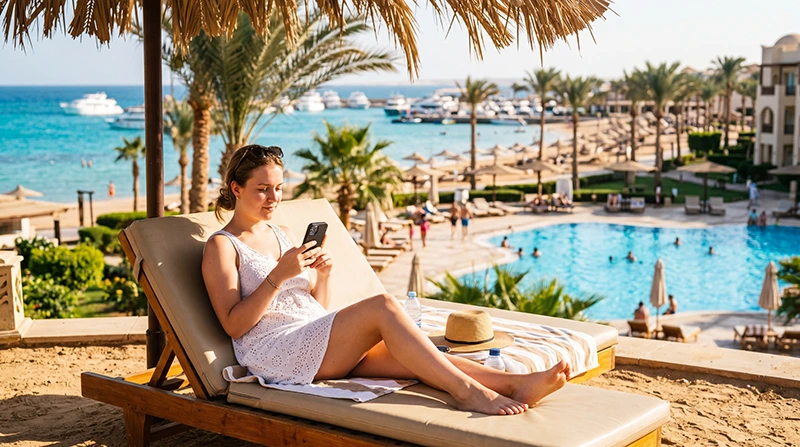

Internet in Hurghada resorts depends on the property and where you use it. A booking that lists Wi-Fi does not tell you whether the connection will suit a video call from your room, reach your preferred pool area or allow all your devices to sign in. Ask about those requirements before relying on the hotel network.
For a stay mainly inside the resort, usable room Wi-Fi may cover most of your needs. Mobile data becomes useful when that connection fails or you leave the property, but it is not a guaranteed replacement in every building. Test both where you will actually use them.
Our NoveSIM Egypt travel eSIMs provide mobile data on compatible, unlocked phones. We do not provide an Egyptian phone number, conventional calls or SMS. Internet calls use your data connection and the app’s own service.
Quick answer: Ask your Hurghada resort whether Wi-Fi is included in your booking, available in the room and limited by device or session. On arrival, test a new webpage and your most important app in the room. If you need a backup, test mobile data there with Wi-Fi off before relying on it for a scheduled call or an outing.
Top Egypt eSIMs

Egypt eSIM
Fixed
1 GB, 7 days€ 4.462 GB, 15 days€ 7.143 GB, 30 days€ 9.82Unlimited
Unlimited, 1 day€ 4.91Unlimited, 3 days€ 11.60Unlimited, 5 days€ 18.74
Africa eSIM
Fixed
1 GB, 7 days€ 10.262 GB, 15 days€ 19.193 GB, 30 days€ 26.78Unlimited
Unlimited, 1 day€ 13.83Unlimited, 3 days€ 39.72Unlimited, 5 days€ 65.60Questions about internet in Hurghada resorts before booking
“Do you have Wi-Fi?” is too broad when internet affects your choice of accommodation. Describe the task: a daily work call, messages on two phones, a tablet for a child or uploading photographs. Ask for current access conditions rather than a general assurance that internet is available.
- Where is it available? Ask about guest rooms, not only reception or public areas.
- Is it included in your rate? Confirm whether your booking includes access or whether a separate charge applies.
- How many devices can connect? Ask whether credentials cover a room, a guest or one device.
- Does access expire? Check whether you must log in again or renew a session during the stay.
- Who helps if the room connection fails? Ask whether reception can arrange technical assistance rather than simply provide another password.
Keep the property’s response with your booking. A report from a different hotel, room block or previous season is not a measurement of the connection you will receive. Resorts in Hurghada, El Gouna, Makadi Bay and Soma Bay need to be assessed individually.
Test the room connection before an important call
Do the first check soon after check-in, while there is time to ask for help. Connect to the network identified by the hotel, complete any sign-in page and read its terms. A Wi-Fi icon alone does not confirm that the login is complete.
- Open a new webpage from the room where you expect to use the connection.
- Send a message or open the app that matters for your stay.
- If you need a video meeting, make a short test call rather than judging only by a download-speed result.
- Check your second device separately if you will use one; credentials may have device limits.
- Repeat the relevant test at the time of day when you expect to need it.
A fast download does not establish whether a call stays connected or a large upload completes. If a work commitment is essential, arrange a fallback before the meeting. The Egypt remote-work guide covers the broader preparation for scheduled work.
When the lobby works but your room does not
Tell reception exactly what changes between locations: the network disappears, the login page repeats or pages stop loading after sign-in. Give the room number and, if useful, the device type. Ask whether there is a different guest network for that part of the property.
Check the same connection with another device if you have one. If only one phone fails, the problem may be its session or settings; if both fail in the room but work in reception, that observation is useful to the hotel’s support staff. It is not a reason to change your cellular APN.
If a portal reports too many devices, ask how to release an old session. Do not buy another access package before confirming the existing booking’s terms. Do not bypass browser certificate warnings or install an unfamiliar certificate merely to get online.
For a non-essential task, using an agreed public area may be sufficient. For a private call, a lobby is not automatically a suitable substitute for the room. Decide whether another location is acceptable before your appointment begins.
Choose a mobile-data backup by the task it must cover
A backup for messages and booking changes is different from one for repeated video calls or laptop tethering. Check your recent usage and which activities you can postpone to Wi-Fi. Use the Egypt data-allowance guide rather than choosing a fixed number solely because you are staying a week or two.
Before purchasing an Egypt travel eSIM, confirm device compatibility, validity and the current package conditions. If you need a laptop connection, check hotspot terms as well. A large allowance will not solve weak reception in a particular room.
Install according to the Egypt activation instructions, then test mobile data with Wi-Fi disabled. Check it in the room and any other place where you need the backup. Do not infer resort-wide coverage from a successful airport connection.
If you use your home SIM instead, confirm its Egypt roaming charges first. Keep automatic data switching off when you want the travel line—not the home line—to supply internet. Conventional calls and SMS on the home line have separate charging terms.
Keep hotel Wi-Fi and cellular troubleshooting separate
If internet works with Wi-Fi off but fails on the hotel’s network, ask the resort about authentication or service availability. If it works on Wi-Fi but not on cellular data, check the travel line and package. Changing settings for both connections at once makes the original fault harder to identify.
For an eSIM problem, use Egypt eSIM troubleshooting and keep the installed profile unless support tells you otherwise. Deleting a travel profile cannot fix a hotel login session.
Once a connection works, schedule large uploads deliberately. Photo backups, app updates and laptop synchronisation can consume a mobile allowance without being part of your immediate task. Check that the hotel Wi-Fi is working before starting them, rather than assuming a Wi-Fi symbol means they will stay off cellular data.
Leaving the property changes what you need
Save excursion confirmations and return meeting details before leaving the hotel network. A resort’s Wi-Fi is not your connection for a marina pickup, town visit or journey between properties. Even with mobile data prepared, retain those essentials offline.
For mobile internet beyond the accommodation, continue with the Hurghada internet guide. For boat activities, ask the operator about communication arrangements; neither the hotel network nor a land-based eSIM should be assumed to provide service throughout the trip.
Related Articles
FAQ
Is Wi-Fi included at all Hurghada resorts?
Do not assume the same policy across properties or booking rates. Ask your hotel what is included, where access is available and whether device or session limits apply.
Why does resort Wi-Fi work in reception but not my room?
The available signal or guest network may differ by location, or your login session may need attention. Report the room number and the results of tests in both places to the hotel’s support staff.
Can an eSIM replace hotel Wi-Fi for a video call?
It may provide an alternative where the plan’s network has usable reception. Test a call in the intended location, check your allowance and confirm hotspot terms if you use a laptop. Do not treat it as guaranteed room coverage.
Do I need mobile data if I stay inside the resort?
Not necessarily. If the hotel’s connection meets your needs, it may be enough. Mobile data is useful for a failed Wi-Fi connection or leaving the property, provided it works where you need it.
Final Recommendation
Assess internet in Hurghada resorts at room level, not from a generic Wi-Fi listing. Confirm your property’s access conditions before booking and test the tasks that matter soon after check-in.
Prepare mobile data when an outage or an outing would leave you unable to communicate. Check that backup in the intended location; choose its allowance and features around your actual use.
Keep booking and excursion details offline even when both connections work. The aim is a stay that does not depend on one hotel login or an untested cellular signal.