


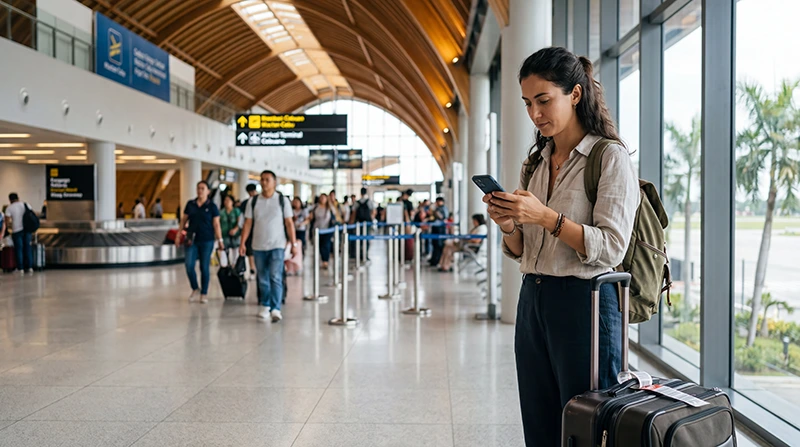

Internet at Mactan-Cebu International Airport can come from a travel eSIM, registered local SIM, roaming package or airport Wi-Fi. The best arrival option depends on whether you are staying on Mactan, crossing to Cebu City or continuing directly towards a road or ferry connection.
A working connection helps with pickup messages and route changes, but tickets, accommodation pins and final-transfer instructions should also be stored offline. Coverage around the airport does not guarantee continuous service on every provincial road or offshore route.
NoveSIM travel eSIMs are data-only. We do not provide a Philippine number, conventional calls or carrier SMS. Internet calling and messaging apps can use the mobile-data connection.
Quick answer: prepare an eSIM before flying when the phone is compatible and unlocked. At CEB, choose it for mobile data, enable roaming on the travel line and test with Wi-Fi off. Use airport Wi-Fi as backup, or choose a registered local SIM when you need a Philippine number.
Top Philippines eSIMs


Match the connection to the journey after CEB
| Option | Best fit | Check first |
|---|---|---|
| Travel eSIM | Data prepared before landing | Compatibility, unlock status and activation rule |
| Local SIM | Traveller needing a Philippine number | Registration, retailer availability and setup |
| Roaming | Short use with a confirmed travel pass | Price, allowance and Philippine partner coverage |
| Airport Wi-Fi | Retrieving instructions or sending a first message | Current login, security and performance |
For country-wide planning, use the Philippines mobile-internet guide. This page focuses on CEB arrival and the next transfer.
Save the next leg before boarding the flight
- Store the CEB arrival and pickup location.
- Save the complete hotel or resort address.
- Download bus, van or ferry confirmations.
- Capture the final accommodation directions.
- Install the eSIM on stable Wi-Fi.
- Keep activation instructions and manual details private.
Travellers going to Moalboal, Oslob, Bantayan or Malapascua should not depend on continuous mobile service throughout the transfer.
Activate and test the eSIM at CEB
- Switch on the Philippines eSIM when the plan should activate.
- Select it as the mobile-data SIM.
- Enable Data Roaming on that eSIM when required.
- Disable automatic switching to the primary SIM.
- Leave network selection on Automatic.
- Turn off Wi-Fi and test a webpage.
Follow the purchased validity rule rather than assuming that installation starts or does not start the plan. The Cebu Airport eSIM guide covers setup and first-connection problems in detail.
Use airport Wi-Fi as a limited fallback
Wi-Fi may help retrieve an email or contact a driver, but the current network name, login and performance should be verified at the airport. Avoid unexpected security warnings and keep the eSIM QR code private.
Save what you need before leaving the terminal because airport Wi-Fi does not continue into Lapu-Lapu, Cebu City or the provincial route. See the Cebu Airport Wi-Fi guide for access-specific help.
Buy a local SIM when a Philippine number matters
A physical SIM may suit an unlocked phone without eSIM support or a traveller who needs a local number. Registration is required. Confirm the general data allowance, validity and balance method, and test the SIM before leaving the seller.
Counter availability and waiting time can change. Use the Cebu Airport SIM-card guide to prepare the purchase decision.
Plan the transfer to Mactan, Cebu City or beyond
CEB is on Mactan Island. Verify whether the accommodation is nearby in Lapu-Lapu, across towards Cebu City or several hours away. Save the exact map pin because similar property names and multiple branches can cause errors.
For a south Cebu transfer, send the arrival estimate before leaving stable coverage. For a northern ferry route, download the port and boat details. Offshore signal loss is normal for terrestrial networks and does not mean the eSIM is broken.
Protect the primary SIM from roaming data
Keep the Philippines eSIM selected for mobile data and disable automatic switching. Data Roaming may need to be on for the travel line but should remain off on the primary SIM unless the home operator has confirmed the charge.
Carrier calls, SMS and voicemail on the home line can still incur roaming fees. WhatsApp can remain registered to the existing number while using eSIM data.
Fix an arrival connection in a controlled order
- Confirm plan validity and remaining data.
- Check that the Philippines line is on and selected for data.
- Enable roaming on the travel eSIM.
- Turn off Wi-Fi and test again.
- Toggle Airplane Mode once.
- Restart once if needed.
If manual APN entry is required, use data.esim. Do not delete the installed eSIM. Continue with the Philippines troubleshooting guide if data remains unavailable.
Continue using data around Cebu
After leaving the airport, mobile data helps with maps and transport coordination, while offline information protects the journey through weak areas. The Cebu tourist internet guide covers Cebu City, south Cebu and nearby islands.
Related Articles
FAQ
What internet option is most convenient at Cebu Airport?
A pre-installed eSIM is convenient for a compatible unlocked phone. Wi-Fi is useful as backup, while a registered local SIM suits travellers who need a Philippine number.
Will airport Wi-Fi cover my transfer to Cebu City?
No. Airport Wi-Fi is limited to the airport environment. Arrange mobile data or save the route and pickup details offline before leaving.
Will the eSIM work continuously on a ferry from Cebu?
Continuous offshore coverage is not guaranteed. Download tickets and arrival directions, then allow the phone to reconnect after reaching terrestrial coverage.
Should I delete an eSIM that does not connect at CEB?
No. Check activation, data-line selection, roaming, network selection and APN first. Remove it only if NoveSIM support instructs you to do so.
Final Recommendation
For dependable internet at Cebu Airport and during the first transfer, choose the connection around the onward journey. A prepared eSIM reduces arrival work; a local SIM remains useful when a Philippine number is required.
Test cellular data with Wi-Fi off, protect the primary SIM from roaming and save all pickup and transfer information offline.
Keep the eSIM installed during troubleshooting and prepare separately for long road journeys and ferry crossings beyond Mactan.