


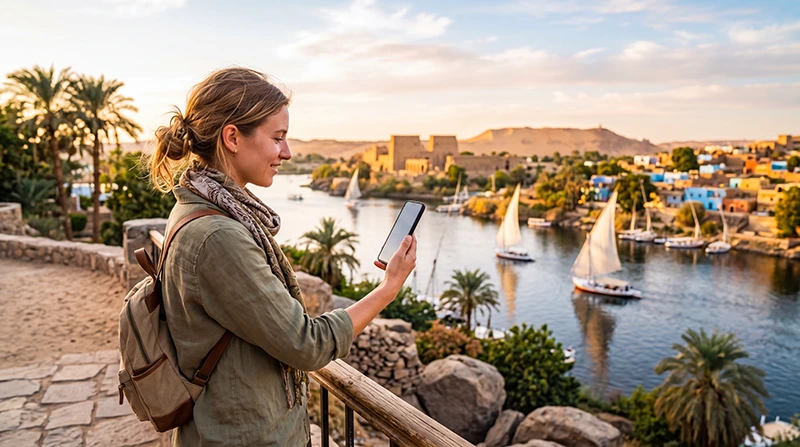

Internet in Aswan is most useful when it helps you reach the right person or meeting point. Hotel Wi-Fi can handle booking emails and downloads, while mobile data gives you a way to receive messages after you leave the property, wherever your plan’s supported network is available.
For an itinerary involving a hotel, river transfer and guided visit, prepare the handover between each stage. A map pin alone may not identify the entrance or landing point your host expects you to use; confirm the meeting instructions before setting out.
Our NoveSIM travel eSIMs provide data only. We do not provide an Egyptian number, conventional calls or SMS. Ask your accommodation or guide whether they accept internet-based messages; if they require a regular telephone call, you need a separate voice service.
Quick answer: For internet in Aswan, check your accommodation’s Wi-Fi and prepare mobile data for communication outside it. Confirm your arrival entrance or river-transfer meeting point with the host, save the instructions offline and test your data line before leaving Wi-Fi. Do not assume reception at a hotel establishes coverage on a boat or at a visitor site.
Top Egypt eSIMs

Egypt eSIM
Fixed
1 GB, 7 days5.00$2 GB, 15 days8.00$3 GB, 30 days11.00$Unlimited
Unlimited, 1 day5.50$Unlimited, 3 days13.00$Unlimited, 5 days21.00$
Africa eSIM
Fixed
1 GB, 7 days11.50$2 GB, 15 days21.50$3 GB, 30 days30.00$Unlimited
Unlimited, 1 day15.50$Unlimited, 3 days44.50$Unlimited, 5 days73.50$Get an arrival instruction, not just a hotel address
Before arriving in Aswan, send your host the arrival method and expected time. Ask where a driver should drop you, whether you need a separate river transfer and whom to contact if you are delayed. These questions matter more than choosing a data package based on a list of nearby landmarks.
If the accommodation requires a boat transfer, confirm the agreed landing point and any pickup arrangement directly. Do not infer a crossing service, departure time or price from a map. Save the host’s instructions and a screenshot of the meeting point while connected.
Keep the accommodation name, booking reference and contact method in one offline note. If a message arrives changing the pickup, confirm that you have understood the new location rather than following the original saved pin.
Choose a connection for the time away from your room
Ask whether Wi-Fi reaches your actual room and whether access is included. Once checked in, test it there: a working connection in reception does not tell you what is available where you will upload documents or make a call.
For outings, compare your home carrier’s Egypt roaming terms with a separate travel-data plan. If roaming is already included at a suitable allowance, installing another profile may be unnecessary. If it is not, review the Egypt roaming-charge checks before enabling home-SIM data.
With a travel eSIM, check your exact phone’s eSIM support and unlocked status. Review the Egypt package’s network, validity and data terms, including hotspot conditions if another traveller will share your connection. Available 4G or 5G access depends on the package, handset and local network conditions.
This guide does not have measured reception results for Aswan hotels, islands or temples. There is no reliable basis here for labelling those places “Excellent coverage”. Keep an offline fallback even after a successful test in town.
Agree how your guide will reach you
Before a guided visit, establish whether you meet in the hotel lobby, at a vehicle pickup point or somewhere else. Confirm the return arrangement too. If you are visiting Philae or arranging another river outing, ask the operator to distinguish the land meeting point from any boat boarding point.
Send a short test message using the agreed app. Having the guide’s telephone number saved does not establish that the guide uses that app, or that your data-only line can make a conventional call to it.
Open any booking vouchers or documents before departure and save them locally. A screenshot can preserve the reference for discussion with the operator, but it is not a substitute for whatever original document the booking requires.
During a transfer, follow the arrangements agreed with the operator. Do not change boats, landing points or a planned route just to find phone reception. For a longer sailing itinerary, the Nile cruise internet guide explains why onboard Wi-Fi and your own mobile connection need separate checks.
Check mobile data before you need a reply
- Install the travel profile over a dependable connection when the package’s activation rule permits.
- After arrival, select it for mobile data and apply the package’s roaming instructions.
- Keep home-line data roaming off unless deliberately using an included service, and prevent automatic data fallback.
- Turn Wi-Fi off briefly, open a small webpage and test the contact app agreed with your host or guide.
- Confirm the remaining allowance and expiry date before a longer outing.
Use the Egypt eSIM activation instructions for detailed setup. If manual APN entry is needed for NoveSIM, use data.esim. A local operator’s physical-SIM instructions are not automatically the correct settings for your travel profile.
If the test fails, keep the eSIM installed and follow Egypt connection troubleshooting. Do not delete the profile unless support specifically instructs you to do so. If Wi-Fi works but mobile data does not, tell support which connection you tested and what the phone displays.
Leave room in the allowance for the next travel day
Using hotel Wi-Fi to back up a photo collection can leave more mobile data for driver messages and last-minute arrangements. Check whether the phone resumes cloud uploads when you step outside; automatic backups can use the allowance without you actively posting anything.
If Aswan is one stop in a longer Egypt itinerary, consider the whole trip’s validity and usage rather than buying separately for every city. A country-covered package must remain valid, have data available and reach its supported network at the next location.
The Egypt data-usage guide helps you estimate the allowance. There is no fixed amount that follows from spending two days in Aswan: messaging and saved directions require a different budget from streaming or uploading large videos.
Related Articles
FAQ
Is hotel Wi-Fi enough for a stay in Aswan?
It may be enough if you need internet only at the property and it works where you use it. For outings, decide how you will receive host or guide messages outside its range and save essential instructions offline.
Can I rely on mobile data during a river transfer?
Do not assume continuous reception. Confirm the meeting and return arrangements before departure. Your plan can connect only where its supported terrestrial network is available.
Does an Egypt eSIM give me a number to call my Aswan hotel?
Our NoveSIM travel eSIMs are data-only and do not include an Egyptian number or conventional calls. Agree an internet-based contact method with the hotel or use a separate voice service.
Do I need another eSIM when travelling from Aswan to Luxor?
Not simply because you change cities. Check that the current package covers Egypt, remains valid and has data left. Reception still depends on the supported network at each location.
Final Recommendation
Plan internet in Aswan around the people and places you need to reach. Confirm the arrival instructions, hotel entrance and any river-transfer meeting point before travelling.
Test room Wi-Fi and the travel data line separately. Keep the host’s and guide’s instructions available offline, and preserve an installed eSIM if troubleshooting is needed.
Use mobile data for communication away from the property without assuming uninterrupted service on the river. That keeps a connection useful without making every transfer depend on it.