


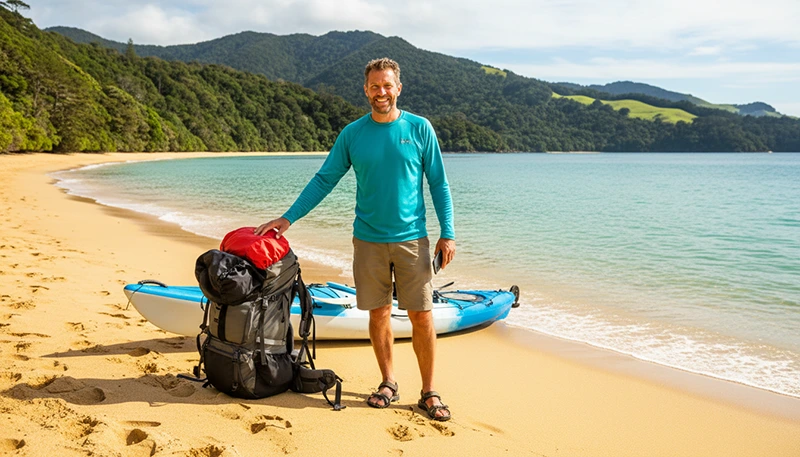

Abel Tasman National Park is one of New Zealand’s most beautiful coastal destinations, famous for golden beaches, turquoise water, native forests and the world-famous Abel Tasman Coast Track.
Located at the northern end of the South Island near Nelson and Kaiteriteri, the park attracts hikers, kayakers, campers and international travellers looking for a combination of adventure and relaxation.
Because much of the park is remote coastal wilderness, mobile internet availability changes depending on your location. Travellers should understand where they can expect coverage and prepare for sections without connection.
Quick answer: Internet works well in Nelson, Motueka and Kaiteriteri, but coverage inside Abel Tasman National Park is limited and varies by location. A New Zealand eSIM is useful before and after entering the park, while offline maps are recommended for hiking and remote areas.
Top New Zealand eSIMs

New Zealand eSIM
Fixed
1 GB, 7 days2.50$2 GB, 15 days4.50$3 GB, 30 days6.00$Unlimited
Unlimited, 1 day3.00$Unlimited, 3 days7.50$Unlimited, 5 days12.00$
Asia eSIM
Fixed
1 GB, 7 days5.00$2 GB, 15 days9.00$3 GB, 30 days12.00$Unlimited
Unlimited, 1 day6.50$Unlimited, 3 days17.50$Unlimited, 5 days28.50$Why You Need Internet in Abel Tasman National Park
Although Abel Tasman is easier to access than many New Zealand wilderness areas, it is still a remote national park with limited infrastructure.
Mobile internet helps travellers with:
- Checking weather conditions.
- Booking water taxis.
- Finding accommodation.
- Checking trail information.
- Using navigation apps.
- Communicating before and after hikes.
- Sharing travel updates.
For multi-day hikers on the Coast Track, preparation before entering the park is especially important.
Does Mobile Internet Work in Abel Tasman National Park?
Yes, but coverage is not available everywhere.
Connectivity is generally better around:
- Nelson.
- Motueka.
- Kaiteriteri.
- Marahau.
- Park entrances and coastal settlements.
Inside the national park, expect variable coverage.
Signal can be weaker in:
- Remote beaches.
- Forest sections.
- Walking tracks away from settlements.
- Hidden bays and coastal areas.
| Location | Expected Connectivity |
|---|---|
| Nelson | Excellent |
| Motueka | Good |
| Kaiteriteri | Good |
| Marahau | Variable |
| Abel Tasman Coast Track | Limited and inconsistent |
| Remote bays | Often unavailable |
Best Mobile Networks for Abel Tasman
New Zealand has three main mobile networks used by travellers:
| Network | Travel Advantage |
|---|---|
| Spark | Often preferred for regional coverage |
| One NZ | Strong in towns and tourist areas |
| 2degrees | Good in populated locations |
For Abel Tasman, terrain and distance from towers are usually more important than the network itself.
Best eSIM for Abel Tasman National Park
A New Zealand travel eSIM is the easiest way for international visitors to stay connected before and after visiting Abel Tasman.
An eSIM helps with:
- Downloading maps before hiking.
- Checking weather forecasts.
- Booking transport.
- Using travel apps.
- Staying connected in nearby towns.
The eSIM connects to available mobile networks but cannot provide internet in areas without coverage.
Internet Around Abel Tasman Coast Track
The Abel Tasman Coast Track is one of New Zealand’s Great Walks and passes through beaches, forests and remote coastal areas.
Hikers should prepare for:
- Sections without mobile signal.
- Limited internet access at campsites.
- Changing reception depending on location.
Before starting the track:
- Download offline maps.
- Save accommodation details.
- Check weather conditions.
- Download booking confirmations.
WiFi in Abel Tasman Area
WiFi is available mainly outside the national park.
Common places with internet access include:
- Hotels and lodges.
- Holiday parks.
- Cafes in nearby towns.
- Visitor facilities.
Inside remote parts of the park, travellers should not rely on WiFi.
Offline Maps for Abel Tasman
Offline navigation is strongly recommended for anyone hiking or kayaking in Abel Tasman.
Useful apps:
- Google Maps offline.
- Organic Maps.
- Maps.me.
- Outdoor hiking navigation apps.
Download maps before leaving Nelson, Motueka or Kaiteriteri.
How Much Data Do You Need for Abel Tasman?
| Traveller Type | Recommended Data |
|---|---|
| Short visit | 1–3GB |
| Hiking and kayaking trip | 3–5GB |
| South Island road trip | 5–10GB |
| Long New Zealand adventure | 10GB+ |
Recommended eSIM Settings for New Zealand
| Setting | Recommended |
|---|---|
| Mobile Data | New Zealand eSIM |
| Data Roaming | Enabled on eSIM |
| Main SIM roaming | Disabled |
| Network Selection | Automatic |
| APN | data.esim |
Tips for Staying Connected in Abel Tasman
- Install your eSIM before travelling.
- Download maps before entering the park.
- Charge your phone before hiking.
- Carry a power bank.
- Save important bookings offline.
- Do not rely only on mobile signal.
Related New Zealand Connectivity Guides
- Mobile Coverage South Island New Zealand
- Offline Maps New Zealand Travel
- Best eSIM for New Zealand
- Internet West Coast New Zealand Road Trip
- eSIM for New Zealand Great Walks
FAQ
Is there internet in Abel Tasman National Park?
Yes, but coverage is limited. Nearby towns have good connectivity, while remote park areas may have no signal.
Does eSIM work in Abel Tasman?
Yes, wherever partner mobile networks provide coverage.
Do I need offline maps for Abel Tasman?
Yes. Offline maps are recommended for hiking and exploring remote areas.
Can I use WhatsApp in Abel Tasman?
Yes when you have mobile data or WiFi. Messages may not send in areas without coverage.
Where should I prepare before visiting Abel Tasman?
Nelson, Motueka, Kaiteriteri and Marahau are the best places to download maps and prepare your devices.
Final Recommendation
Abel Tasman National Park is a destination where preparation matters more than constant connectivity.
The best setup is a New Zealand eSIM for mobile internet before and after entering the park, combined with offline maps for hiking and remote coastal areas.
With the right preparation, you can enjoy Abel Tasman’s beaches, trails and natural beauty while staying connected whenever coverage is available.