


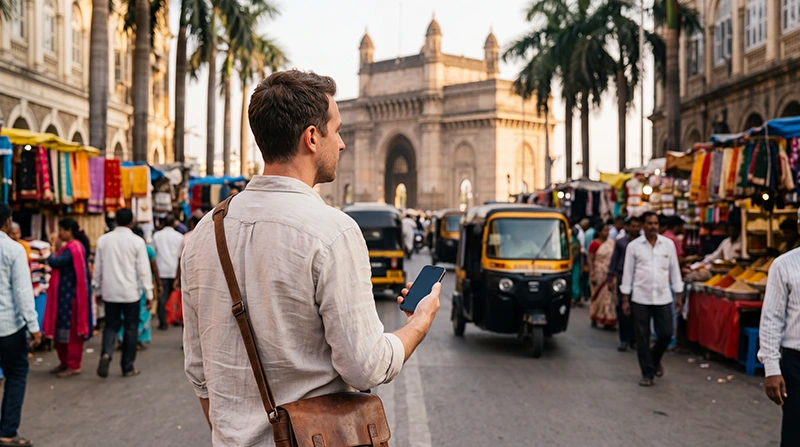

Using an eSIM in India is one of the easiest ways to stay connected while travelling. Instead of searching for a local SIM card after landing, you can install your eSIM before departure and start using mobile data within minutes of arriving.
Whether you’re visiting Delhi, Mumbai, Jaipur, Agra, Goa, Kerala or Bengaluru, an India eSIM gives you reliable internet for Google Maps, WhatsApp, transport apps, hotel bookings and browsing throughout your trip.
Quick answer: install your India eSIM before departure, then after arriving select it for Mobile Data, enable Data Roaming and keep Network Selection on Automatic.
Top India eSIMs


How Does an India eSIM Work?
An eSIM is a digital SIM profile that is downloaded directly onto your phone. Instead of inserting a physical SIM card, you simply scan a QR code and install your mobile plan.
Once you arrive in India, your phone connects automatically to a supported local mobile network and provides mobile internet.
Before You Travel
Before leaving for India, make sure you:
- Install your eSIM while connected to WiFi.
- Keep the eSIM installed.
- Do not delete the QR code until your trip is finished.
- Verify that your phone supports eSIM.
- Ensure your device is carrier unlocked.
Using an India eSIM After Arrival
- Open your phone’s SIM settings.
- Enable the India eSIM.
- Select it for Mobile Data.
- Enable Data Roaming.
- Disable Automatic Data Switching.
- Leave Network Selection on Automatic.
- Wait a few minutes for the network connection.
Your phone should automatically connect to one of the supported local mobile operators.
Recommended Phone Settings
| Setting | Recommended Value |
|---|---|
| India eSIM | Enabled |
| Mobile Data | India eSIM |
| Calls | Primary SIM |
| SMS | Primary SIM |
| Data Roaming (India eSIM) | ON |
| Data Roaming (Primary SIM) | OFF |
| Automatic Data Switching | OFF |
| Network Selection | Automatic |
| Preferred Network | 5G Auto or 4G/LTE |
| APN | data.esim if required |
India eSIM APN Settings
Most devices configure the APN automatically. If your phone shows signal but mobile internet doesn’t work, enter the following settings manually.
| Field | Value |
|---|---|
| Name | NoveSIM |
| APN | data.esim |
| Username | Leave blank |
| Password | Leave blank |
| Authentication | None |
Can You Keep Your Regular SIM?
Yes. Most modern Dual SIM phones let you keep your primary SIM active for calls, SMS and banking verification codes while your India eSIM provides mobile data.
To avoid unexpected roaming charges, disable Data Roaming on your primary SIM.
Does WhatsApp Work?
Yes. WhatsApp continues using your existing phone number because your India eSIM only supplies the internet connection.
Your chats, contacts and call history remain unchanged.
Can You Use Hotspot?
If your selected plan supports hotspot usage, you can share your internet connection with a laptop or tablet.
Remember that tethering can consume data much faster than normal phone usage.
How Much Data Do You Need?
| Trip Length | Recommended Data |
|---|---|
| Weekend | 3–5 GB |
| One week | 10 GB |
| 10 days | 15 GB |
| Two weeks | 20 GB |
| Remote work | 30 GB+ |
How to Reduce Data Usage
- Download offline Google Maps.
- Use hotel WiFi for updates.
- Disable automatic cloud backups.
- Reduce video streaming quality.
- Turn off background data for unnecessary apps.
- Monitor your mobile data usage.
What If the eSIM Doesn’t Work?
- Confirm the India eSIM is enabled.
- Select it for Mobile Data.
- Enable Data Roaming.
- Turn off Automatic Data Switching.
- Check that the APN is data.esim.
- Leave Network Selection on Automatic.
- Turn Airplane Mode on for 30 seconds.
- Restart your phone.
Do not delete the eSIM while troubleshooting because many QR codes can only be installed once.
Travel Tips
- Install your eSIM before departure.
- Keep your QR code until your trip ends.
- Carry a power bank.
- Download offline maps.
- Disable roaming on your primary SIM.
- Use hotel WiFi for large downloads.
- Monitor your remaining data.
Related India Guides
- India eSIM
- How to Install an India eSIM
- How to Activate an India eSIM
- India eSIM APN Settings
- India eSIM Not Working
- Does WhatsApp Work in India?
FAQ
When should I start using my India eSIM?
Install it before departure and activate it after arriving in India by enabling it for Mobile Data.
Do I need Data Roaming enabled?
Yes. Data Roaming should be enabled on your India eSIM while remaining disabled on your primary SIM.
Can I keep my regular phone number?
Yes. Your primary SIM can remain active for calls and SMS while the India eSIM provides internet access.
Does WhatsApp continue working?
Yes. WhatsApp keeps using your existing phone number.
What APN should I use?
If manual configuration is required, use data.esim.
Final Recommendation
Using an India eSIM is the easiest way to stay connected throughout your trip. Install it before departure, activate it after arriving, enable Data Roaming and keep your primary SIM for calls and SMS.
If mobile internet doesn’t work immediately, verify the APN is data.esim, leave Network Selection on Automatic and restart your device if necessary.