


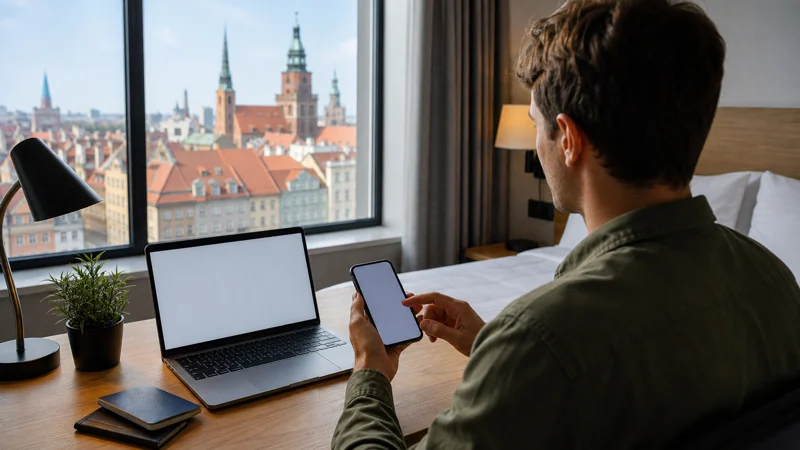

To get internet in Poland, first check whether your existing mobile plan already includes roaming there. If it does not, arrange a travel eSIM before departure or buy and register a Polish prepaid SIM after arrival.
The correct process depends on the chosen option, but the final checks are the same: select the intended line for mobile data, apply the provider’s required roaming setting and test the connection with WiFi switched off.
NoveSIM travel eSIMs are data-only. We do not provide a Polish phone number, conventional calls or SMS. Internet messaging and calling apps work through mobile data.
Quick answer: Check your Poland roaming terms, confirm that the phone is unlocked and compatible, then choose either a travel eSIM or a registered Polish SIM. Complete the installation on reliable WiFi, select the new line for data and load a normal webpage with WiFi off before leaving the arrival area.
Top Poland eSIMs

Poland eSIM
Fixed
1 GB, 7 days€ 1.772 GB, 15 days€ 3.553 GB, 30 days€ 4.44Unlimited
Unlimited, 1 day€ 2.22Unlimited, 3 days€ 4.88Unlimited, 5 days€ 7.99
Europe Extra eSIM
Fixed
1 GB, 7 days€ 2.222 GB, 15 days€ 3.553 GB, 30 days€ 4.44Unlimited
Unlimited, 1 day€ 2.66Unlimited, 3 days€ 5.32Unlimited, 5 days€ 8.87Europe+ eSIM
Fixed
1 GB, 7 days€ 2.662 GB, 15 days€ 3.993 GB, 30 days€ 5.32Unlimited
Unlimited, 1 day€ 2.66Unlimited, 3 days€ 6.21Unlimited, 5 days€ 10.20Step 1: Check whether your current plan already works in Poland
Open the home operator’s account or contact its support before buying another connection. Check that Poland is included, how much roaming data is available and what happens after the allowance is used.
An eligible EU or EEA plan may include service in Poland for temporary travel, subject to fair-use conditions. Plans issued elsewhere may charge a daily pass or per-unit rate. The Poland roaming guide explains what to compare before enabling the home SIM for data.
Step 2: Choose the connection method
If the existing plan is unsuitable, choose according to the task rather than the format alone:
- Travel eSIM: useful when you need data prepared before arrival and have an unlocked compatible phone.
- Polish prepaid SIM: useful when a Polish phone number or conventional calls and SMS are important.
- WiFi: useful for installation and large downloads, but not a continuous connection while moving.
The Poland internet-options comparison covers this choice in detail. Once you have chosen, continue with the appropriate setup below.
Step 3A: Prepare a travel eSIM before departure
- Confirm that the exact phone model supports eSIM and is carrier unlocked.
- Choose a plan whose validity, allowance, networks and hotspot terms fit the full itinerary.
- Keep the QR code and manual installation details private.
- Connect the phone to trusted WiFi and add the eSIM through the cellular settings.
- Give the new line a clear label such as “Poland”.
- Follow the plan’s instructions about when installation or first network use starts validity.
Do not assume that every eSIM activates at purchase or installation; the rule belongs to the specific plan. The Poland eSIM installation guide provides the detailed preparation sequence.
Step 3B: Buy and register a Polish prepaid SIM
- Use a staffed operator shop or another seller able to complete registration.
- Bring an accepted identity document.
- Ask which data package will be active, not only the price of the starter card.
- Confirm the allowance, validity, top-up method and any renewal conditions.
- Insert or activate the SIM and keep the packaging or account details needed to manage it.
Polish prepaid SIM service requires registration. Offers and bundle terms can change, so confirm them at purchase rather than relying on an old screenshot. See the Poland SIM card guide for the buying checks.
Step 4: Select the correct line for mobile data
On a dual-SIM phone, enabling the new profile is not enough. Open the SIM or mobile-network settings and select the travel eSIM or Polish SIM specifically for mobile data.
Disable automatic data switching if it could send traffic through the home SIM. You may keep the home line available for account messages, but calls and SMS on that line remain subject to the home operator’s roaming charges.
Step 5: Apply the correct roaming and network settings
A travel eSIM often requires Data Roaming because it connects through a partner network. Apply that setting to the travel line only when the provider instructs you to do so. A domestic Polish SIM normally follows its own local-network configuration.
Leave network selection on automatic as the starting point. This allows the phone to register with an included network and change technology as coverage varies. 5G depends on the plan, device, partner network and exact location; LTE is a normal and useful connection when 5G is unavailable.
Step 6: Test before leaving reliable WiFi
- Turn off WiFi.
- Confirm that the intended line still appears as the mobile-data line.
- Open a webpage that has not already been cached.
- Test a map search or send a message through a data-based app.
- Check that the home line is not recording unintended roaming data.
Signal bars alone do not prove that the selected line is carrying data. Complete the test at home, at accommodation or in the arrival area while another connection is still available.
Step 7: Save the first route and essential information offline
Download the map area for the arrival city and save the accommodation address, tickets and booking references locally. A working mobile connection can then provide live platform changes, traffic information and new searches without becoming the only place where essential details exist.
If the trip includes trains, rural roads or mountain areas, prepare the relevant sections before setting out. The Poland mobile-data guide covers practical use across a multi-city journey.
Step 8: Troubleshoot without deleting the eSIM
- Confirm that the plan is active and still has data and validity remaining.
- Check that the intended eSIM or SIM is enabled and selected for data.
- Apply the required Data Roaming setting to the correct line.
- Leave network selection on automatic and toggle Airplane Mode once.
- Restart the phone and test again with WiFi off.
- If an APN is required, use the value supplied for the plan. The NoveSIM APN is data.esim.
Keep the installed eSIM during diagnosis. Do not delete it unless support specifically instructs you to do so. Continue with the Poland eSIM troubleshooting guide if the connection still fails.
Related Articles
- Local SIM versus eSIM in Poland
- How to activate a Poland eSIM
- Poland eSIM APN settings
- Poland eSIM coverage
FAQ
What is the first step for getting internet in Poland?
Check whether your current plan includes Poland and how much roaming data it provides. This prevents buying another connection when the existing allowance already covers the trip.
Can I install a Poland eSIM before travelling?
Usually, but follow the chosen plan’s activation rule. Install on trusted WiFi, keep the QR code private and confirm whether validity begins at installation or first network use.
Do I need identification to buy a Polish prepaid SIM?
Yes. Polish prepaid SIM service requires registration with an accepted identity document, so use a staffed seller able to complete that process.
How do I know whether the new connection works?
Select the new line for mobile data, switch off WiFi and load a normal webpage. Also confirm that automatic data switching has not returned traffic to the home SIM.
Final Recommendation
Get internet in Poland by checking the home plan first, then choosing a travel eSIM for convenient data or a registered Polish SIM when local number features are necessary.
Install or register the selected option, assign it to mobile data and test with WiFi switched off. Keep the NoveSIM APN data.esim available for troubleshooting and retain the installed eSIM unless support tells you to remove it.
Save the first route, accommodation address and essential tickets offline. The connection will then support live travel decisions without carrying the entire trip plan by itself.