


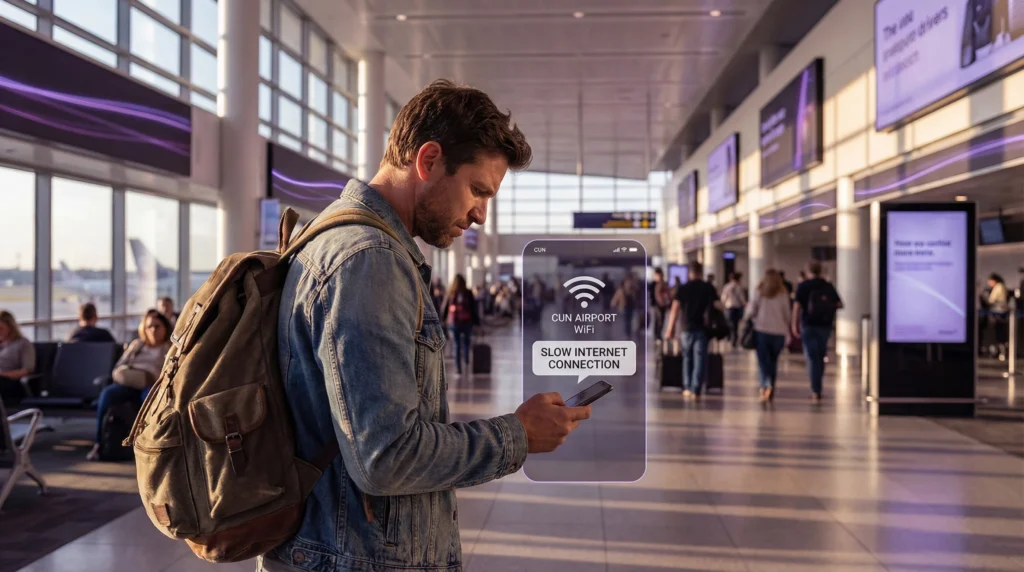
If your eSIM isn’t working in Mexico, don’t worry — this is a common issue travelers may experience after arrival.
You might notice:
- Signal but no internet
- Slow connection
- No network
and ask: Why is my eSIM not working in Mexico?
- 👉 In most cases, the problem is caused by network selection, roaming settings, coverage limitations, or device compatibility.
Most issues can be fixed within minutes.
Most common reason: wrong network selected
Mexico has several major carriers:
- Telcel
- AT&T Mexico
- Movistar
Your phone may automatically connect to a weaker network.
Fix
- 1. Open Network Selection
- 2. Turn OFF automatic selection
- 3. Choose another carrier manually
- 4. Test connection
Switching networks often fixes the issue instantly.
Roaming is turned off
Travel eSIM profiles require roaming enabled abroad.
- Fix: Settings → Mobile Data → eSIM → Data Roaming → ON
Guide: 👉 https://novesim.com/do-you-need-roaming-for-esim/
Coverage varies across Mexico
Coverage quality differs significantly depending on location.
Typical pattern:
- Major cities → strong signal
- Tourist areas → good coverage
- Highways → moderate signal
- Rural areas → weak signal
Even local SIM cards may lose connection outside populated areas.
eSIM installed but not activated yet
- If you installed your eSIM before traveling, activation may only occur once it connects to a supported Mexican network.
This is normal behavior. Activation guide: 👉 https://novesim.com/does-esim-work-immediately-after-landing/
Wrong SIM selected for data
Your device might still be using your primary SIM.
- Check: Settings → Mobile Data → Data Line → select eSIM
Switching guide: 👉 https://novesim.com/how-to-switch-between-esim-and-physical-sim-while-traveling/
Device compatibility issue
Some phones support eSIM but not all Mexican frequency bands.
Compatibility guide: 👉 https://novesim.com/which-phones-support-esim-in-2026/
More likely with:
- Older devices
- Region-locked models
- Imported phones
APN settings didn’t load
Rare but possible.
Symptoms:
- Signal bars visible
- Internet not working
Fix:
- Restart phone
- Toggle airplane mode
- Reinstall eSIM profile
- Ask for APN settings
Data plan expired or used up
Your phone may still show signal even if your data plan is finished.
Check alerts:
- Activation notification
- 50% usage
- 80% usage
- Data exhausted
- Expiry reminder
Guide: 👉 https://novesim.com/what-happens-when-your-esim-data-runs-out/
Quick fix checklist
Try these steps:
- Enable roaming
- Restart device
- Toggle airplane mode
- Switch network manually
- Confirm eSIM is data line
- Check remaining data
Most travelers resolve issues quickly.
Mexico-specific tip
In Mexico:
- Telcel usually provides the strongest nationwide coverage
- AT&T Mexico performs well in cities
- Movistar may be weaker in rural areas
If connection is unstable, manually switching networks often helps.
When to contact support
Contact support if:
- No networks appear
- Installation failed
- Activation error
- Profile missing
These cases are rare and usually require reprovisioning.
Biggest misconception
- Myth -> eSIM doesn’t work in Mexico.
- Reality -> eSIM works in Mexico — most issues are settings or network selection related.
Real traveler scenario
- Traveler lands in Cancun.
- Phone shows signal but internet is slow.
- They switch network from Movistar → Telcel.
- Connection improves instantly.
Final verdict
If your eSIM isn’t working in Mexico, it’s usually caused by:
- Wrong network selection
- Roaming disabled
- Coverage limitations
- Wrong data SIM
- Compatibility issue
Most problems can be fixed quickly from settings. Check compatible plans for Mexico: 👉 https://novesim.com/destinations/
Frequently asked questions
Why is my eSIM not working in Mexico?
Usually because of wrong network selection, roaming disabled, or coverage limitations.
Does eSIM work in Mexico?
Yes. Most travel eSIM plans support Mexican networks.
Which network works best in Mexico?
Telcel often provides the strongest nationwide coverage.
Why do I have signal but slow internet?
This usually means your device connected to a weaker network or you are in a low coverage area.