


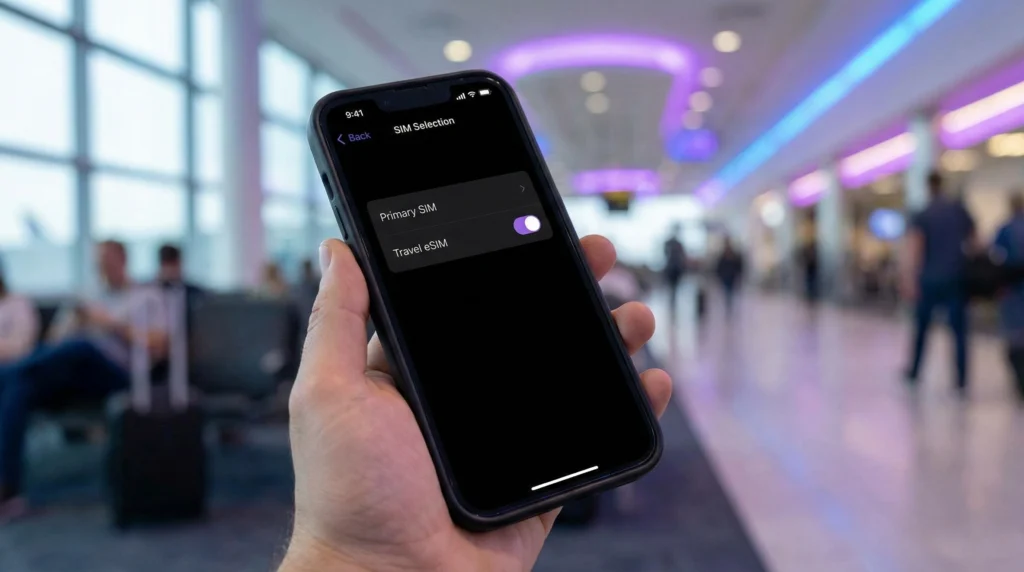

You can switch between an eSIM and physical SIM while travelling from the phone’s SIM or cellular settings. Choose which line supplies mobile data separately from which line remains available for calls and SMS.
The safest travel setup usually keeps the home line available only when its number is needed, while the travel eSIM handles data. This prevents automatic switching from silently using expensive home-carrier roaming.
NoveSIM travel eSIMs are data-only. They do not replace the number on the physical SIM, although internet messaging can use their data connection.
Quick answer: Turn on both lines if you need the home number, select the travel eSIM for Mobile Data, enable roaming on the travel line, keep roaming off on the physical SIM and disable automatic data switching. Change the data line manually only when you intend to use the other tariff.
Top eSIMs

Data Line and Voice Line Are Separate Choices
On a dual-SIM phone, one line can supply mobile data while another retains its number for calls or SMS. The exact combination depends on the device, carrier and whether both lines can remain active simultaneously.
Review how to keep your number with a data eSIM before relying on SMS verification abroad.
Recommended Travel Setup
- Label the lines “Home” and “Travel”.
- Turn on the travel eSIM after arrival.
- Select it under Mobile Data or Cellular Data.
- Enable Data Roaming for the travel eSIM.
- Keep Data Roaming off on the physical home SIM.
- Disable automatic mobile-data switching.
- Review the default calling and messaging line separately.
Switch Mobile Data on iPhone
Open Settings > Cellular or Mobile Data, tap the data-line control and select the intended SIM. Turn off Allow Cellular Data Switching when preventing the iPhone from using the other line automatically.
Select each line individually to control whether it is enabled and whether Data Roaming is permitted.
Switch Mobile Data on Android
Open Settings and look for SIM Manager, Connections or Network & Internet. Choose the preferred SIM for mobile data and disable automatic switching or backup data where the phone provides that option.
Names differ between Samsung, Pixel and other manufacturers. The Android eSIM guide helps locate the relevant SIM menu.
What Happens to Calls, SMS and WhatsApp?
The physical SIM continues to own its telephone number. Keeping it enabled may allow calls and SMS, but the home carrier can charge for incoming calls, outgoing calls, voicemail or messages abroad.
WhatsApp and similar apps can use the travel eSIM’s data while retaining the registered account number. Avoid re-registering the app merely because the data line changed.
Before Switching Back to the Physical SIM
Check the home carrier’s roaming tariff and any active pass. Deliberately selecting the physical SIM for data can trigger charges immediately through background apps, even if you do not open anything.
When returning home, choose the physical SIM for data, restore preferred switching settings and turn off the travel line. You do not need to delete the eSIM.
Troubleshooting the Selected Line
If the travel line has signal but no data, confirm roaming and automatic network selection. When manual NoveSIM APN entry is required, use data.esim. Do not delete the installed eSIM unless Support instructs you.
Related Articles
- Should You Turn Off the Primary SIM?
- Travel eSIM Roaming Settings
- eSIM, WhatsApp and Your Phone Number
- eSIM Switching Networks
FAQ
Can I switch between eSIM and physical SIM while travelling?
Yes on a compatible dual-SIM phone. Select the preferred mobile-data line in Settings and configure calls and SMS separately.
Should both SIMs stay turned on?
Only when you need both. Keeping the home line active can preserve its number but may expose calls, SMS or voicemail to roaming charges.
Will WhatsApp change numbers when I switch data SIMs?
No. Changing the data connection does not automatically change the number registered to WhatsApp.
Should I delete the travel eSIM after switching back?
No. Turn it off when not needed and delete it only if the plan instructions or Support specifically require that.
Final Recommendation
Switch between eSIM and physical SIM deliberately by assigning mobile data, voice and messages as separate choices.
Use the travel eSIM for data, keep home-line roaming off and disable automatic switching unless both tariffs are understood.
After the trip, turn off the travel line rather than deleting it automatically.