


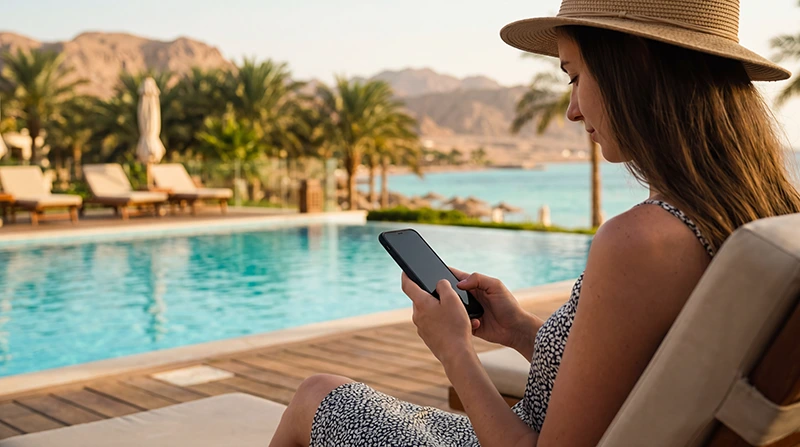

For an Egypt vacation, decide where you need internet outside the hotel before buying a data plan. A week inside one resort is different from a holiday with airport transfers, a Nile cruise and excursions whose meeting points you need to find.
Ask the property what its Wi-Fi actually includes, then choose whether mobile data is a convenience or something each traveller needs independently. “All-inclusive” is not confirmation that internet is included in every room or suitable for every task.
Our NoveSIM travel eSIMs provide data only. We do not provide an Egyptian number, conventional calls or SMS; home-number services remain separate from the holiday data connection.
Quick answer: Check room Wi-Fi, access fees and device limits with your resort. Prepare mobile data for transfers and outings if your phone and chosen plan support it. For two people who may separate, independent data lines are more useful than relying entirely on one hotspot. Save pickup details and bookings offline before boat trips or remote excursions.
Top Egypt eSIMs

Egypt eSIM
Fixed
1 GB, 7 days€ 4.462 GB, 15 days€ 7.143 GB, 30 days€ 9.82Unlimited
Unlimited, 1 day€ 4.91Unlimited, 3 days€ 11.60Unlimited, 5 days€ 18.74
Africa eSIM
Fixed
1 GB, 7 days€ 10.262 GB, 15 days€ 19.193 GB, 30 days€ 26.78Unlimited
Unlimited, 1 day€ 13.83Unlimited, 3 days€ 39.72Unlimited, 5 days€ 65.60Check what “Wi-Fi included” means at your resort
Before booking or paying for an upgrade, ask about the places where you will use the connection. Lobby access does not establish that the same service reaches your room, poolside seat or beach area.
- Is internet included in the booked room rate, or is there a separate charge?
- Does access cover the room, or only designated public areas?
- How many devices can connect, and does each need its own login?
- Is there a data limit, session limit or paid higher-tier service?
- Who can help if the room connection does not work?
After checking in, try the tasks you care about from the room itself. If a call or photo upload fails, compare another location before buying an upgrade. We have not tested individual resort networks, so a destination-wide claim about hotel Wi-Fi would not tell you what to expect at your property.
Choose data for the parts of the holiday beyond the property
An eSIM can be convenient for a compatible, unlocked phone when you want a prepaid data line without visiting a shop after landing. Check the Egypt package’s current allowance, validity and service terms, including when validity starts. Do not buy solely because the plan name says unlimited.
If the phone cannot use a travel eSIM, compare a suitable physical SIM or your home provider’s Egypt roaming offer. A local service may also be appropriate if you need an Egyptian number. The Egypt internet-options comparison explains those choices; this holiday plan is about making the chosen connection useful throughout your itinerary.
Wi-Fi alone may be enough if you are happy to stay offline between properties and can make arrangements in advance. It cannot follow you into a transfer vehicle, a restaurant outside the hotel or an excursion pickup area.
One shared connection or a line for each person?
On a honeymoon or a trip with a friend, sharing can work while you stay together. But a hotspot only helps the second person while the host phone is nearby, powered on and able to provide data. It does not give both people independent connectivity.
If one person goes diving while the other visits a spa, shops or meets a driver, separate data access avoids making every message depend on reunion. Choose that arrangement because of the activities, not because couples automatically need a particular allowance.
Do not assume one purchased profile can be installed on both phones or moved between them. Check its installation rules. Where the package and phones permit hotspot, test sharing before relying on it and count both devices’ use against the host’s allowance. Hotspot and 5G availability depend on the specific plan, devices and local network.
Keep the arrival transfer usable without a connection
- Save the accommodation address, transfer confirmation and driver or operator contact on the phone before departure.
- Confirm the meeting location and what to do if the flight is delayed or you cannot get online.
- Install the travel eSIM on reliable internet when the package instructions allow advance installation.
- After landing, follow the Egypt eSIM activation steps and test a webpage with Wi-Fi off before leaving the available connection.
A messaging-app contact is useful, but not a substitute for an agreed pickup arrangement. A data-only plan cannot make an ordinary telephone call to a driver’s number; decide in advance how you will reach someone who does not use your messaging app.
Plan resort outings differently from boat and desert days
| Part of the holiday | What to prepare |
|---|---|
| Hurghada or Sharm El Sheikh property stay | Test Wi-Fi in the room and mobile data at the actual excursion meeting point. |
| Restaurant, marina or shopping outing | Save the return address and arrange how separated travellers will meet. |
| Marsa Alam or a more isolated property | Ask about access at the exact property; do not infer reception from a nearby resort’s name. |
| Red Sea boat excursion | Save departure and return details before boarding; mobile data may be unavailable away from shore. |
| Nile cruise with shore visits | Keep the day’s meeting point, guide contact and booking accessible while the boat is moving. |
| Desert trip or remote beach | Agree arrangements with the operator in advance and keep essential information offline. |
These are preparation steps, not coverage ratings. An eSIM cannot guarantee reception on a boat or make mobile service suitable as the safety plan for a remote outing. Carry enough battery power for tickets, contacts and the return journey.
Spend the allowance on travel, not automatic photo backup
Messages, maps and booking pages compete with the phone’s background activity for the same data. A honeymoon album uploading automatically can consume the allowance even when you have barely opened an app yourself.
Restrict photo backup, app updates and large entertainment downloads to suitable Wi-Fi. If you share a hotspot with a tablet or laptop, check whether that device resumes updates or cloud synchronisation as soon as it connects.
Use Egypt data-budgeting guidance alongside your own usage history. Match validity to the entire stay, including arrival and departure, and check consumption after the first full day. Unused gigabytes do not necessarily survive the package’s expiry date.
When the resort connection or mobile data fails
If Wi-Fi connects but no webpage opens, check whether the property requires a login or whether the session has expired. Ask reception about access from your room rather than repeatedly altering the mobile SIM settings.
For mobile data, verify the selected data line, plan validity, allowance and travel-line roaming setting. Keep home-line data roaming off unless you intentionally use it, and disable automatic data switching where available. For NoveSIM, use data.esim when manual APN entry is required.
Follow the Egypt mobile-data troubleshooting guide if the checks do not resolve the failure. Keep the installed profile and delete it only if support instructs you to do so. Moving to another position may help with reception, but purchasing more data will not fix a location without usable signal.
Related Articles
- Internet planning for a Hurghada resort stay
- Prepare connectivity for an Egypt cruise
- Understand home-line charges in Egypt
FAQ
Does an all-inclusive Egypt booking include room Wi-Fi?
Do not assume so from the booking label. Ask the property about room access, fees, device limits and any paid upgrade, then test from the room after check-in.
Can two travellers share one Egypt eSIM?
A hotspot may share data when the plan and devices permit it, but the second person depends on the host phone’s proximity, power and connection. Separate data lines are more practical if you will spend time apart; do not assume the same profile can be installed on two phones.
Will mobile data work on a Red Sea boat trip or Nile cruise?
Reception depends on position and the network available to the plan. Keep booking details and meeting arrangements offline rather than expecting continuous mobile service while sailing.
Should I buy unlimited data for a resort holiday?
Choose from your expected use and the package terms. Check fair-use, hotspot and validity conditions; verified hotel Wi-Fi for large uploads may let a smaller allowance cover the time you spend outside the property.
Final Recommendation
Plan internet for an Egypt vacation around the actual property, transfer and outings, not a general promise of resort coverage.
Check Wi-Fi inclusions, decide whether each traveller needs independent data and test the travel line after landing.
Keep the essential arrangements offline for excursions and save large uploads for a connection you have checked. That gives you a useful holiday setup without depending on reception at every stop.