


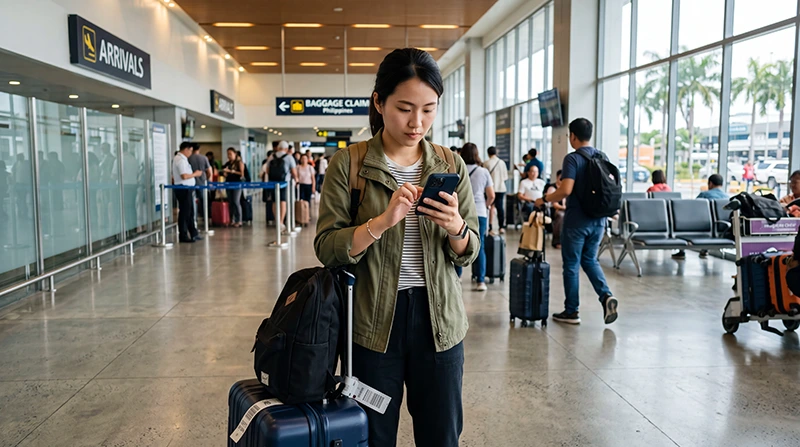

If you’re arriving at Davao International Airport and want internet immediately after landing, using an eSIM is one of the easiest options.
Instead of waiting at SIM card counters, registering a physical SIM, or relying only on airport WiFi, you can install your Philippines eSIM before departure and activate it after arrival.
Quick answer: A Philippines eSIM lets you connect to mobile internet at Davao Airport without buying a physical SIM card. Most travelers install the eSIM before flying, then enable mobile data and data roaming after landing.
Top Philippines eSIMs

Philippines eSIM
Fixed
1 GB, 7 days5.50$2 GB, 15 days8.50$3 GB, 30 days11.00$Unlimited
Unlimited, 1 day6.00$Unlimited, 3 days9.50$Unlimited, 5 days13.50$
What Is an eSIM?
An eSIM is a digital SIM profile built into compatible smartphones.
Instead of inserting a physical SIM card, you install the eSIM by scanning a QR code or entering manual activation details.
- Purchase your Philippines eSIM online.
- Receive your QR code.
- Install the eSIM while connected to WiFi.
- Keep the eSIM installed.
- Activate it after arriving in Davao.
Why Use an eSIM at Davao Airport?
An eSIM is especially useful when arriving in Davao because it allows you to get connected quickly and continue your trip without delays.
- No airport SIM card queue
- No physical SIM card required
- No need to remove your home SIM
- Mobile internet shortly after landing
- Works beyond the airport
- Useful for Davao City, Samal Island, and Mindanao travel
Can You Activate an eSIM at Davao Airport?
Yes.
Most travelers install their eSIM before departure and activate it after landing.
- Turn on your Philippines eSIM.
- Select it for mobile data.
- Enable data roaming.
- Wait for the network to connect.
- Open a browser or app to test internet.
Connection usually takes a few minutes after arrival.
eSIM vs SIM Card at Davao Airport
| Feature | eSIM | Airport SIM Card |
|---|---|---|
| Install Before Travel | Yes | No |
| Physical SIM Required | No | Yes |
| Airport Queue | No | Possible |
| Keep Home SIM Active | Yes | Sometimes |
| Internet After Landing | Yes | After Purchase |
Does Davao Airport Have WiFi for eSIM Setup?
Yes. Airport WiFi can help if you need to access your email, QR code, or setup instructions.
However, it is better to install your eSIM before departure while you have stable WiFi.
Can You Keep Your Home Number?
Yes.
With dual SIM functionality, you can use:
- Philippines eSIM for mobile data
- Your regular SIM for calls and SMS
- Your existing phone number for WhatsApp and verification codes
Will WhatsApp Work?
Yes. WhatsApp works normally with a Philippines eSIM.
Your WhatsApp number stays the same, even if the eSIM is data-only.
Coverage After Leaving Davao Airport
Mobile coverage is generally available in major areas around Davao and Mindanao.
- Davao City
- Samal Island
- Mati
- General Santos
- Tagum
- Digos
- Mount Apo region
- Major tourist areas in Mindanao
Coverage may be weaker in remote mountain areas or isolated rural locations.
How Much Data Do You Need?
| Trip Length | Recommended Data |
|---|---|
| Weekend Trip | 3–5 GB |
| One Week Vacation | 5–10 GB |
| Two Week Vacation | 10–20 GB |
| One Month Travel | 20–50 GB |
| Remote Work | Unlimited |
Recommended eSIM Settings
| Setting | Recommended Value |
|---|---|
| Mobile Data | Philippines eSIM |
| Data Roaming | ON |
| APN | data.esim |
| Primary SIM | Calls and SMS |
| Automatic Data Switching | OFF |
Related Philippines Travel Guides
- SIM Card Davao Airport
- WiFi Davao Airport
- Internet Davao Airport
- eSIM Manila Airport
- eSIM Cebu Airport
- eSIM Clark Airport
- Best eSIM for Philippines
- Buy eSIM Philippines
- Mobile Internet Philippines
- Internet Philippines for Tourists
- How Much Data Do You Need for Philippines Travel?
Frequently Asked Questions
Can I use an eSIM at Davao Airport?
Yes. Most travelers can activate their Philippines eSIM after landing and connect to local mobile networks.
Do I need airport WiFi to activate my eSIM?
Not always. If the eSIM is already installed, it usually connects after you enable mobile data and data roaming.
Is an eSIM better than buying a SIM card at Davao Airport?
For most travelers, yes. An eSIM helps avoid airport queues, SIM card registration, and physical SIM swapping.
Can I keep my regular SIM active?
Yes. Most modern smartphones allow you to use your regular SIM and travel eSIM at the same time.
Does WhatsApp work with a Philippines eSIM?
Yes. WhatsApp continues to work with your existing number.
Final Recommendation
If your phone supports eSIM, using an eSIM at Davao Airport is one of the simplest ways to get connected after landing. Install it before departure, enable it after arrival, turn on data roaming, and use mobile internet throughout Davao, Mindanao, and the rest of the Philippines without waiting for a physical SIM card.