


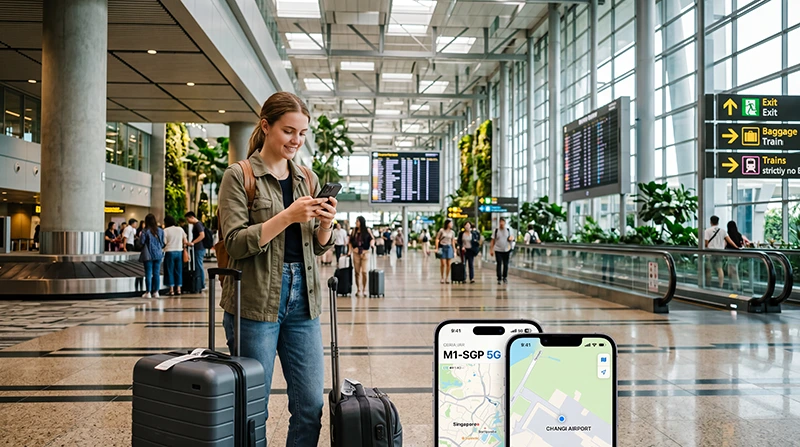

Arriving at Singapore Changi Airport without mobile internet can make the first part of your trip harder than it needs to be.
Most travelers need internet immediately after landing for Grab rides, Google Maps, MRT routes, hotel directions, WhatsApp, airport pickup messages, booking confirmations, digital tickets, business communication, and travel apps.
Quick answer: For most tourists arriving at Changi Airport in 2026, a Singapore eSIM is one of the easiest ways to get mobile internet because it can be installed before travel and used after arrival without buying a physical SIM card at the airport.
Top Singapore eSIMs


Why eSIM Is Useful at Changi Airport
Changi Airport is modern, efficient, and traveler-friendly, but you still need internet as soon as you land.
A Singapore eSIM helps you connect your phone to mobile data without searching for a SIM card counter, waiting in a queue, or replacing your regular SIM card.
- Use mobile internet after landing
- Book Grab rides from the airport
- Open Google Maps and MRT directions
- Message hotels, hosts, drivers, or family
- Access booking confirmations
- Use WhatsApp with your existing number
- Keep your regular SIM active on many phones
- Avoid relying only on airport WiFi
Best Internet Options at Changi Airport
| Option | Best For | Main Limitation |
|---|---|---|
| Singapore eSIM | Most tourists with compatible phones | Requires eSIM-compatible unlocked phone |
| Airport WiFi | Quick internet inside the airport | Does not work after leaving WiFi coverage |
| Airport SIM Card | Phones without eSIM support | Requires purchase, activation, and SIM replacement |
| International Roaming | Travelers with included roaming | Costs and limits depend on home provider |
| Pocket WiFi | Groups or several devices | Extra device to carry, charge, and manage |
Why Singapore eSIM Is Often Better Than Buying a SIM Card at Changi Airport
A physical SIM card at the airport can work, but it usually requires more steps after landing.
You may need to find a store, check available tourist SIM plans, complete activation, insert the SIM card, and possibly remove your regular SIM card.
With a Singapore eSIM, you can prepare your mobile data before departure.
- No airport SIM card queue
- No plastic SIM card
- No SIM tray tool needed
- No need to remove your home SIM
- No local store search after landing
- Faster setup for Grab, Google Maps, and hotel directions
- Better for stopovers and short trips
eSIM at Changi Airport vs Airport SIM Card
| Feature | Singapore eSIM | Airport SIM Card |
|---|---|---|
| Can prepare before travel | Yes | No |
| Needs physical SIM | No | Yes |
| Requires airport counter | No | Usually yes |
| Can keep home SIM active | Often yes | Depends on phone setup |
| Best for older phones | No, if no eSIM support | Yes |
| Good for instant arrival internet | Yes, if installed correctly | Only after purchase and activation |
How eSIM Works After Landing at Changi Airport
If your Singapore eSIM is already installed, the arrival process is simple.
- Land at Changi Airport.
- Turn off airplane mode.
- Open your phone’s mobile data settings.
- Select the Singapore eSIM for mobile data.
- Enable data roaming on the Singapore eSIM line.
- Wait for network connection.
- Open Google Maps, Grab, WhatsApp, Safari, Chrome, or another app to test internet.
In many cases, the eSIM starts working after the phone connects to a supported local network in Singapore.
Can You Install Singapore eSIM Before Flying?
Yes. Installing before your flight is usually recommended.
eSIM installation requires internet access, so it is easier to install it while connected to stable WiFi at home, at the office, or at your hotel before departure.
After the eSIM is installed, you can activate mobile data after landing at Changi Airport.
Internet for Grab at Changi Airport
Grab is one of the most useful apps for airport arrivals in Singapore.
Mobile internet helps you:
- Book a Grab ride
- Find the correct pickup point
- Message the driver
- Share your location
- Track the route
- Manage in-app payments
- Check estimated arrival time
Airport WiFi may help inside the terminal, but a Singapore eSIM is more practical because mobile data continues working after you move toward pickup zones or leave the airport.
Internet for MRT from Changi Airport
Many travelers use MRT from Changi Airport to reach hotels, business districts, shopping areas, and tourist zones.
Mobile internet helps with:
- Checking MRT routes
- Finding transfer stations
- Checking station exits
- Planning walking directions
- Finding hotel entrances
- Adjusting routes if plans change
If you rely only on airport WiFi, you may lose internet once you leave the terminal area. A Singapore eSIM keeps your phone connected during the journey.
Internet for Google Maps After Landing
Google Maps is essential for many travelers arriving at Changi Airport.
You may need it for airport directions, MRT routes, walking navigation, hotel addresses, restaurants, shopping malls, attractions, and day plans.
Offline maps are useful as backup, but live mobile data gives better search results, route updates, and location accuracy while moving.
Internet for WhatsApp at Changi Airport
WhatsApp works with WiFi or mobile data in Singapore.
Most travelers can continue using WhatsApp with their existing number while using a Singapore eSIM for mobile internet.
This is useful for:
- Airport pickup coordination
- Family updates after landing
- Hotel or apartment communication
- Business messages
- Group travel coordination
- Sharing live location
Internet for Hotel Check-In After Changi Airport
Many tourists need internet before reaching their accommodation.
A Singapore eSIM helps you open hotel addresses, contact reception, message hosts, check reservation details, find the entrance, and arrange transport from the airport.
This is especially useful if your hotel is in Marina Bay, Orchard Road, Chinatown, Little India, Sentosa, Bugis, Clarke Quay, or another area where walking directions and transport details matter.
eSIM for Singapore Stopovers
Singapore is one of the strongest stopover destinations in Asia.
If you have several hours or one night between flights, mobile internet can help you make the most of your time.
- Check luggage storage options
- Book Grab into the city
- Navigate to Marina Bay
- Visit Gardens by the Bay
- Find restaurants or hawker centres
- Return to Changi Airport on time
- Stay connected with airline updates
For short stopovers, eSIM is often more convenient than buying a physical SIM card because you do not lose time at an airport counter.
eSIM for Business Travelers Arriving at Changi Airport
Singapore is a major business travel hub.
Business travelers often need internet immediately after landing for emails, calendar updates, meetings, Grab, hotel communication, conference apps, documents, and messaging.
A Singapore eSIM is useful because it can be installed before the trip and used after arrival without interrupting a tight schedule.
eSIM for Tourists Going to Marina Bay
Many travelers go from Changi Airport to Marina Bay, Marina Bay Sands, Gardens by the Bay, or the surrounding hotel district.
Mobile internet helps with airport transfers, hotel navigation, attraction tickets, restaurant searches, and walking directions around the waterfront.
A Singapore eSIM makes this easier because mobile data works beyond the airport.
eSIM for Tourists Going to Sentosa
Sentosa is one of Singapore’s most popular tourist areas, with attractions, hotels, beaches, Universal Studios Singapore, and family activities.
After landing at Changi Airport, mobile internet is useful for routes, tickets, transport, hotel check-in, WhatsApp, and live location sharing.
eSIM for Orchard Road, Chinatown, and Little India
Orchard Road, Chinatown, and Little India are common areas for hotels, shopping, food, sightseeing, and cultural experiences.
Mobile data helps travelers find MRT exits, restaurants, shopping malls, hotel entrances, and walking routes immediately after airport arrival.
Changi Airport WiFi vs Singapore eSIM
| Feature | Changi Airport WiFi | Singapore eSIM |
|---|---|---|
| Works inside airport | Yes, where available | Yes, where mobile coverage is available |
| Works after leaving airport | No | Yes |
| Useful for Grab pickup | Limited | Yes |
| Useful for MRT journey | Limited | Yes |
| Useful for full Singapore trip | No | Yes |
| Can prepare before travel | No | Yes |
eSIM vs Roaming at Changi Airport
International roaming may work immediately after landing if your home provider includes Singapore roaming.
However, roaming prices, daily passes, included data, speed limits, and hotspot rules depend on your provider.
A Singapore eSIM gives you a separate travel data option and can help avoid unexpected roaming costs if you keep data roaming disabled on your home SIM.
| Feature | Singapore eSIM | International Roaming |
|---|---|---|
| Separate travel data plan | Yes | No |
| Cost control | Usually clearer plan price | Depends on home provider |
| Works after landing | Yes, if installed correctly | Yes, if roaming is active |
| Can keep home SIM active | Often yes | Yes |
| Risk of roaming bill shock | Lower if home SIM data roaming is off | Depends on provider rules |
eSIM vs Pocket WiFi at Changi Airport
Pocket WiFi can be useful for groups, but it requires an extra device.
You need to collect it, charge it, carry it, and sometimes return it after the trip.
A Singapore eSIM works directly on your phone, which makes it easier for solo travelers, couples, business travelers, and short-stay tourists.
| Feature | Singapore eSIM | Pocket WiFi |
|---|---|---|
| Extra device needed | No | Yes |
| Needs charging | Phone only | Phone and WiFi device |
| Works directly on phone | Yes | Requires WiFi connection |
| Good for groups | Hotspot if supported | Yes |
| Needs return | No | Often yes |
How Much Data Do You Need After Arriving at Changi Airport?
| Trip Type | Recommended Data |
|---|---|
| Short stopover | 1GB – 3GB |
| Weekend Singapore trip | 5GB – 10GB |
| One-week Singapore trip | 10GB – 20GB |
| Business trip or active social media | 15GB – 30GB |
| Hotspot, video calls, remote work | 30GB+ or unlimited recommended |
What Uses the Most Data in Singapore?
- Video streaming
- YouTube
- TikTok and Instagram Reels
- Video calls
- Cloud photo backups
- Hotspot sharing
- Large downloads
- Uploading travel videos
- Laptop updates on hotspot
Google Maps, Grab, WhatsApp text messages, MRT searches, email, hotel communication, and restaurant searches usually use much less data.
How to Reduce Data Usage After Arrival
- Download offline Google Maps before travel
- Use WiFi for app updates and large uploads
- Turn off automatic cloud photo backup on mobile data
- Disable autoplay video in social apps
- Use WhatsApp text instead of video calls when possible
- Limit hotspot sharing
- Save hotel and attraction tickets offline
- Pause laptop updates when using hotspot
Can You Keep Your Home SIM Active?
Yes. Many modern smartphones support dual SIM functionality.
You can use a Singapore eSIM for mobile data while keeping your regular SIM active for calls, SMS verification codes, banking messages, work authentication codes, and WhatsApp on your existing number.
Should You Turn Off Roaming on Your Home SIM?
If you want to avoid unwanted roaming charges, keep data roaming disabled on your home SIM and use the Singapore eSIM for mobile data.
This lets you use the travel eSIM for internet while keeping your home SIM available for important SMS or calls, depending on your provider and phone settings.
Do You Need Data Roaming Enabled for Singapore eSIM?
Yes. Most travel eSIM plans require data roaming to be enabled on the eSIM line.
This does not mean you need to enable data roaming on your home SIM. Enable data roaming only on the Singapore eSIM line if you are using it for mobile data.
APN Settings for NoveSIM eSIM
| Setting | Value |
|---|---|
| APN | data.esim |
| Username | Leave blank |
| Password | Leave blank |
How to Use Singapore eSIM at Changi Airport
- Choose your Singapore eSIM plan before your trip.
- Install the eSIM while connected to WiFi.
- Arrive at Changi Airport.
- Turn off airplane mode.
- Select the Singapore eSIM for mobile data.
- Enable data roaming on the eSIM line.
- Wait for network connection.
- Open Google Maps, Grab, WhatsApp, Safari, Chrome, or another app to test mobile internet.
What If eSIM Does Not Work at Changi Airport?
- Make sure the Singapore eSIM is installed.
- Make sure the Singapore eSIM line is turned on.
- Select the Singapore eSIM for mobile data.
- Enable data roaming on the Singapore eSIM line.
- Turn airplane mode on for 30 seconds and then off.
- Restart your phone.
- Check APN settings if needed.
- Disable VPN temporarily.
- Move to a more open area if signal is weak.
- Try manual network selection if available.
Do Not Delete Your eSIM First
If your eSIM does not connect immediately, do not delete it first.
Some eSIM profiles cannot be installed again after removal. Check mobile data selection, data roaming, airplane mode, APN settings, restart, VPN, and network selection before deleting anything.
Before Flying to Singapore
- Check if your phone supports eSIM
- Make sure your phone is carrier unlocked
- Install your Singapore eSIM before departure if possible
- Download offline maps
- Save hotel and booking confirmations
- Save airport transfer details
- Estimate your data usage
- Keep your QR code and installation instructions accessible
- Carry a power bank for long travel days
Where to Find Your NoveSIM eSIM Details
Your NoveSIM QR code, installation instructions, and eSIM details are available:
- In your confirmation email
- Under My Account → Orders → View → eSIM details
More Singapore Airport and eSIM Guides
- Singapore eSIM
- Best eSIM for Singapore
- Buy eSIM Singapore
- SIM Card Changi Airport
- WiFi Changi Airport
- Internet Changi Airport
- Mobile Internet Changi Airport
- Best eSIM for Changi Airport
- SIM Card Singapore Airport
- Internet Singapore Airport
- WiFi Singapore Airport
More Singapore Travel Internet Guides
- Mobile Internet Singapore
- Internet Singapore Tourists
- How to Get Internet in Singapore
- Best Way to Get Mobile Internet in Singapore
- Local SIM vs eSIM Singapore
- Singapore Roaming Charges
- eSIM vs SIM Card Singapore
- Best Mobile Data Singapore
- Unlimited Data eSIM Singapore
FAQ: eSIM at Changi Airport
Can I use eSIM at Changi Airport?
Yes. You can use a Singapore eSIM at Changi Airport if your phone supports eSIM, is carrier unlocked, and the eSIM plan includes Singapore coverage.
Should I install my Singapore eSIM before arriving at Changi Airport?
Yes. Installing before travel is recommended because eSIM installation requires internet access and is easier on stable WiFi.
Is eSIM better than buying a SIM card at Changi Airport?
For many travelers with compatible phones, eSIM is more convenient because it avoids airport queues, physical SIM replacement, and local store setup after landing.
Can I use Grab with Singapore eSIM at Changi Airport?
Yes. Grab works with mobile data and is useful for airport transfers, pickup points, driver messages, and route tracking.
Can I use Google Maps with Singapore eSIM after landing?
Yes. Google Maps works with mobile data and is helpful for airport directions, MRT routes, hotel navigation, restaurants, and attractions.
Can I use WhatsApp with Singapore eSIM?
Yes. WhatsApp usually continues working with your existing number while using a Singapore eSIM for mobile data.
Do I need data roaming enabled for Singapore eSIM?
Yes. Most travel eSIM plans require data roaming to be enabled on the eSIM line.
Should I enable data roaming on my home SIM?
No, not if you want to avoid home-provider roaming charges. Enable data roaming only on the Singapore eSIM line if you use the eSIM for mobile data.
What APN should I use for NoveSIM eSIM?
If manual APN editing is available, use data.esim and leave username and password blank.
What if my eSIM does not work after landing?
Check that the eSIM is selected for mobile data, data roaming is enabled, airplane mode has been refreshed, APN settings are correct if needed, and VPN is disabled temporarily.
Final Recommendation
Using eSIM at Changi Airport is one of the easiest ways to get mobile internet immediately after arriving in Singapore.
For most travelers with compatible unlocked phones, a Singapore eSIM is more convenient than buying an airport SIM card or relying only on airport WiFi because it works beyond the terminal for Grab, Google Maps, MRT routes, WhatsApp, hotels, restaurants, shopping, attractions, stopovers, and business travel.