


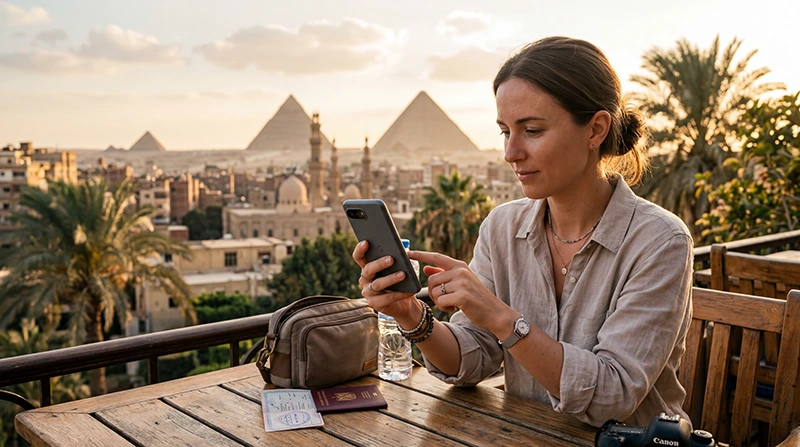

Using an Egypt eSIM on Android involves two separate jobs: adding the profile and assigning mobile data to it. An installed plan will not supply your holiday data if the phone is still using the home SIM.
Samsung Galaxy and Google Pixel organise those controls differently. Use the path for your handset and read the labels on screen rather than searching for an iPhone setting that does not exist on Android.
We provide data-only NoveSIM plans, without an Egyptian phone number, conventional calls or SMS. Your home number can remain a separate service, but keeping it enabled can still expose you to your home provider’s charges.
Quick answer: On an eligible, unlocked Android phone, install the supplied eSIM through its SIM settings, label it clearly and select it for mobile data at arrival. Follow the travel-line roaming instructions, prevent fallback to home data and test with Wi-Fi off. The NoveSIM APN is data.esim.
Top Egypt eSIMs

Egypt eSIM
Fixed
1 GB, 7 days€ 4.462 GB, 15 days€ 7.143 GB, 30 days€ 9.82Unlimited
Unlimited, 1 day€ 4.91Unlimited, 3 days€ 11.60Unlimited, 5 days€ 18.74
Africa eSIM
Fixed
1 GB, 7 days€ 10.262 GB, 15 days€ 19.193 GB, 30 days€ 26.78Unlimited
Unlimited, 1 day€ 13.83Unlimited, 3 days€ 39.72Unlimited, 5 days€ 65.60Before scanning: confirm the handset and package timing
Android support is model-specific. If you have not checked the exact regional variant and lock status, use the Egypt phone-compatibility checks first. Two physical SIM slots do not establish eSIM support.
Read the current Egypt plan details and supplied activation rule. Advance installation is useful only when it fits that rule; do not assume that the validity clock always waits until landing.
Keep the QR code or manual credentials available on another screen. The activation credentials supplied for the order are not the same as the APN, and the APN cannot download an eSIM profile.
Add the profile on Samsung Galaxy
Samsung’s official eSIM instructions place installation under Connections and SIM manager. Depending on the software, the addition option may be labelled Add eSIM or Add mobile plan.
- Connect to reliable Wi-Fi or another working internet connection.
- Open Settings → Connections → SIM manager.
- Choose the option to add an eSIM or mobile plan, then the supplied QR-code method.
- Scan the order’s QR code and follow the installation prompts.
- Rename the new profile so it is clearly distinguishable from the home SIM.
If the QR cannot be scanned, use manual installation only when the order supplies the required credentials. Do not choose a SIM transfer from another phone unless that is specifically the method supported for your purchased plan.
Add the profile on Google Pixel
Google’s Pixel SIM guidance uses the Network and Internet area. Wording differs across software versions.
- Open Settings → Network and Internet → SIMs.
- Select Add SIM and the option to set up an eSIM.
- Follow the QR-code or other installation method supplied by NoveSIM.
- Check that the added profile appears in the SIM list.
If another Android brand uses different menus, follow its official instructions. A missing Pixel-style button on a Samsung is not evidence of an installation failure.
Select travel data without changing your home number
On Galaxy, return to SIM manager and check the mobile-data choice. On Pixel, inspect the SIM preferences and selected data service. The essential result is the same: the Egypt-covered travel line supplies mobile data.
- Enable the travel profile when the activation instructions require it.
- Follow its roaming instruction separately from the home SIM’s setting.
- Keep home-SIM data roaming off unless you intentionally use a confirmed roaming offer.
- Disable automatic data switching or backup-data behaviour where the handset offers it.
Automatic fallback can be useful in ordinary domestic use, but on this trip it may select a service you did not intend to pay for. If you cannot establish how the phone chooses data, disabling the home line temporarily is another option; it also makes that line unavailable for its normal calls and messages.
Read the Egypt roaming guide before leaving the home service enabled. Turning its data roaming off is not a promise that all calls and other services are free.
Test the connection and check the APN only if needed
- After arrival, allow the selected travel line to register automatically.
- Switch Wi-Fi off briefly and open a small webpage.
- If it fails, verify the chosen data line, plan validity, allowance and travel-line roaming.
- If an editable APN is available for that line, check it against data.esim and select or save it as required by the handset.
The NoveSIM Egypt APN guide covers the provider setting. Do not edit the home SIM’s APN or enter a domestic Egyptian operator’s value into the travel profile.
Keep the installed eSIM. If the checks do not restore data, use Egypt troubleshooting and send support the model, location, order details and selected line. Removing profiles or repeatedly scanning the code can create another problem without resolving the first.
Check hotspot separately from phone data
If the phone itself has internet but a connected laptop does not, treat that as a hotspot issue rather than immediately changing network selection. Check whether the plan permits tethering and whether the laptop has joined the correct hotspot.
Hotspot, 5G and speed depend on the device, package and available network. Use an ordinary message or webpage to establish service first; a large speed test can consume data without helping you contact the hotel.
Related Articles
FAQ
Can every Android phone use an Egypt eSIM?
No. Verify eSIM support for the exact model and regional variant, plus its network lock status, before purchase.
Why does my installed Egypt eSIM have no data?
Check whether it is selected for mobile data, enabled, valid and configured with the required roaming setting. An installed profile is not proof that the phone is using it.
Which APN should I enter on Samsung or Pixel?
For a NoveSIM travel profile, use data.esim if manual APN configuration is required and available. Apply it to the travel line, not the home SIM.
Should I enable automatic data switching in Egypt?
Keep it off if you want data confined to the travel line. Otherwise, fallback may use the home service, depending on the handset and configuration.
Final Recommendation
Set up your Egypt eSIM using the Android instructions for the actual handset, not a generic brand assumption.
Verify the data-line choice and roaming controls, then test a webpage without Wi-Fi at arrival.
Keep the profile installed during troubleshooting and resolve the selected service before changing more settings.