


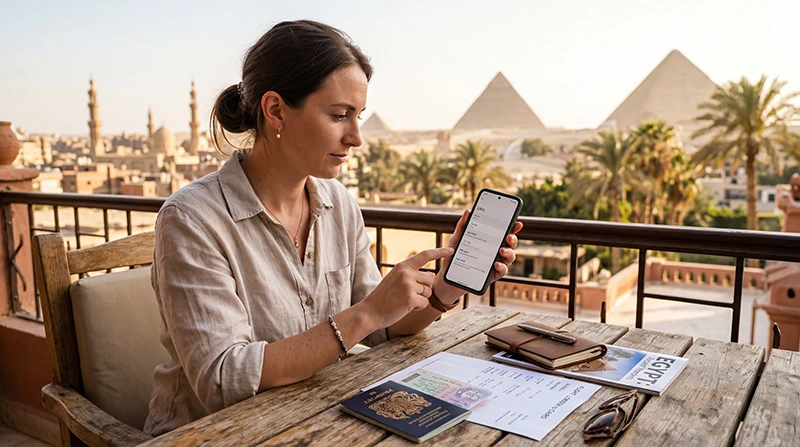

Your phone can use an Egypt travel eSIM if its exact variant supports eSIM and it can accept another provider’s plan. Travelling to Egypt does not change the handset’s hardware or remove a network lock.
Check before paying, particularly if the phone was bought through a mobile provider or imported from another market. A familiar model name, two physical SIM slots or 5G support is not enough to confirm eSIM compatibility.
On an eligible phone, our NoveSIM travel plans provide data without an Egyptian number, conventional calls or SMS. Compatibility tells you whether the profile can be used; it does not guarantee reception at every hotel or sightseeing stop.
Quick answer: Find the exact model number, check its manufacturer’s regional specification and look for an eSIM installation option. Confirm that the handset is unlocked for another network. If either point remains unclear, ask with the model number and purchase country before buying the Egypt plan.
Top Egypt eSIMs

Egypt eSIM
Fixed
1 GB, 7 days€ 4.462 GB, 15 days€ 7.143 GB, 30 days€ 9.82Unlimited
Unlimited, 1 day€ 4.91Unlimited, 3 days€ 11.60Unlimited, 5 days€ 18.74
Africa eSIM
Fixed
1 GB, 7 days€ 10.262 GB, 15 days€ 19.193 GB, 30 days€ 26.78Unlimited
Unlimited, 1 day€ 13.83Unlimited, 3 days€ 39.72Unlimited, 5 days€ 65.60Collect the details that identify your phone
- Open the phone’s About screen and note the full model number, not just the commercial family name.
- Identify the country where it was originally sold, if known.
- Look up the official specification for that variant and its eSIM support.
- Check whether the original provider has locked it to its service.
A screenshot of these details is more useful to support than “a recent Samsung” or “an iPhone Pro”. Do not post an IMEI or other device identifier publicly; send only the information required through a trusted support channel.
The iPhone check: regional support and network lock
Apple’s travel eSIM guidance describes supported iPhones and regional exceptions. Some models sold in Hong Kong or Macao use two physical SIMs, while mainland-China models require their own check.
For the lock status, open Settings → General → About and look at the network-provider lock entry. Apple’s unlocked status wording is No SIM restrictions. A missing or unclear result is a reason to contact the original provider, not to assume that buying a travel plan will unlock the phone.
Once eligibility is established, the Egypt iPhone setup guide explains installation and the choice of data line. Those settings are a later task; they cannot repair unsupported hardware.
The Android check: use the exact manufacturer’s variant
Android is an operating system, not a promise of eSIM support. Two phones with similar names can have different regional features.
On an eligible Galaxy, Samsung’s eSIM instructions use the SIM-manager area. On a supported Pixel, Google’s dual-SIM guidance describes adding an eSIM through the SIM settings.
Look for an eSIM addition option and compare it with the official instructions for your model. Menu names vary with software. If the option is missing, check the variant and manufacturer guidance rather than installing an unofficial app that claims to add eSIM hardware.
For eligible Samsung and Pixel phones, continue to the Egypt Android configuration guide. Other brands need their own model-specific instructions.
What an Add eSIM button does not establish
- Network freedom: a phone can support eSIM but still be locked.
- Egypt coverage: the package itself must list Egypt.
- Two active lines: stored profiles and simultaneously active profiles are different capabilities.
- Hotspot or 5G: these depend on the device, package and local network.
Check the current Egypt package terms separately from the phone specification. A compatible handset with the wrong country package will not give you the service you intended to buy.
If the phone does not support eSIM
Consider a physical SIM, an included home-provider roaming offer or Wi-Fi where available. Keep the cost and practical limitations separate: a physical SIM may require a free slot and an unlocked phone, while home roaming needs its own price check.
Our Egypt SIM-card comparison is relevant if a physical service fits your handset. Do not buy an eSIM hoping that a software update will add a capability the manufacturer does not support.
If a profile is already installed but data fails in Egypt, that is not automatically a compatibility failure. Keep it installed and check the selected line, validity, roaming and package coverage through Egypt troubleshooting.
Related Articles
FAQ
Does having two SIM slots mean my phone supports eSIM?
No. Two physical slots and an embedded SIM are different features. Check the exact model specification.
Can a locked phone use a NoveSIM Egypt plan?
Confirm unlocking with the original provider first. eSIM capability does not remove a restriction on using another provider.
Is the Add eSIM option enough to buy confidently?
It is a useful check, but you must also verify network freedom and the selected package’s Egypt coverage. Check the official regional specification if there is doubt.
Does an installed eSIM prove that coverage will be good everywhere?
No. Installation and local reception are different. Service depends on the package, device and available partner network at the location.
Final Recommendation
Confirm your phone’s eSIM support and unlocked status before buying data for Egypt.
Use the model number and purchase region to resolve uncertainty, rather than relying on a broad brand list.
Once those checks are clear, choose an Egypt-covered package and follow the appropriate installation instructions.