


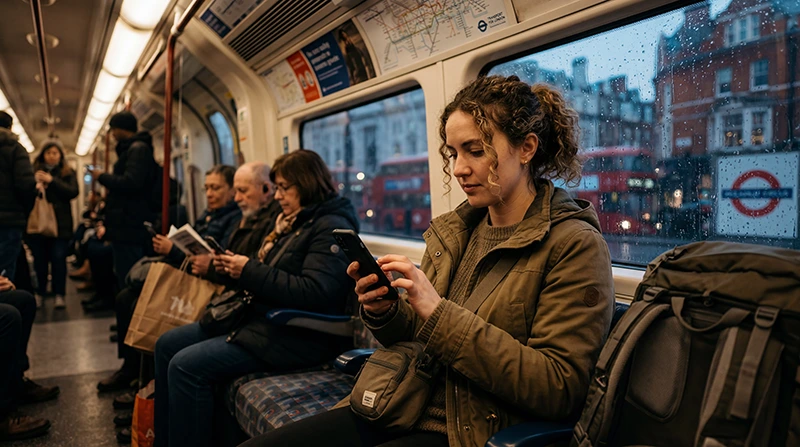

Does WhatsApp work in the UK? Yes. It works throughout the United Kingdom whenever your phone has a usable Wi-Fi or mobile-data connection. Messages, calls, photos, location sharing and group chats function in England, Scotland, Wales and Northern Ireland.
You do not need a British telephone number to continue using an existing WhatsApp account. The app normally remains registered to the number used when the account was set up, even when a travel eSIM supplies the data connection.
NoveSIM travel eSIMs are data-only. We do not provide a UK number or conventional calls and SMS, but WhatsApp uses the internet and therefore works through the eSIM’s mobile data.
Quick answer: Yes, WhatsApp works in the UK, including London. Install and test your travel eSIM before departure, select it for mobile data after arrival, and leave WhatsApp registered to your usual number. Turn off data roaming on your home SIM if you want to prevent accidental carrier charges.
Top United Kingdom eSIMs

United Kingdom eSIM
Fixed
1 GB, 7 days€ 2.232 GB, 15 days€ 3.123 GB, 30 days€ 4.45Unlimited
Unlimited, 1 day€ 2.67Unlimited, 3 days€ 5.79Unlimited, 5 days€ 9.35
Europe Extra eSIM
Fixed
1 GB, 7 days€ 2.232 GB, 15 days€ 3.563 GB, 30 days€ 4.45Unlimited
Unlimited, 1 day€ 2.67Unlimited, 3 days€ 5.35Unlimited, 5 days€ 8.91Europe+ eSIM
Fixed
1 GB, 7 days€ 2.672 GB, 15 days€ 4.013 GB, 30 days€ 5.35Unlimited
Unlimited, 1 day€ 2.67Unlimited, 3 days€ 6.24Unlimited, 5 days€ 10.24Does WhatsApp Work in the UK with My Existing Number?
Yes. Inserting a UK SIM or activating a UK travel eSIM does not automatically change the number attached to WhatsApp. If the app asks whether you want to change numbers, decline unless you intentionally want to move the account.
Keep access to your original number during the trip if possible. WhatsApp may occasionally request account verification after a reinstall, device change or security check, and the code is normally sent to the registered number by SMS or call.
How WhatsApp Uses a Travel eSIM
WhatsApp does not care which SIM provides the internet connection. Your account can stay linked to the home number while a second SIM or eSIM carries the data. This is the same principle explained in our guide to using WhatsApp with an eSIM.
- Install the travel eSIM while you still have reliable internet access.
- After arriving in the UK, select the eSIM as the phone’s mobile-data line.
- Enable data roaming for the travel eSIM when the plan instructions require it.
- Disable mobile data or data roaming on the home SIM to avoid unintended roaming charges.
- Open WhatsApp and send a short message before leaving the airport or station.
Dual-SIM labels differ between iPhone and Android, so confirm which line is marked for data rather than relying on its colour or position in the settings menu.
Does WhatsApp Work in London?
WhatsApp works in London on mobile data and Wi-Fi. It is useful for sharing a live location, contacting accommodation, coordinating a meeting point and receiving updates from international contacts. Mobile reception can still weaken in Underground tunnels, deep stations, lifts and basements.
Download the route or ticket you need before entering the Underground. A message sent while the train is below ground may remain pending and deliver once the phone reconnects at a station or above ground.
Are WhatsApp Calls Allowed in the UK?
WhatsApp voice and video calls work in the UK. They use mobile data or Wi-Fi rather than the voice allowance of the SIM. Call quality depends on signal strength, network congestion and the connection used by the other participant.
A short voice call generally uses less data than a video call. If the signal is unstable, turn off video or send a voice note. Travellers with a limited allowance can also reduce automatic media downloads; the broader impact is covered in our travel app data guide.
Will UK Wi-Fi Be Enough for WhatsApp?
Hotel, café and airport Wi-Fi can handle messages, but it is not a dependable substitute for mobile data when you need directions, a pickup message or a booking update between locations. Public networks may require a browser sign-in and can disconnect when the phone sleeps or moves out of range.
A travel eSIM provides continuity outside Wi-Fi zones. It does not guarantee reception inside every building or on every rural route, so save essential addresses, tickets and emergency details offline.
Why Is WhatsApp Not Working?
First determine whether the failure affects WhatsApp alone or every app. Open a normal webpage without Wi-Fi. If nothing loads, the problem is probably the data connection rather than WhatsApp.
- Confirm that the travel eSIM is turned on and selected for mobile data.
- Enable data roaming on the travel eSIM if required by the plan.
- Temporarily switch off Wi-Fi to test mobile data directly.
- Check that WhatsApp is allowed to use mobile data and background data.
- Restart the phone or toggle Airplane Mode briefly to force a fresh network registration.
- Do not delete the installed eSIM unless Support specifically instructs you to do so.
If the eSIM has signal but no app can reach the internet, follow the checks in eSIM not working in the UK. If browsers work but WhatsApp does not, check the app’s permissions, data-saving settings and current service status.
Privacy and Account Safety
WhatsApp messages and calls are end-to-end encrypted, but travellers should still protect the phone and account. Enable two-step verification, review linked devices and never share a verification code with a caller or message sender.
When using public Wi-Fi, confirm the network name with the venue and avoid installing certificates or configuration profiles offered by an unexpected sign-in page. Mobile data is usually simpler for time-sensitive messages.
Related Articles
- UK eSIM plans
- How WhatsApp works with an eSIM
- Fix an eSIM that is not working in the UK
- Manage app data while travelling
FAQ
Does WhatsApp work in the UK?
Yes. WhatsApp messages, voice calls and video calls work through Wi-Fi or mobile data across the UK.
Does WhatsApp work in London?
Yes. It works on Wi-Fi and mobile networks, although service can drop in Underground tunnels, deep stations and some indoor locations.
Will I keep my WhatsApp number with a UK eSIM?
Yes. Keep WhatsApp registered to your existing number and use the eSIM only as the mobile-data line.
Do I need a UK SIM for WhatsApp?
No. You only need a working internet connection. A data-only travel eSIM can provide that connection without a UK telephone number.
Final Recommendation
Does WhatsApp work in the UK? Yes: it works normally with mobile data or Wi-Fi, and a UK number is not required for an existing account.
Use the travel eSIM for data, keep the home line from using roaming data and download essential journey information before entering areas with unreliable reception.
If messages stop sending, test the underlying internet connection first. Preserve the installed eSIM while troubleshooting and contact Support if the data service remains unavailable.