


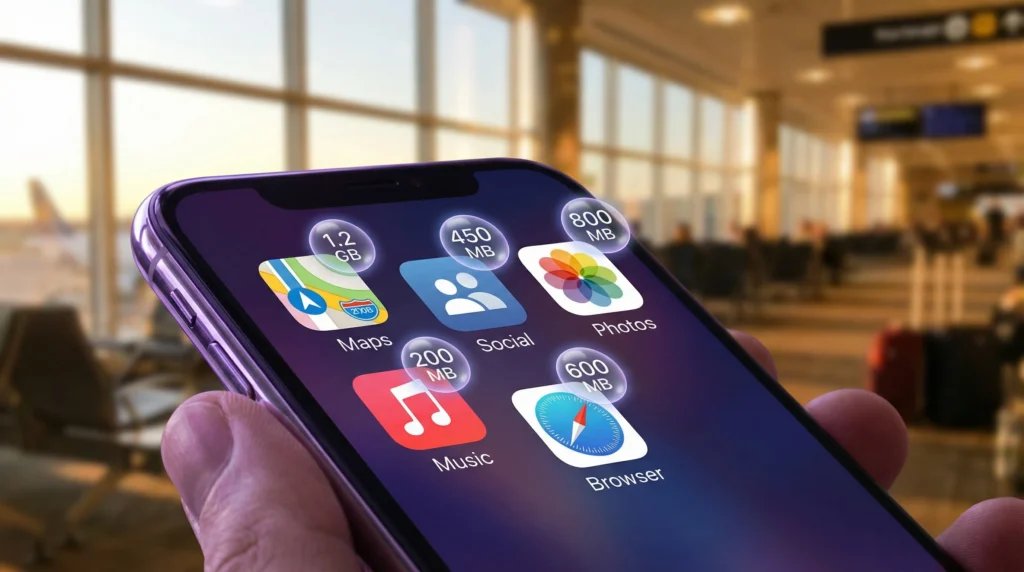

App data usage while travelling is rarely distributed evenly. Maps and messaging may be essential throughout the day, but video, photo backup, automatic updates and tethering can consume a travel allowance far more quickly.
The useful question is not simply how many gigabytes a trip needs. It is which apps may use mobile data, whether they continue in the background and which activities can wait for trusted Wi-Fi.
NoveSIM travel eSIMs are data-only. They support online apps but do not include a local telephone number, conventional calls or carrier SMS.
Quick answer: Check the phone’s per-app mobile-data screen before departure, disable background access for non-essential apps and download maps, media and documents over Wi-Fi. Reserve mobile data for navigation, transport, bookings and communication.
Top eSIMs

App Data Usage While Travelling: What Uses the Most?
Streaming video usually creates the heaviest sustained demand because every minute transfers new visual and audio data. Short-form video feeds can also use substantial data because the next clips preload while the user scrolls. Music streaming is lighter, although long listening sessions still accumulate.
Cloud photo and video backup is a common hidden source. A phone may begin uploading a full day of high-resolution files as soon as it detects a connection. Operating-system updates, app downloads and laptop tethering can create similarly large spikes.
Navigation and text messaging are normally lighter, but their value is high. A sensible data plan preserves access to these essentials instead of spending most of the allowance on entertainment during the first days.
Check Data Use on iPhone or Android
Both iPhone and Android show mobile consumption by app in their network settings. Reset the statistics at the beginning of the trip if the device permits it, then review them after the first full day. The largest consumer is the best place to make a targeted change.
The figures may cover a billing cycle or the period since statistics were last reset, so read the date or measurement period before drawing conclusions. The eSIM provider’s remaining allowance is the authoritative figure for the plan itself.
Before relying on a travel line, confirm the handset on the eSIM-compatible device list and review how a travel eSIM works. If manual APN entry is required for a NoveSIM plan, use data.esim.
Reduce Background Data Without Breaking Essential Apps
- Restrict cloud photo backup to Wi-Fi.
- Disable automatic app and operating-system downloads on mobile data.
- Turn off background mobile access for games, shopping and media apps.
- Use lower streaming quality or download entertainment before leaving Wi-Fi.
- Save tickets, hotel details and translation languages offline.
Do not disable background access blindly for every app. Transport alerts, authentication tools and messaging notifications may be time-sensitive. Adjust applications individually and test the services required during the journey.
Prepare Maps for Low-Data Travel
Download the destination area in the chosen mapping app while connected to Wi-Fi. Offline maps reduce repeated transfers and remain useful during a signal gap, but live traffic, public-transport changes and some search results may still require data. Our guide to the best eSIM setup for maps and navigation explains how to combine both modes.
Watch Personal Hotspot Use
A connected laptop can use data for cloud synchronisation, software updates and high-resolution websites even when the phone appears idle. Mark the hotspot as a metered connection where supported, pause backups and close video meetings when they are not needed. Confirm that the selected travel plan permits tethering before relying on it.
If Data Is Disappearing Unexpectedly
First compare the remaining plan allowance with the phone’s per-app statistics. Check whether the travel eSIM is selected for mobile data and whether mobile-data switching is disabled, so the home SIM does not unexpectedly take over. If one app is responsible, restrict it before changing network settings.
If the usage cannot be explained, take screenshots of the plan balance and device statistics. Keep the installed eSIM profile available while Support investigates; deleting it removes useful diagnostic information and may prevent reinstallation.
Related Articles
- How Much Data Do I Need for Travel?
- How to Avoid Roaming Charges with an eSIM
- Can I Use a Hotspot with an eSIM?
FAQ
Do maps use a lot of mobile data abroad?
Map data is usually manageable compared with video, but live traffic, searches and satellite imagery increase consumption. Downloading the destination area over Wi-Fi reduces routine use.
Why did my travel data run out while I was not using the phone?
Background photo uploads, app updates, automatic media downloads or a tethered device may have transferred data. Review consumption by app and by connected device.
Does closing an app stop all of its data use?
Not always. Some apps can refresh or upload in the background. Use the operating system’s per-app mobile-data and background-refresh controls.
Should I turn off mobile data completely to save my allowance?
Only when you do not need online services. Per-app controls are more practical because they preserve maps, transport and messages while blocking non-essential traffic.
Final Recommendation
Manage app data usage while travelling by protecting essential services first. Download heavy content on Wi-Fi, restrict background uploads and review per-app figures after the first day. Keep a reserve for the airport transfer, navigation and communication at the end of the trip.