


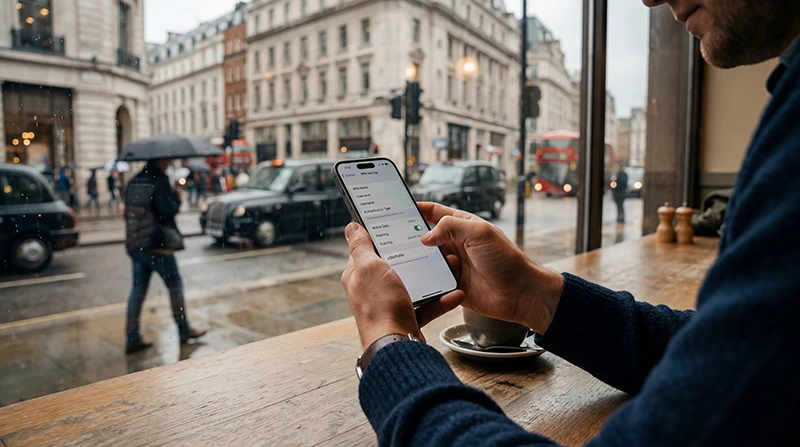

Sometimes travelers arrive in the United Kingdom and discover that their eSIM connects to the network but mobile internet does not work correctly.
In many cases, the issue may be related to APN settings.
Quick answer: most UK eSIMs automatically configure APN settings, but some providers may require manual APN setup if internet access is not working properly.
Top United Kingdom eSIMs

United Kingdom eSIM
Fixed
1 GB, 7 days€ 2.202 GB, 15 days€ 3.083 GB, 30 days€ 4.40Unlimited
Unlimited, 1 day€ 2.64Unlimited, 3 days€ 5.72Unlimited, 5 days€ 9.25
Europe Extra eSIM
Fixed
1 GB, 7 days€ 2.202 GB, 15 days€ 3.523 GB, 30 days€ 4.40Unlimited
Unlimited, 1 day€ 2.64Unlimited, 3 days€ 5.28Unlimited, 5 days€ 8.81Europe+ eSIM
Fixed
1 GB, 7 days€ 2.642 GB, 15 days€ 3.963 GB, 30 days€ 5.28Unlimited
Unlimited, 1 day€ 2.64Unlimited, 3 days€ 6.16Unlimited, 5 days€ 10.13What Is an APN?
APN stands for Access Point Name.
The APN tells the phone how to connect to the mobile data network.
If the APN settings are incorrect or missing, the phone may:
- Show signal but no internet
- Have slow mobile data
- Fail to load websites
- Experience unstable connectivity
- Disconnect from mobile data
What APN Should NoveSIM Customers Use?
Most NoveSIM eSIMs automatically configure APN settings during installation.
However, if mobile internet is not working correctly, travelers may need to manually enter the APN information.
NoveSIM APN Settings
| APN | data.esim |
| Username | Leave empty |
| Password | Leave empty |
After entering the APN settings:
- Save the APN settings
- Restart the phone
- Enable Data Roaming
- Reconnect to the network
If internet still does not work, travelers should also:
- Turn Airplane Mode on for 30 seconds
- Manually select another UK network
- Check that the eSIM is selected for Mobile Data
- Restart the device again
Do Most UK eSIMs Configure APN Automatically?
Yes. Most travel eSIM providers automatically configure APN settings during installation.
However, some providers may occasionally require manual setup depending on:
- Device model
- Carrier configuration
- Android customization
- Regional firmware differences
- Network compatibility
Common Signs of APN Problems
- Signal appears but internet does not work
- Very slow mobile internet
- Apps fail to load
- Google Maps does not update
- WhatsApp messages fail to send
- Hotspot does not work
Before Changing APN Settings
Before manually editing APN settings, travelers should first:
- Enable Data Roaming
- Select the eSIM for mobile data
- Restart the phone
- Turn Airplane Mode on for 30 seconds
- Try another supported network manually
How to Find APN Settings on iPhone
- Open Settings
- Tap Mobile Data
- Select the eSIM
- Tap Mobile Data Network
On many iPhones, APN fields may already be configured automatically.
How to Find APN Settings on Android
- Open Settings
- Tap Connections or Mobile Network
- Select Access Point Names
- Choose the eSIM profile
Android devices usually allow manual APN editing more easily than iPhones.
Should Data Roaming Be Enabled?
Yes. Most travel eSIMs require Data Roaming to be enabled.
On iPhone
- Open Settings
- Tap Mobile Data
- Select the eSIM
- Enable Data Roaming
On Android
- Open Settings
- Tap Connections or Mobile Network
- Select the eSIM
- Enable Data Roaming
Try Manual Network Selection
Sometimes automatic network selection may connect to a weaker or incompatible network.
Try manually testing another supported UK network.
Common UK networks include:
- EE
- Vodafone UK
- Three UK
- O2
How Good Is Mobile Internet in the UK?
The United Kingdom generally offers excellent mobile internet coverage with strong 4G and expanding 5G networks.
Coverage is usually reliable across:
- London
- Manchester
- Edinburgh
- Liverpool
- Birmingham
- Train routes
- Airports
- Tourist destinations
Can Travelers Use WhatsApp and Google Maps with eSIM?
Yes. Once the APN and mobile data settings are configured correctly, travelers can use:
- Google Maps
- Streaming apps
- Social media
- Transport apps
- Remote work tools
Can Travelers Keep Their Original SIM Active?
Yes. Most modern smartphones support dual SIM functionality using a physical SIM together with an eSIM.
This allows travelers to:
- Keep their regular number active
- Receive SMS verification codes
- Use UK mobile data through eSIM
- Continue using banking apps
- Stay reachable while traveling
Tips to Prevent APN Problems
- Install the eSIM before departure
- Save APN details offline
- Enable Data Roaming
- Restart the phone after installation
- Keep WiFi available during setup
- Test the connection before travel
Related UK Travel Internet Guides
- United Kingdom eSIM
- eSIM Not Working UK
- Why Is My eSIM Slow in UK
- Does My eSIM Work in UK
- Does WhatsApp Work in UK
- Google Maps in London
FAQ: APN Settings UK eSIM
What is the NoveSIM APN?
The NoveSIM APN is data.esim.
Do most UK eSIMs configure APN automatically?
Yes. Most travel eSIMs automatically configure APN settings during installation.
Why do I have signal but no internet?
This may happen because of incorrect APN settings or because the wrong SIM is selected for mobile data.
Should Data Roaming be enabled?
Yes. Most travel eSIMs require Data Roaming to be enabled.
Can restarting the phone help fix APN problems?
Yes. Restarting the phone or enabling Airplane Mode for 30 seconds often fixes temporary network issues.
Can travelers manually switch UK networks?
Yes. Travelers can sometimes improve connectivity by manually selecting another supported UK network.
Final Recommendation
Most UK eSIM APN issues are easy to solve through roaming settings, restarting the phone, or manually entering the correct APN information.
For NoveSIM customers, the correct APN is data.esim.
For the smoothest experience, many travelers now install and test their UK eSIM before departure so they can use maps, WhatsApp, transport apps, and mobile internet immediately after arriving in the United Kingdom.