


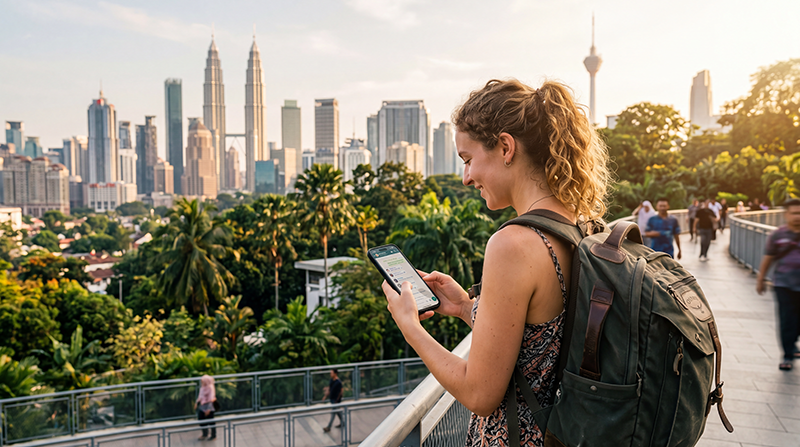

Yes. WhatsApp can send messages, photos and voice notes in Malaysia whenever the phone has a working Wi-Fi or mobile-data connection.
It is useful for accommodation and tour messages; keep the original number available if a bank or airline sends verification by SMS.
A Malaysia travel eSIM supplies data without changing the WhatsApp account number. NoveSIM plans are data-only, so ordinary carrier calls and SMS remain with the primary line.
Quick answer: Does WhatsApp work in Malaysia? Yes: keep WhatsApp registered to the existing number, select the travel eSIM for mobile data and keep Data Roaming off on the home line. Voice and video calls also use data, although their quality depends on the connection and local network conditions.
Top Malaysia eSIMs

Malaysia eSIM
Fixed
1 GB, 7 days€ 4.032 GB, 15 days€ 7.163 GB, 30 days€ 9.40Unlimited
Unlimited, 1 day€ 5.37Unlimited, 3 days€ 12.98Unlimited, 5 days€ 21.03
Does WhatsApp Work in Malaysia?
Chats, group messages, media, location sharing and voice notes use the internet rather than a local telephone number. Voice and video calls also use data, although their quality depends on the connection and local network conditions.
WhatsApp is not an emergency channel. Save the appropriate local emergency numbers and essential booking details outside the app.
When WhatsApp Is Most Useful during This Trip
In Kuala Lumpur, Penang and Langkawi, travellers commonly need a live connection for last-minute arrival messages, changed meeting points and sharing a location with hotels, guides and local contacts. Save the first address before landing so that one delayed message does not block the transfer.
During rail, domestic flights and ride pickups, WhatsApp is helpful for short updates but should not hold the only copy of a ticket or booking reference. Store those documents on the phone and note the provider’s direct contact details.
For islands and interior road sections, reception can disappear even when the wider destination has mobile service. Send time-sensitive messages before leaving a town, ferry terminal, airport or other dependable coverage area.
Not every local business monitors WhatsApp. Be ready to use ordinary SMS or the service app, especially when confirming a same-day booking, a missed pickup or a change that requires an immediate reply.
- Save the accommodation name and address in the locally useful written form.
- Download the first route and any boarding documents before starting rail, domestic flights and ride pickups.
- Ask hotels, guides and local contacts which messaging channel they actually monitor.
- Share live location only with a person who genuinely needs it.
- Keep a non-WhatsApp method for urgent or official communication.
Plan Messages around the Journey
For a stay centred on Kuala Lumpur, Penang and Langkawi, decide which conversations are genuinely time-sensitive: the first check-in, a driver meeting point, an activity departure and any same-day change. Pin those chats and place the essential address in the message itself, not only in a disappearing location link.
When the itinerary includes rail, domestic flights and ride pickups, send the next arrival estimate while the phone still has dependable service. A delayed train, ferry, flight or road transfer is easier to resolve when the receiving person already has the booking name and expected arrival window.
Before entering islands and interior road sections, download media that will be needed later and stop automatic photo or video uploads. This preserves the allowance and prevents an important outgoing message from competing with background transfers when the signal is weak.
If hotels, guides and local contacts do not reply, change channel instead of repeatedly sending the same message. Use ordinary SMS or the service app, the booking platform or the telephone details supplied with the reservation. An unread WhatsApp tick is not confirmation that a transfer or room change has been accepted.
At the end of each travel day, save any new ticket, pickup point or accommodation instruction outside the chat. That small habit matters most on journeys through islands and interior road sections, where the next connection may not be available exactly when the information is needed.
Will WhatsApp Keep My Existing Number?
Installing a travel eSIM does not require changing the number registered with WhatsApp. If the app asks whether to switch numbers, decline unless you intentionally want to migrate the account.
Keep access to the original SIM or another recovery method because a new installation or security check may require a verification SMS or call.
Set Up Mobile Data before Arrival
- Confirm the phone is unlocked and appears on the eSIM-compatible device list.
- Install the plan using the iPhone or Android installation guide.
- After arrival, select the travel eSIM for mobile data and enable Data Roaming on that line.
- Turn off mobile-data switching and keep Data Roaming off on the primary SIM.
- Send a text message before testing a voice or video call.
How Much Data Does WhatsApp Need?
Text and voice notes use relatively little data. Photo sharing uses more, while long voice calls, video calls and automatic media downloads can consume the allowance much faster.
Disable automatic video downloads and cloud backup on mobile data when the allowance is limited. Use the phone’s per-app statistics to monitor real consumption.
If WhatsApp Does Not Work
Open a normal website first. If every app is offline, follow the mobile-data troubleshooting guide. Confirm the travel line, Data Roaming and automatic network selection. Use data.esim only when a manual NoveSIM APN is required.
If websites work but WhatsApp does not, check app permissions, background-data restrictions, updates and whether the service itself is experiencing an outage. Do not delete the installed eSIM unless NoveSIM Support tells you to do so.
Related Articles
- Malaysia eSIM plans
- Use WhatsApp with a travel eSIM
- Understand travel app data usage
- Check eSIM-compatible devices
- How a NoveSIM travel eSIM works
- Check whether your phone supports eSIM
- Install an eSIM on iPhone
- Install an eSIM on Android
- Use Data Roaming with a travel eSIM
- Check NoveSIM APN settings
- Keep your number with a data eSIM
- Fix an eSIM connected without internet
- Use an eSIM without Wi-Fi
- Understand roaming settings for eSIM
- NoveSIM frequently asked questions
- Contact NoveSIM Support
FAQ
Does WhatsApp work in Malaysia?
Yes. WhatsApp can send messages, photos and voice notes in Malaysia whenever the phone has a working Wi-Fi or mobile-data connection.
Will a travel eSIM change my WhatsApp number?
No. A data eSIM changes the route used for internet access, not the number already registered with WhatsApp.
Can I receive verification SMS on a NoveSIM plan?
No. NoveSIM travel eSIMs are data-only. Verification SMS must arrive through the number-owning SIM or another method offered by the service.
Should I delete the eSIM if only WhatsApp fails?
No. Test other apps first and keep the installed profile. If mobile data works elsewhere, troubleshoot WhatsApp rather than removing the eSIM.
Final Recommendation
The answer to ‘does WhatsApp work in Malaysia?’ is yes when the phone has usable Wi-Fi or mobile data; keep the existing account number and a separate method for verification.
Select the travel eSIM for data, prevent the primary line from using roaming data and control automatic media downloads.
If only WhatsApp fails, troubleshoot the app. If all internet access fails, check the eSIM settings and contact Support without deleting the profile.