
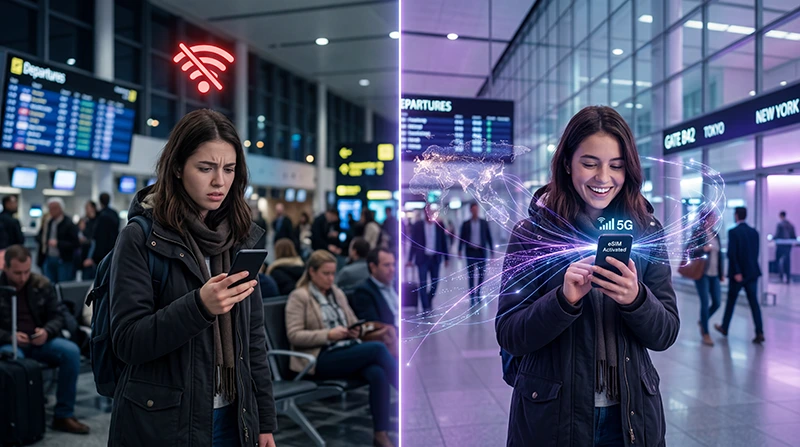

Yes, an eSIM can work without WiFi after it is installed and activated, but you usually need WiFi or internet access to install it first.
This is one of the most common questions travelers ask before using an eSIM abroad. The short answer is simple: WiFi is usually needed for setup, but not for everyday mobile data use after activation.
If you are planning a trip, the safest option is to install your eSIM before travel while you still have stable WiFi.
Quick Answer
- To install an eSIM: you usually need WiFi or internet access
- To use an eSIM after activation: you do not need WiFi
- For travel: install the eSIM before departure
- After arrival: select the eSIM for mobile data and enable data roaming if required
- If eSIM setup fails: do not delete the eSIM before checking support instructions
Does eSIM Work Without WiFi?
Yes, eSIM works without WiFi once it is already installed and connected to a mobile network.
After activation, your eSIM uses mobile data through local partner networks in your destination country. This means you can use maps, messaging apps, travel apps, social media, and browsing without being connected to WiFi.
However, the installation process usually requires an internet connection. That internet connection can be WiFi or another active mobile data connection.
Do You Need WiFi to Install an eSIM?
In most cases, yes. You need WiFi or another internet connection to install an eSIM.
When you scan a QR code or enter manual activation details, your phone needs internet access to download and add the eSIM profile.
This is why installing your eSIM before travel is strongly recommended. If you wait until you land, you may need airport WiFi, hotel WiFi, or another internet source to complete setup.
Install vs Use: What Is the Difference?
| Action | Needs WiFi? | Explanation |
|---|---|---|
| Buy eSIM | Yes | You need internet to purchase the plan and receive details |
| Install eSIM | Usually yes | Your phone needs internet to download the eSIM profile |
| Activate mobile data | No, after installation | The eSIM connects to a local mobile network |
| Use maps, apps, and browsing | No | Your eSIM provides mobile data without WiFi |
Can You Activate an eSIM Without WiFi?
If the eSIM is already installed on your phone, you may be able to activate it without WiFi when you arrive at your destination.
However, if the eSIM has not been installed yet, you will usually need WiFi or another internet connection to add it to your phone.
The best approach is:
- install the eSIM before departure while connected to WiFi
- keep it installed but not selected for mobile data until arrival
- turn on the eSIM line after landing
- enable data roaming for the eSIM if required
- select the eSIM as your mobile data line
Why eSIM Installation Needs Internet
An eSIM is a digital SIM profile. When you scan the QR code, your phone must download that profile and add it to your mobile settings.
Without internet access, your phone may not be able to complete the installation process.
This is why travelers sometimes see messages such as:
- “Unable to activate eSIM”
- “eSIM activation failed”
- “Cannot add cellular plan”
- “No internet connection”
- “eSIM stuck activating”
If this happens, connect to stable WiFi and try again before deleting anything.
Best Time to Install Your eSIM
The best time to install your eSIM is before your trip, while you still have reliable WiFi.
This gives you time to confirm that the eSIM appears in your phone settings before you travel.
A good setup timeline is:
| Time | What to do |
|---|---|
| Before departure | Buy and install the eSIM using WiFi |
| Before boarding | Keep your primary SIM active if needed |
| After landing | Turn on the eSIM line and select it for mobile data |
| After connection | Use mobile data without WiFi |
Read more here: Should you install an eSIM before travel?
Need a Travel eSIM Before Your Trip?
Install your eSIM before departure and use mobile data when you arrive — no airport SIM card needed.
With NoveSIM, you get:
- eSIM plans for 190+ destinations
- Instant delivery by email
- QR code and activation details
- No physical SIM card needed
- No airport queues or shop visits
- Easy setup on eSIM-compatible unlocked phones
Can You Use eSIM Mobile Data Without WiFi?
Yes. Once your eSIM is active, it provides mobile data without WiFi.
You can use it for:
- Google Maps and navigation
- WhatsApp, Messenger, Viber, iMessage, and Telegram
- Uber, Bolt, Grab, taxi, and transport apps
- hotel check-in and booking apps
- translation and travel apps
- Instagram, TikTok, YouTube, Facebook, and browsing
- email, cloud tools, and remote work apps
What If You Arrive Without WiFi?
If your eSIM is already installed, you may not need WiFi after arrival. Just turn on the eSIM line, enable data roaming if required, and select it for mobile data.
If your eSIM is not installed yet, you will need an internet connection to install it. In that case, try:
- airport WiFi
- hotel WiFi
- café WiFi
- another phone’s hotspot
- your primary SIM mobile data if roaming is available
Should Data Roaming Be On for eSIM?
For many travel eSIMs, data roaming must be turned on for the eSIM line so the plan can connect to partner networks abroad.
This does not mean you should turn roaming on for your main SIM. To avoid unexpected charges:
- turn roaming off on your primary SIM if your provider charges extra
- turn roaming on only for the travel eSIM if required
- select the eSIM as your mobile data line
Read also: eSIM vs roaming.
What If eSIM Does Not Work Without WiFi?
If your eSIM does not work after leaving WiFi, check these settings:
- the eSIM line is turned on
- the eSIM is selected for mobile data
- data roaming is enabled for the eSIM
- Airplane Mode is off
- your phone has connected to a local mobile network
- APN settings are correct if your plan requires them
If the eSIM is installed but there is no internet, read: eSIM no internet after activation.
Can You Install eSIM Using Mobile Data?
Sometimes yes, if you already have a working internet connection from your primary SIM or another mobile network.
However, WiFi is usually safer because it is more stable during installation. If your mobile data drops during setup, the activation may fail or become stuck.
Can You Scan an eSIM QR Code Without Internet?
You may be able to open the camera and scan the QR code, but the phone usually still needs internet to download and install the eSIM profile.
For best results, connect to WiFi before scanning the QR code.
What If eSIM Activation Failed?
If your eSIM activation failed, do not delete it immediately. First, check your WiFi connection, device compatibility, carrier lock status, and whether the QR code was already used.
Read this guide: eSIM activation failed.
Do Not Delete Your eSIM Too Quickly
Do not delete your eSIM unless support confirms it is safe.
Some eSIMs cannot be installed again after deletion. If your eSIM is not working, try troubleshooting first or contact support before removing it from your phone.
Where to Find Your NoveSIM eSIM Details
If you purchased your eSIM from NoveSIM, you can find your QR code and installation details in your account:
NoveSIM → My Account → Orders → View → eSIM Details
You may also receive your eSIM details by email. If you do not see the email, check your spam or junk folder.
Useful Guides
- Browse eSIM destinations
- When to install your eSIM before travel
- eSIM activation failed
- eSIM no internet after activation
- eSIM installed but not working after arrival
- How to check if your phone supports eSIM
- Can’t see Add eSIM option?
- What is an eSIM and how does it work?
- Which eSIM should I choose?
- eSIM vs roaming
- Local SIM vs eSIM
- How much data do you need for 7 days of travel?
FAQ
Does eSIM work without WiFi?
Yes. An eSIM works without WiFi after it is installed and connected to a mobile network. However, you usually need WiFi or internet access to install it first.
Do I need WiFi to install an eSIM?
Yes, in most cases. Your phone needs internet access to download and install the eSIM profile from the QR code or manual activation details.
Can I use eSIM mobile data without WiFi?
Yes. Once your eSIM is active, it provides mobile data without WiFi, just like a physical SIM card.
Can I activate an eSIM after landing without WiFi?
If the eSIM is already installed, you may be able to activate and use it after landing without WiFi. If it is not installed yet, you will usually need WiFi or another internet connection.
Can I install an eSIM using mobile data?
Sometimes yes, if your primary SIM already has working mobile data. However, stable WiFi is usually recommended for eSIM installation.
Should I install my eSIM before travel?
Yes. It is usually best to install your eSIM before travel while you have stable WiFi, then activate mobile data when you arrive.
Why does my eSIM not work after leaving WiFi?
The eSIM may not be selected for mobile data, data roaming may be off, the eSIM line may be disabled, or your phone may not have connected to a local network yet.
Should data roaming be on for travel eSIM?
Yes, many travel eSIMs require data roaming to be on for the eSIM line. Keep roaming off on your primary SIM if your provider charges extra.
Conclusion
An eSIM can work without WiFi after it is installed and connected to a mobile network.
The safest approach is to install your eSIM before travel using stable WiFi, then use the eSIM for mobile data after arrival.

