


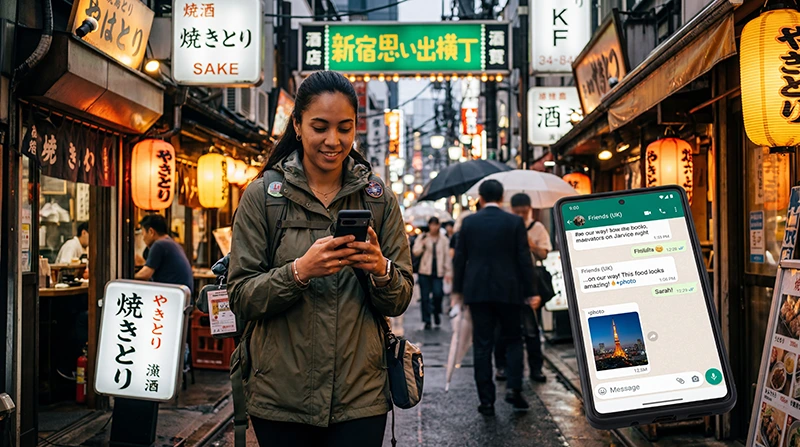

Does WhatsApp work in Japan? Yes. You can send messages and make WhatsApp voice or video calls whenever the phone has working mobile data or Wi-Fi.
You do not need a Japanese telephone number to continue using an account registered to your usual number. Avoid reinstalling or re-registering the application simply because you change the data connection.
A NoveSIM travel eSIM is data-only, which is sufficient for WhatsApp. It does not provide traditional calls, SMS or a Japanese number.
Quick answer: Keep WhatsApp registered to your normal number and use a Japan eSIM for mobile data. Disable data roaming on the primary SIM, keep it active only if you need to receive verification messages, and use Wi-Fi for long video calls when you want to conserve data.
Top Japan eSIMs


How does WhatsApp work in Japan?
WhatsApp uses an internet connection rather than the voice and SMS allowance of a local mobile plan. It therefore works through a travel eSIM, prepaid SIM, pocket WiFi or trusted Wi-Fi.
Connection quality depends on the available network, signal and congestion. Review mobile internet options in Japan before choosing how the phone will stay online.
Will changing SIM or eSIM change your WhatsApp number?
No. Adding a travel eSIM does not automatically change the number registered in WhatsApp. Decline any prompt to change the account number unless you intentionally want to migrate the account.
Keep access to the original number where practical because future verification may require an SMS or call. Your home operator may charge for roaming activity, so check the Japan roaming guidance.
How should dual-SIM settings be configured?
- Keep the primary line enabled only for the calls or messages you need.
- Disable data roaming on that primary line.
- Select the Japan eSIM as the mobile-data line.
- Disable automatic data switching if it could return traffic to the home SIM.
- Test a WhatsApp message after the travel eSIM connects.
Follow the Japan eSIM setup guide if the travel profile has not yet been prepared.
How much data does WhatsApp use?
Text messages use very little data. Photos, voice notes and voice calls use more, while video calls and automatic media downloads can consume an allowance much faster.
- Turn off automatic video downloads on mobile data.
- Use the application’s reduced-data option for calls where available.
- Send large media on trusted Wi-Fi.
- Check usage in both WhatsApp and the phone’s mobile-data settings.
Use the Japan data-use guide to size the complete trip allowance.
What if WhatsApp is the only app not working?
Confirm that mobile data is allowed for WhatsApp, background data is not restricted and the application is current. If every application is offline, diagnose the connection with the Japan eSIM troubleshooting guide.
For a NoveSIM profile, the manual APN is data.esim. Keep the installed eSIM and do not delete it unless support explicitly instructs you to do so.
Related Articles
FAQ
Can I use my existing WhatsApp account in Japan?
Yes. Keep the account registered to its existing number and provide internet access through mobile data or Wi-Fi.
Do I need a Japanese number for WhatsApp?
No. A data-only travel eSIM can provide the connection while WhatsApp remains linked to the usual number.
Will WhatsApp calls create roaming charges?
The calls use data. Charges depend on which SIM supplies that data, so select the travel eSIM and disable data roaming on the home SIM.
Can I receive a verification SMS on my primary SIM?
Potentially, if the line remains active and has roaming service. Check the home operator’s charges before relying on it.
Final Recommendation
Does WhatsApp work in Japan? Yes, whenever the phone has a dependable mobile-data or Wi-Fi connection.
Keep the existing WhatsApp number, route mobile data through the Japan eSIM and protect the primary line from unintended roaming.
Control automatic media and video calls when the travel plan has a limited allowance.