


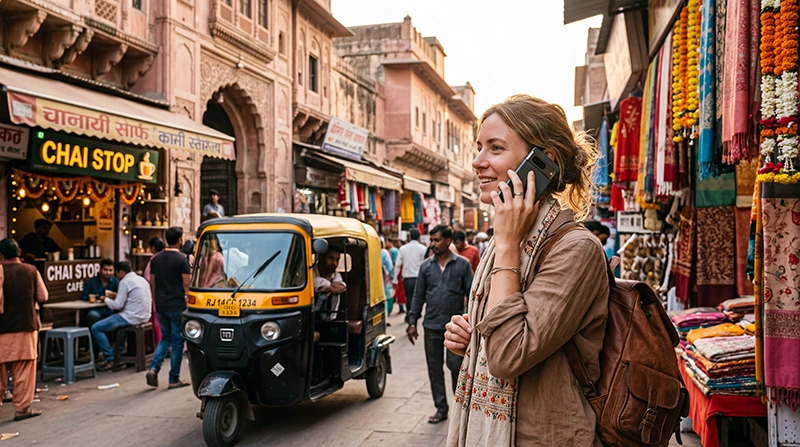

Yes, WhatsApp works in India and is one of the most useful communication apps for international travellers. You can use it to send messages, share photos, make voice and video calls, contact hotels, communicate with drivers and stay connected with family while travelling.
You do not normally need to change your WhatsApp number when using an India travel eSIM. Your existing WhatsApp account can remain connected to your regular phone number while the India eSIM provides the mobile data connection.
This means that a traveller can keep a home SIM active for calls, SMS and verification codes while using a separate India eSIM for internet access. WhatsApp continues working through whichever mobile data or WiFi connection is available.
WhatsApp is particularly valuable in India because hotels, guesthouses, drivers, tour companies, guides and local businesses frequently use it for practical travel communication. A hotel may send its exact map pin through WhatsApp, a driver may confirm an airport pickup, and a tour provider may send updated meeting instructions.
Quick answer: WhatsApp works in India through mobile data or WiFi. Install an India eSIM before travelling, select it for Mobile Data after arrival, enable Data Roaming on the eSIM and keep your existing WhatsApp number unchanged.
Top India eSIMs


Can You Use WhatsApp in India?
Yes. Travellers can use the main WhatsApp features in India whenever their phone has an active internet connection.
You can normally use WhatsApp for:
- Text messages.
- Voice messages.
- Photo and video sharing.
- Document sharing.
- Voice calls.
- Video calls.
- Group conversations.
- Live location sharing.
- Hotel and driver communication.
- Sending tickets and confirmations.
- Receiving map pins.
- Communicating through WhatsApp Business accounts.
WhatsApp does not require a traditional voice allowance for its calls. Messages and calls use mobile data or WiFi.
Does WhatsApp Work with an India eSIM?
Yes. An India eSIM provides the mobile data connection required by WhatsApp. Your account can continue using the phone number with which it was originally registered.
A common setup is:
| Phone Function | Recommended SIM |
|---|---|
| Mobile Data | India eSIM |
| Regular Calls | Primary SIM |
| SMS and Verification Codes | Primary SIM |
| WhatsApp Messages | Internet through India eSIM |
| WhatsApp Calls | Internet through India eSIM |
The India eSIM does not need to have the same number as your WhatsApp account. In many cases, a travel eSIM is data-only and does not provide a new telephone number at all.
Will WhatsApp Keep My Existing Number?
Yes. Installing or activating a travel eSIM does not normally change the number registered with WhatsApp.
For example, if your WhatsApp account uses a British, German, Bulgarian, American or Australian number, it can continue using that same number while the India eSIM supplies mobile internet.
When WhatsApp asks whether you want to change your number, do not confirm a change unless you intentionally want to move the account to another number.
Do You Need an Indian Phone Number for WhatsApp?
No. International travellers do not normally need an Indian phone number to continue using an existing WhatsApp account.
You may keep:
- Your existing WhatsApp profile.
- Your existing phone number.
- Your previous chats.
- Your groups.
- Your saved contacts.
- Your account settings.
An Indian number may be useful for some local services, but it is not required simply to send WhatsApp messages or make WhatsApp calls.
Will Installing an India eSIM Delete WhatsApp?
No. Installing an eSIM does not delete WhatsApp, your account or your conversations.
The eSIM only adds another mobile connection to the phone. It does not replace the WhatsApp application or automatically alter the number associated with the account.
To protect your chats before travelling:
- Update WhatsApp.
- Complete a chat backup.
- Confirm that your phone has enough storage.
- Keep your account recovery information available.
- Enable two-step verification.
Can You Remove Your Home SIM and Still Use WhatsApp?
WhatsApp can continue working after the original physical SIM is removed, provided the account is already registered and the phone has internet access.
However, keeping the primary SIM available may be useful because you could need it for:
- SMS verification.
- Account recovery.
- Banking codes.
- Airline notifications.
- Calls from family or colleagues.
Travellers with a Dual SIM phone can usually keep both the primary SIM and the India eSIM active.
Can You Receive WhatsApp Messages Immediately After Landing?
Yes. Once your phone connects to mobile data or airport WiFi, pending WhatsApp messages should begin arriving.
After landing in India:
- Turn off Airplane Mode when permitted.
- Enable the India eSIM.
- Select it for Mobile Data.
- Enable Data Roaming on the India eSIM.
- Keep Network Selection on Automatic.
- Wait several minutes for the network connection.
- Open WhatsApp.
You should not need to register the WhatsApp account again simply because you arrived in another country.
Can You Make WhatsApp Voice Calls in India?
Yes. WhatsApp voice calls work through mobile data or WiFi.
They can be useful for:
- Calling family at home.
- Contacting hotels.
- Speaking with tour guides.
- Coordinating airport transfers.
- Calling travel companions.
- Communicating with colleagues.
Call quality depends on the strength and stability of the internet connection. A weak mobile signal or overloaded hotel WiFi may cause delays, robotic audio or dropped calls.
Can You Make WhatsApp Video Calls in India?
Yes. WhatsApp video calls work when the phone has a sufficiently stable mobile data or WiFi connection.
Video calls use considerably more data than text messages and voice calls. Hotel WiFi may therefore be preferable for long conversations.
For better video-call quality:
- Use a strong 4G, 5G or WiFi connection.
- Move closer to the hotel router.
- Close unnecessary apps.
- Avoid large background downloads.
- Pause cloud photo backups.
- Keep the phone charged.
Does WhatsApp Work on Indian Hotel WiFi?
Yes. WhatsApp should work on hotel WiFi when the network provides normal internet access.
Hotel WiFi can be useful for:
- Long video calls.
- Sending large videos.
- Backing up chats.
- Downloading received documents.
- Updating WhatsApp.
WiFi quality varies considerably between hotels. Some networks work well in reception but provide weak signal inside guest rooms.
Keeping an India eSIM active gives you a backup when hotel WiFi becomes slow or unavailable.
Does WhatsApp Work at Indian Airports?
Yes. WhatsApp can work through airport WiFi or mobile data at major Indian airports.
It is useful after landing for:
- Contacting your driver.
- Messaging your hotel.
- Sharing your arrival status.
- Sending the terminal location.
- Receiving pickup instructions.
- Opening a hotel map pin.
Airport WiFi may require registration and can become congested. An India eSIM provides a more continuous connection when you leave the terminal.
Does WhatsApp Work on Indian Trains?
WhatsApp works on Indian trains whenever mobile coverage is available. Text messages require relatively little data and may continue working even when the connection is not strong enough for stable video calls.
Coverage can disappear temporarily:
- Inside tunnels.
- In rural areas.
- Through forests.
- In mountain valleys.
- Along remote railway sections.
Messages that cannot be sent immediately will normally remain pending until the phone reconnects.
Read the complete internet guide for Indian train travel.
Does WhatsApp Work During Indian Road Trips?
Yes, when mobile coverage is available. WhatsApp is useful for staying in contact with hotels, drivers and travel companions during a road trip.
You can use it to:
- Send your live location.
- Receive a hotel map pin.
- Confirm arrival times.
- Contact roadside assistance.
- Send photographs of a meeting point.
- Communicate with a rental provider.
Remote desert, forest and mountain roads may have no mobile service. Save important contact details offline before leaving a connected town.
Read the India road-trip internet guide.
Does WhatsApp Work in Delhi?
Yes. WhatsApp works throughout Delhi wherever mobile data or WiFi is available.
It is particularly useful for:
- Airport pickup coordination.
- Hotel communication.
- Sharing locations in Old Delhi.
- Contacting guides.
- Business communication.
- Sending railway-station details.
Read the internet guide for Delhi tourists.
Does WhatsApp Work in Mumbai?
Yes. Mobile coverage and WiFi are widely available throughout Mumbai, allowing WhatsApp messages and calls to work normally in most tourist and business areas.
WhatsApp is helpful for confirming airport terminals, hotel entrances and pickup points in a large metropolitan area.
Read the Mumbai internet guide.
Does WhatsApp Work in Bangalore?
Yes. WhatsApp works across Bangalore and is widely used for personal and business communication.
Visitors may use it to communicate with hotels, coworking spaces, conference organisers, colleagues and drivers.
Read the Bangalore internet guide.
Does WhatsApp Work in Goa?
Yes. WhatsApp works in North Goa, South Goa and most developed tourist areas when mobile coverage or WiFi is available.
Hotels, villas, taxi providers, beach accommodation and activity organisers frequently communicate through WhatsApp.
Mobile coverage can be weaker at secluded beaches or inside remote properties, so messages may be delayed temporarily.
Does WhatsApp Work in Kerala?
Yes. WhatsApp works in Kochi, Varkala, Kovalam and other populated Kerala destinations.
It can be useful for houseboat coordination, resort transfers, accommodation messages and sharing meeting points.
Connectivity can become less consistent in remote backwaters, forest areas and hill stations.
- Internet in Kerala for Tourists
- Internet in Kochi for Tourists
- Internet in Varkala
- Internet in Kovalam
Does WhatsApp Work in Rajasthan?
Yes. WhatsApp works in cities such as Jaipur, Udaipur, Jodhpur and Jaisalmer wherever internet access is available.
Travellers can use it to receive hotel locations, desert-camp coordinates and driver information.
Remote desert roads and camps may have weaker or unavailable mobile coverage. Download important messages and map pins before leaving the city.
Read the Rajasthan internet guide.
Does WhatsApp Work in the Indian Himalayas?
WhatsApp works in connected towns such as Rishikesh, Shimla, Manali and Leh, but it cannot function without internet access.
Coverage can be limited or unavailable on:
- Mountain passes.
- Trekking routes.
- Remote valleys.
- High-altitude roads.
- Pangong Lake routes.
- Remote Ladakh villages.
Before travelling into the mountains:
- Save hotel contacts offline.
- Download map pins.
- Inform family about possible signal gaps.
- Save emergency telephone numbers.
- Download offline maps.
How Hotels and Drivers Use WhatsApp in India
WhatsApp is particularly convenient for practical travel communication. A hotel or driver may use it to send information that is difficult to explain during a normal telephone call.
You may receive:
- An exact Google Maps pin.
- A photograph of the pickup point.
- The driver’s registration number.
- Hotel check-in instructions.
- A tour meeting location.
- An airport terminal update.
- A payment confirmation.
- A digital ticket or voucher.
Save important information before beginning a journey through an area with weaker mobile coverage.
Can You Contact Indian Businesses on WhatsApp?
Many Indian hotels, tour providers, drivers and small businesses use WhatsApp or WhatsApp Business for customer communication.
Before sending personal or payment information:
- Confirm that the number belongs to the business.
- Compare it with the official website or booking page.
- Avoid sending passport images unless truly necessary.
- Do not share card details through a chat.
- Be cautious with unexpected payment links.
- Confirm significant changes through the booking platform.
Can You Use WhatsApp for Ride-Hailing Communication?
Ride-hailing drivers may contact you through the relevant application or by telephone. Hotels and private drivers often use WhatsApp to confirm their location.
WhatsApp is useful for sending:
- Your terminal.
- Your hotel entrance.
- A nearby landmark.
- Your current location.
- A photograph of the pickup zone.
Keep Uber, Ola, Google Maps and WhatsApp available together for smoother transport coordination.
Does WhatsApp Use Your Mobile Minutes?
No. WhatsApp voice and video calls use an internet connection instead of the normal voice-call allowance from your mobile operator.
However, the data used by WhatsApp is counted against:
- Your India eSIM data allowance.
- Your local SIM data allowance.
- Your hotel WiFi connection.
- Your home operator’s roaming data if selected accidentally.
Select the India eSIM as the preferred Mobile Data source to avoid using expensive roaming data from your primary SIM.
How Much Data Does WhatsApp Use?
Text messages use very little data. Photos, videos, voice calls and video calls use progressively more.
| WhatsApp Activity | Expected Data Use |
|---|---|
| Text messages | Very Low |
| Voice messages | Low |
| Photo sharing | Low to Moderate |
| Document sharing | Depends on file size |
| Voice calls | Moderate |
| Video calls | High |
| Sending videos | Potentially High |
| Chat backup | Depends on backup size |
How Much Data Do You Need for WhatsApp in India?
| Travel Usage | Suggested Data |
|---|---|
| Messages and occasional calls | 3–5 GB for a short trip |
| Daily messages and photo sharing | 5–10 GB per week |
| Regular voice and video calls | 10–20 GB per week |
| Frequent videos and hotspot use | High-data plan |
| Remote work and long video calls | High-data or unlimited option |
WhatsApp alone may not use the entire allowance. Most travellers also use Google Maps, ride-hailing apps, social media, hotel platforms and web browsing.
How to Reduce WhatsApp Data Usage
- Use hotel WiFi for long video calls.
- Disable automatic media downloads.
- Download videos only when needed.
- Reduce call data usage in WhatsApp settings where available.
- Pause automatic chat backups.
- Avoid sending uncompressed large videos.
- Use voice calls instead of video when the signal is weak.
- Monitor mobile data in your phone settings.
Should You Allow Automatic Photo and Video Downloads?
Automatic media downloads can consume a significant amount of data in active group chats.
A practical travel setting is:
| Media Type | Recommended Mobile Data Setting |
|---|---|
| Photos | Optional |
| Audio | Optional |
| Videos | WiFi only |
| Documents | Manual or WiFi only |
Can You Receive Verification Codes While Using an eSIM?
Your primary SIM may continue receiving SMS verification codes if it remains enabled and your home operator supports roaming.
The India travel eSIM supplies mobile data but may not provide a telephone number for receiving ordinary SMS.
Before travelling:
- Keep the primary SIM enabled.
- Check SMS roaming availability.
- Review possible SMS charges.
- Enable WhatsApp two-step verification.
- Confirm your recovery email where available.
- Avoid reinstalling WhatsApp unnecessarily.
What Happens If WhatsApp Asks You to Verify Your Number?
WhatsApp may request verification after a reinstall, device change, account reset or certain security events.
If this happens:
- Confirm that you entered the correct number.
- Include the correct international country code.
- Make sure the primary SIM can receive SMS or calls.
- Check whether roaming is active for that SIM.
- Wait for the official verification process.
- Never share the verification code with another person.
A normal eSIM activation should not require you to re-register WhatsApp.
Should You Change Your WhatsApp Number to the eSIM Number?
No, not unless you intentionally want to move your account to a new telephone number.
Most travel eSIMs are designed for mobile data and may not include a regular phone number. There is no benefit in changing your WhatsApp account for a short trip when your existing account already works.
Can You Use WhatsApp on a Second Phone?
WhatsApp provides supported options for linking additional devices. Account setup and device-linking requirements can change, so configure any additional phone before travelling when possible.
Never use unofficial modified versions of WhatsApp. Use only the official application from a trusted app store.
Can You Use WhatsApp Web in India?
Yes. WhatsApp Web or the official desktop application can work through hotel, apartment, office or coworking WiFi.
It can be useful for:
- Business travel.
- Remote work.
- Sending documents.
- Typing longer messages.
- Communicating with clients.
Log out from any public or shared computer after use.
WhatsApp Safety Tips for Travellers
- Enable two-step verification.
- Never share a verification code.
- Use the official WhatsApp application.
- Confirm unexpected hotel payment requests.
- Avoid sending card details through chat.
- Do not open suspicious links.
- Block and report suspicious accounts.
- Review linked devices.
- Use a phone screen lock.
- Back up important chats before travelling.
- Limit who can see your profile information.
- Be careful when sharing a live location.
Common WhatsApp Scams Affecting Travellers
Travellers should be cautious when receiving unexpected messages claiming to come from a hotel, driver, airline or tour provider.
Warning signs include:
- An urgent request for a new payment.
- A payment link from an unfamiliar domain.
- A request for your verification code.
- A message from a different number without explanation.
- A request for full card details.
- A claim that your booking will be cancelled immediately.
- Poorly explained changes to a pickup location.
Verify suspicious requests through the original booking platform or official contact number.
Public WiFi Safety When Using WhatsApp
Public WiFi can be useful, but travellers should still follow basic security precautions.
- Confirm the official WiFi name.
- Avoid unknown open networks.
- Keep WhatsApp updated.
- Use a secure phone lock.
- Do not leave WhatsApp Web open on shared computers.
- Forget the network after leaving.
- Use mobile data for sensitive communication where practical.
Recommended Mobile Settings for WhatsApp in India
| Setting | Recommended Value |
|---|---|
| India eSIM | Enabled |
| Mobile Data | India eSIM |
| Calls and SMS | Primary SIM |
| Data Roaming on India eSIM | On |
| Data Roaming on primary SIM | Off |
| Automatic Data Switching | Off |
| Network Selection | Automatic |
| WhatsApp Mobile Data Access | Enabled |
| Background Data | Enabled |
| Notifications | Enabled |
| APN | data.esim if required |
India eSIM APN Settings
Most compatible phones configure the APN automatically. If WhatsApp and other internet apps do not work despite showing a mobile signal, check the APN.
| Field | Value |
|---|---|
| Name | NoveSIM |
| APN | data.esim |
| Username | Leave blank |
| Password | Leave blank |
| Authentication | None |
Why WhatsApp Is Not Working in India
If WhatsApp does not connect, the cause is usually related to the internet connection or phone settings rather than the WhatsApp account itself.
Common causes include:
- The India eSIM is disabled.
- The wrong SIM is selected for Mobile Data.
- Data Roaming is off.
- The APN is missing.
- Mobile data is disabled for WhatsApp.
- The phone has no network coverage.
- Hotel WiFi requires a login page.
- Background data is restricted.
- The app requires an update.
- The phone time or date is incorrect.
- A temporary service or network problem exists.
What to Do If WhatsApp Is Not Working
- Open a website to test the internet connection.
- Confirm that the India eSIM is enabled.
- Select the India eSIM for Mobile Data.
- Enable Data Roaming on the India eSIM.
- Disable Automatic Data Switching.
- Keep Network Selection on Automatic.
- Confirm that WhatsApp can use mobile data.
- Verify that the APN is data.esim.
- Turn Airplane Mode on for 30 seconds.
- Turn it off and wait several minutes.
- Restart the phone.
- Update WhatsApp through the official app store.
Do not delete the eSIM while troubleshooting. Do not reinstall WhatsApp unless necessary, because reinstalling may trigger account verification.
WhatsApp Works on WiFi but Not Mobile Data
If WhatsApp works through WiFi but not through the India eSIM, check the mobile data configuration.
- Select the India eSIM for Mobile Data.
- Enable Data Roaming on the eSIM.
- Confirm that mobile data is allowed for WhatsApp.
- Check the APN.
- Turn off any mobile-data restriction.
- Restart the connection using Airplane Mode.
WhatsApp Messages Work but Calls Do Not
Messages require less bandwidth than calls. If messages work but calls fail, the connection may be too weak or unstable.
Try:
- Moving outdoors.
- Switching between 5G and 4G/LTE.
- Connecting to better WiFi.
- Closing background downloads.
- Turning off cloud backups.
- Restarting WhatsApp.
- Restarting the phone.
WhatsApp Calls Are Slow or Keep Disconnecting
Call quality can suffer when the network is congested or the signal is weak.
For a better connection:
- Move closer to a window.
- Use 4G/LTE if unstable 5G repeatedly disconnects.
- Use voice instead of video.
- Connect to reliable hotel WiFi.
- Disable Personal Hotspot.
- Pause large uploads.
- Ask other devices to stop streaming.
WhatsApp Notifications Are Delayed
Delayed notifications may be caused by battery-saving or background-data restrictions.
Check that:
- Notifications are enabled.
- Background data is allowed.
- Battery optimisation is not excessively restricting WhatsApp.
- The app is not force-stopped.
- The India eSIM remains connected.
- Low Data Mode is not preventing background activity.
Should You Reinstall WhatsApp While Travelling?
Reinstalling should normally be a last resort. It may require a new verification code and could create complications if your primary number cannot receive SMS abroad.
Before reinstalling:
- Restart the phone.
- Check mobile data.
- Test WiFi.
- Update the app.
- Confirm your chat backup.
- Make sure you can receive a verification code.
WhatsApp Checklist Before Travelling to India
- Update WhatsApp.
- Confirm your registered phone number.
- Complete a chat backup.
- Enable two-step verification.
- Review linked devices.
- Keep the primary SIM available.
- Install an India eSIM.
- Save the eSIM instructions.
- Download hotel and driver contacts.
- Install Google Maps.
- Save your first accommodation pin.
- Configure media-download preferences.
- Carry a charged power bank.
- Keep emergency contacts offline.
Related India Guides
- India eSIM
- Best Apps for India Travel
- Google Maps in India
- Does Uber Work in India?
- Ola vs Uber in India
- How Much Data Do You Need for India?
- Best Mobile Data in India
- Internet on Indian Trains
- Internet for Domestic Flights in India
- India eSIM APN Settings
FAQ
Does WhatsApp work in India?
Yes. WhatsApp works through mobile data and WiFi and can be used for messages, photos, voice calls and video calls.
Can I use WhatsApp with an India eSIM?
Yes. The India eSIM provides mobile data while WhatsApp continues using your existing registered number.
Will my WhatsApp number change?
No. Installing a travel eSIM does not normally change the number associated with your WhatsApp account.
Do I need an Indian number for WhatsApp?
No. You can continue using your existing international WhatsApp number while travelling in India.
Can I keep my regular SIM active?
Yes. Most Dual SIM phones allow the primary SIM to remain active while the India eSIM provides mobile data.
Can I receive SMS codes on my home SIM?
Potentially yes, provided the primary SIM remains enabled and your home operator supports SMS roaming.
Do WhatsApp voice calls work in India?
Yes. Voice calls work through mobile data or WiFi when the internet connection is stable.
Do WhatsApp video calls work in India?
Yes. Video calls work but use more data and require a stronger connection than normal messages.
Does WhatsApp work on Indian trains?
Yes, whenever mobile coverage is available. Temporary interruptions are common in tunnels, rural areas and mountain regions.
Does WhatsApp work in Goa and Kerala?
Yes. It works in connected tourist areas, although remote beaches, backwaters and mountain locations may have weaker coverage.
Does WhatsApp work in Ladakh?
It works where mobile data or WiFi is available, particularly around connected towns. Remote valleys, lakes and mountain roads may have no service.
Does WhatsApp use mobile minutes?
No. WhatsApp calls use internet data instead of a standard mobile voice allowance.
Does WhatsApp use a lot of data?
Messages use very little data. Video calls, video sharing and cloud backups consume significantly more.
Why does WhatsApp work on WiFi but not mobile data?
The India eSIM may not be selected for Mobile Data, Data Roaming may be disabled or the APN may need to be configured.
Should I reinstall WhatsApp if it stops working?
Reinstallation should be a last resort because it may require a new verification code. Check the internet and mobile settings first.
Do I need Data Roaming enabled?
Yes. Enable Data Roaming on the India eSIM and keep it disabled on your primary SIM.
What APN should I use?
If manual configuration is required for a NoveSIM India eSIM, use data.esim.
Final Recommendation
WhatsApp works in India and is one of the most valuable communication tools for international travellers. It allows you to stay connected with family, contact hotels, coordinate drivers, receive map pins and make voice or video calls through mobile data or WiFi.
You do not normally need to change your WhatsApp number. Keep your existing account and primary SIM active while using an India eSIM for mobile data. This setup lets WhatsApp continue working with your regular number while reducing the risk of expensive roaming data charges.
Before departure, update WhatsApp, back up important chats, enable two-step verification and confirm that your primary SIM can receive verification codes if necessary. Avoid reinstalling the application while abroad unless you know that you can complete account verification.
Install the India eSIM while connected to reliable WiFi, select it for Mobile Data after arriving, enable Data Roaming on the eSIM and keep Network Selection on Automatic.